
Megabeef
Modpack for the Megabeef server
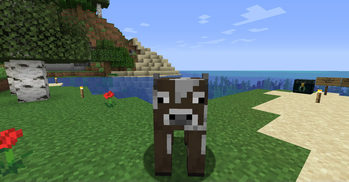
Screenshots
About this Modpack
This Modpack is required to play on the Megabeef server.
The Megabeef Modpack mainly adds content mods, such as Alex's Caves, Biomes O' Plenty, Create, and many more! (See mods list)
Several QoL mods are also included, like Mouse Tweaks, and WI Zoom!
It's not all content though, the myriad of performance mods added allows this Modpack to run smoother than the Vanilla game (granted, thats not exectly a high bar to beat).
Additionally, Simple Voice Chat has been added so you can easily chat with your friends!
If you want, you can add or remove any mod you'd like. Note that if any server side mods are added or removed you won't be able to join the Megabeef server, but you can still play singleplayer, or use them on your own server! :)
If you discover any issues with the modpack you can post them in the discord.
Speaking of discord, Join the Discord! Not only does it allow us to whitelist you, it's also a safe place to share and post about your favourite builds and projects!
Also, there's no need to manually add the Megabeef server to your server list as this Modpack has beaten you to it, and it'll be included when you launch the game.
Note
- The mod 'Do a Barrel Roll' is disabled as default -- Only activate this mod if you don't suffer from motion sickness!
(For specifics see the mods page which can be accessed in the Mods list)
Mods list
- 3D Skin Layers - by tr7zw [https://modrinth.com/mod/3dskinlayers]
- Alex's Caves - by AlexModGuy [https://modrinth.com/mod/alexs-caves]
- Alex's Mobs - by AlexModGuy [https://modrinth.com/mod/alexs-mobs]
- Ammendments - by MehVahdJukaar [https://modrinth.com/mod/amendments]
- AnimaticaReforged - by Kasualix [https://modrinth.com/mod/animaticareforged]
- AppleSkin - by squeek502 [https://modrinth.com/mod/appleskin]
- Athena - by Terrarium [https://modrinth.com/mod/athena-ctm]
- EpheroLib - by thethonk [https://www.curseforge.com/minecraft/mc-mods/epherolib]\
(Called BOZOID in the Modrinth Modlist for some reason) - Balm - by BlayTheNinth [https://modrinth.com/mod/balm]
- BetterF3 - by TreyRuffy [https://modrinth.com/mod/betterf3]
- Biomes O' Planty - by Forstride [https://modrinth.com/mod/biomes-o-plenty]
- Bygone Nether - by izofar [https://modrinth.com/mod/bygone-nether]
- Camera Mod - henkelmax [https://modrinth.com/mod/camera-mod]
- Canary - by AbdElAziz [https://modrinth.com/mod/canary]
- Chipped - by Terrarium [https://modrinth.com/mod/chipped]
- Citadel - by AlexModGuy [https://modrinth.com/mod/citadel]
- Cloth Config API - by shedaniel [https://modrinth.com/mod/cloth-config]
- Comforts - by TheIllusiveC4 [https://modrinth.com/mod/comforts]
- Cooking for Blockheads - by BlayTheNinth [https://modrinth.com/mod/cooking-for-blockheads]
- Corpse - by henkelmax [https://modrinth.com/mod/corpse]
- Crafting Recipes For Create - by BrayDo2010 [https://modrinth.com/mod/crafting-recipes-for-create]
- Create - by simibubi [https://modrinth.com/mod/create]
- Create Central Kitchen - by MarbleGateKeeper [https://modrinth.com/mod/create-central-kitchen]
- Create Deco - by talrey [https://modrinth.com/mod/create-deco]
- Create Encased - by iglee42 [https://modrinth.com/mod/create-encased]
- Create Enchantment Industry - by MarbleGateKeeper [https://modrinth.com/mod/create-enchantment-industry]
- Create Slice & Dice - by possible_triangle [https://modrinth.com/mod/slice-and-dice]
- Create: Armory - by dcchill [https://modrinth.com/mod/create-armory]
- Create: Bells & Whistles - by lev [https://modrinth.com/mod/bellsandwhistles]
- Create: Copies & Cats - by Redcat_XVIII [https://modrinth.com/mod/create-copies-cats]
- Create: Fully Automated - by Noobers [https://modrinth.com/mod/create-fully-automated]
- Create: Liquid Fuel - by RuochenFu21 [https://modrinth.com/mod/create-liquid-fuel]
- Create: Steam 'n' Rails - by IThundxr [https://modrinth.com/mod/create-steam-n-rails]
- Create: Structures - by FusionSwarly [https://modrinth.com/mod/create-structures]
- CreativeCore - by Creativemd [https://modrinth.com/mod/creativecore]
- Creeper Overhaul - by Joo5h [https://modrinth.com/mod/creeper-overhaul]
- Croptopia - by thethonk [https://www.curseforge.com/minecraft/mc-mods/croptopia]
- Croptopia Delight - by ropyxa [https://modrinth.com/mod/croptopia-delight]
- Curios API - by TheIllusiveC4 [https://modrinth.com/mod/curios]
- Do a Barrel Roll - by enjarai [https://modrinth.com/mod/do-a-barrel-roll]
- Domestication Innovation - by AlexModGuy [https://modrinth.com/mod/domestication-innovation]
- Dynamic FPS - by juliand665 [https://modrinth.com/mod/dynamic-fps]
- Embeddium - by embeddedt [https://modrinth.com/mod/embeddium]
- Embeddium++ - by SrRapero720 [https://modrinth.com/mod/embeddiumplus]
- Emotecraft - by KosmX [https://modrinth.com/mod/emotecraft]
- Entity Culling - by tr7zw [https://modrinth.com/mod/entityculling]
- Farmer's Delight - by vectorwing [https://modrinth.com/mod/farmers-delight]
- Fastload - by StockiesLad [https://modrinth.com/mod/fastload]
- FerriteCore - by malte0811 [https://modrinth.com/mod/ferrite-core]
- Friends&Foes - by faboslav [https://modrinth.com/mod/friends-and-foes-forge]
- Geckolib - by Gecko [https://modrinth.com/mod/geckolib]
- ImmediatelyFast - by RaphiMC [https://modrinth.com/mod/immediatelyfast]
- Iris/Oculus & GeckoLib Compat - by ElocinDev [https://modrinth.com/mod/geckoanimfix]
- Jade - by Snownee [https://modrinth.com/mod/jade]
- Just Enough Items - by mezz [https://modrinth.com/mod/jei]
- Just Enough Resources - by way2muchnoise [https://modrinth.com/mod/just-enough-resources-jer]
- Kotlin - by thedarkcolour [https://modrinth.com/mod/kotlin-for-forge]
- Macaw's Bridges - by sketchmacaw [https://modrinth.com/mod/macaws-bridges]
- Macaw's Doors - by sketchmacaw [https://modrinth.com/mod/macaws-doors]
- Macaw's Fences and Walls - by sketchmacaw [https://modrinth.com/mod/macaws-fences-and-walls]
- Macaw's Furnature - by sketchmacaw [https://modrinth.com/mod/macaws-furniture]
- Macaw's Holidayes - by sketchmacaw [https://modrinth.com/mod/macaws-holidays]
- Macaw's Lights and Lamps - by sketchmacaw [https://modrinth.com/mod/macaws-lights-and-lamps]
- Macaw's Paintings - by sketchmacaw [https://modrinth.com/mod/macaws-paintings]
- Macaw's Paths and Pathings - by sketchmacaw [https://modrinth.com/mod/macaws-paths-and-pavings]
- Macaw's Roofs - by sketchmacaw [https://modrinth.com/mod/macaws-roofs]
- Macaw's Trapdoors - by sketchmacaw [https://modrinth.com/mod/macaws-trapdoors]
- Macaw's Windows - by sketchmacaw [https://modrinth.com/mod/macaws-windows]
- Memory Leak Fix - by FX [https://modrinth.com/mod/memoryleakfix]
- MoreMcmeta - by soir20 [https://modrinth.com/mod/moremcmeta]
- MoreMcmeta Emissive Textures - by soir20 [https://modrinth.com/mod/moremcmeta-emissive]
- Mouse Tweaks - by YaLTeR [https://modrinth.com/mod/mouse-tweaks]
- My Server Is Compatible - by focamacho [https://modrinth.com/mod/my-server-is-compatible]
- Oculus - by Asek3 [https://modrinth.com/mod/oculus]
- Paraglider - by Tictim [https://www.curseforge.com/minecraft/mc-mods/paragliders]
- PlayerRevive - by creativemd [https://modrinth.com/mod/playerrevive]
- Potacore - by Kasualix [https://modrinth.com/mod/potacore]
- Resourceful config - by epic_oreo [https://modrinth.com/mod/resourceful-config]
- Resourceful Lib - by epic_oreo [https://modrinth.com/mod/resourceful-lib]
- SecurityCraft - by Geforce132 [https://modrinth.com/mod/security-craft]
- ServerCore - by Wesley1808 [https://modrinth.com/mod/servercore]
- Simple Voice Chat - by henkelmax [https://modrinth.com/plugin/simple-voice-chat]
- Sophisticated Backpacks - by P3pp3rF1y [https://www.curseforge.com/minecraft/mc-mods/sophisticated-backpacks]
- Sophisticated Core - by P3pp3rF1y [https://www.curseforge.com/minecraft/mc-mods/sophisticated-core]
- Sophisticated Storage - by P3pp3rF1y [https://www.curseforge.com/minecraft/mc-mods/sophisticated-storage]
- Supplimentaries - by MehVahdJukaar [https://modrinth.com/mod/supplementaries]
- TerraBlender - by Adubbz [https://modrinth.com/mod/terrablender]
- TexTrue's Embeddium Options - by ThinkingStudio [https://modrinth.com/mod/textrues-embeddium-options]
- Tom's Simple Storage Mod - by tom5454 [https://modrinth.com/mod/toms-storage]
- untamed Wilds - by raytrace82 [https://www.curseforge.com/minecraft/mc-mods/untamedwilds]
- WI Zoom - by Alexander01998 [https://modrinth.com/mod/wi-zoom]
- Waystones - by BlayTheNinth [https://modrinth.com/mod/waystones]
- WorldEdit - by sk89q [https://www.curseforge.com/minecraft/mc-mods/worldedit]
- xaero's Minimap - by thexaero [https://modrinth.com/mod/xaeros-minimap]
- Xaero's Minimap & World Map - Waystones Compatibility - by precise.modpacker [https://modrinth.com/mod/xaeros-minimap-world-map-waystones-compatibility-forge]
- Xaero's World Map - by thexaero [https://modrinth.com/mod/xaeros-world-map]
- Entity Model Features - by traben [https://modrinth.com/mod/entity-model-features]
- Entity Texture Features - by Traben [https://modrinth.com/mod/entitytexturefeatures]
- libIPN - by blackd [https://modrinth.com/mod/libipn]
- playerAnimator - by KosmX[https://modrinth.com/mod/playeranimator]
Available Versions
How to Set Up a Megabeef Server
Order Server
Choose at least 6 GB RAM (8 GB recommended for Megabeef). Based on player count: per 5 players.
Install Modpack in Dashboard
Open the modpack browser in the dashboard, search for "Megabeef" and click "Install". The forge loader and Minecraft 1.20.1 are configured automatically.
Start Server & Play
Start the server – all mods are loaded automatically. Share the server IP with friends and play together!
Frequently Asked Questions
Megabeef server crashes or won't start – what to do?
Most common causes: insufficient RAM or wrong forge loader. Check latest.log for "OutOfMemoryError" → increase RAM to at least 8 GB. For "Mixin" or "ClassNotFoundException" errors: modpack version and loader don't match. With Mado Hosting, loader and Minecraft version are auto-configured on modpack install – preventing most startup issues.
How much RAM does a Megabeef server really need?
Minimum 6 GB, recommended 8 GB for stable performance. per 5 players. Important: Minecraft modpacks need more RAM than vanilla – plan extra per additional player. With Mado Hosting, you can scale RAM up live at any time without data loss (from €12/month).
Can I add custom mods to Megabeef without conflicts?
Yes, but check compatibility: only use mods for the same loader (forge) and same Minecraft version (1.20.1). Common issues: ID conflicts with recipe mods and incompatible coremod versions. The Mado dashboard mod browser only shows compatible mods and warns about known conflicts.
Megabeef server lagging – performance tips
1) Increase RAM to 8 GB+. 2) Reduce server view-distance to 8 (server.properties). 3) Pre-generate chunks with the "Chunky" plugin. 4) Use /spark profiler to check which mods consume the most tick time. With Mado Hosting, all servers run on NVMe SSDs with dedicated CPU cores – eliminating hardware as a bottleneck.
Similar Modpacks
![Cobblemon Official Modpack [Fabric]](https://cdn.modrinth.com/data/5FFgwNNP/e7f9ee2e9d361623847853fe2ddce42f519ee64f.png)
![COBBLEVERSE - Pokemon Adventure [Cobblemon]](https://cdn.modrinth.com/data/Jkb29YJU/581ecf54530972afb18a04660afd820f2f24f6c7.png)
![Better MC [FABRIC] - BMC2](https://cdn.modrinth.com/data/shFhR8Vx/a19c2bcb51d38f32f138d3607e91cb2b7b8e387f_96.webp)


![Better MC [FORGE] - BMC4](https://cdn.modrinth.com/data/4BV47HRn/7f5ef7cc61b2593609aabef3ed07a866a4f11b73_96.webp)
Rent Megabeef Server
Start your own server with automatic modpack installation.
Supported Versions
Start your Megabeef Server now
From €12.00/month with 8 GB RAM for the best performance.
Configure Server →