
MegaCraft_823
Warning: This modpack is originally translated into Russian. To translate it into another language, click the button. please read the description before playing! this pack was created to improve your minecraft experience. the pack is completely client-side
Screenshots
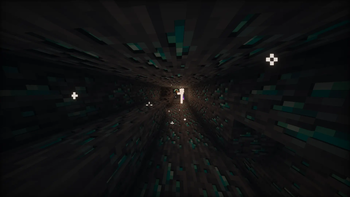


About this Modpack
English:
Warning: This modpack is originally translated into Russian. To translate it into another language, click the button that looks like a message. It's located to the left of the "Настройки" button in the main menu.
This modpack should improve your gameplay. The pack features:
Resource packs:
A resource pack created by me.
Mods:
Resourcify (a mod that I think should be included in every build; it allows you to download shaders and resource packs directly in Minecraft. Just click the "+" in the upper right corner of the shaders or resource packs), clientcommands (a cheat mod that can adjust circumstances so you can, for example, get the exact enchantments you need from the enchantment table; just type /c
Русский:
Предпреждение: Модпак изначально перевёд на русский для перевода на какой либо другой язык нажмите на кнопку похожую на сообщение она будет находится левее от кнопки "Настройки" в главном меню
Этот Modpacks должен улучшить ваш геймплей. В паке можно выделить:
Ресурс-паки:
мною созданный ресурс-пак.
Моды:
Resourcify(мод который мне кажется должен быть в каждой сборке, он даёт возможность скачивать шейдеры и ресурс-паки прямо в майнкрафте, просто в шейдерах или в ресур-паках нажмите справа сверху "+"), clientcommands(это чит-мод который может подстраивать обстятельства так чтобы например получить со стола зачарования именно те зачарования который вам нужны, просто напишите /с<команада из предложенных>, все эти действия производятся путём выяснения id игрока, перейдите на страницу моды для получения большей информации ClientCommands Wiki, Accurate Block Placement Reborn(теперь вы сможете строить намного быстрее), Bridging Mod(теперь вы можете просто идти вперёд и строить мост прямо перед собой или много ещё как), Client Tweaks(даёт более обширные настройки игры), Enchantment Descriptions(мод который опишет что делает, то или иное зачарование. Больше подходит для новых игроков), Essential Mod(мод можно использовать только с лицензией, добавляет очень много онлайн возможностей), Female Gender Mod(Ээммм... ну это гендер мод, открыть конфигурацию мода на кнопку "H"), Litematica(теперь нажав на клавишу "L" вы можете сохранить или загрузить свои схемы, ссылка на страницу мода: Страница Litematica),
InvMove(двигайся с открытым инвентарём), Inventory Profiles Next(удобная сортировка инвенторя), Simple Autoswitch(автоматически меняет инструменты на те которые лучше подойдут к блоку который вы ломаете), Particle Rain(улучшает дождь), Spyglass Improvements(создавайте свои созвездия и делитесь ими со своими друзьями). И это некоторое из того что можно выделить в паке. Хорошей игры!
中文(简体):
警告:此整合包最初翻译成俄语。要将其翻译成其他语言,请点击主菜单“设置”按钮左侧的类似消息的按钮。
此整合包应该可以提升您的游戏体验。
整合包包含:
资源包:
我制作的资源包。
模组:
Resourcify(我认为每个版本都应该包含这个模组;它允许你直接在 Minecraft 中下载着色器和资源包。只需点击着色器或资源包右上角的“+”号即可),clientcommands(一个作弊模组,可以调整各种情况,例如,让你从附魔台获得所需的特定附魔;只需输入 /c<建议选项中的命令>。所有这些操作都是通过获取玩家 ID 来完成的。更多信息,请访问模组页面:ClientCommands Wiki),
Accurate Block Placement Reborn(现在你可以建造得更快),
Bridging Mod(现在你可以直接向前走,在你面前建造一座桥,或者做更多的事情),
Client Tweaks(提供更全面的游戏设置),Enchantment Descriptions(一个描述各种附魔效果的模组。更适合新手玩家), Essential Mod(一个可以……的模组)。仅限授权用户使用,添加了许多在线功能),女性性别模组(嗯……这是一个性别模组,按“H”键打开模组配置),Litematica(现在您可以按“L”键保存或加载您的图案,模组页面链接:Litematica 页面),InvMove(打开物品栏后移动),Inventory Profiles Next(方便的物品栏排序),Simple Autoswitch(自动切换工具的开关).(例如,与你正在打破的方块最匹配的方块)、粒子雨(增强雨景效果)、望远镜改进(创建你自己的星座并与朋友分享)。这些只是该扩展包的部分亮点。祝你游戏愉快!
Available Versions
How to Set Up a MegaCraft_823 Server
Order Server
Choose at least 6 GB RAM (8 GB recommended for MegaCraft_823). Based on player count: per 5 players.
Install Modpack in Dashboard
Open the modpack browser in the dashboard, search for "MegaCraft_823" and click "Install". The fabric loader and Minecraft 1.21.10 are configured automatically.
Start Server & Play
Start the server – all mods are loaded automatically. Share the server IP with friends and play together!
Frequently Asked Questions
MegaCraft_823 server crashes or won't start – what to do?
Most common causes: insufficient RAM or wrong fabric loader. Check latest.log for "OutOfMemoryError" → increase RAM to at least 8 GB. For "Mixin" or "ClassNotFoundException" errors: modpack version and loader don't match. With Mado Hosting, loader and Minecraft version are auto-configured on modpack install – preventing most startup issues.
How much RAM does a MegaCraft_823 server really need?
Minimum 6 GB, recommended 8 GB for stable performance. per 5 players. Important: Minecraft modpacks need more RAM than vanilla – plan extra per additional player. With Mado Hosting, you can scale RAM up live at any time without data loss (from €12/month).
Can I add custom mods to MegaCraft_823 without conflicts?
Yes, but check compatibility: only use mods for the same loader (fabric) and same Minecraft version (1.21.10). Common issues: ID conflicts with recipe mods and incompatible coremod versions. The Mado dashboard mod browser only shows compatible mods and warns about known conflicts.
MegaCraft_823 server lagging – performance tips
1) Increase RAM to 8 GB+. 2) Reduce server view-distance to 8 (server.properties). 3) Pre-generate chunks with the "Chunky" plugin. 4) Use /spark profiler to check which mods consume the most tick time. With Mado Hosting, all servers run on NVMe SSDs with dedicated CPU cores – eliminating hardware as a bottleneck.
Similar Modpacks


![Cobblemon Official Modpack [Fabric]](https://cdn.modrinth.com/data/5FFgwNNP/e7f9ee2e9d361623847853fe2ddce42f519ee64f.png)
![COBBLEVERSE - Pokemon Adventure [Cobblemon]](https://cdn.modrinth.com/data/Jkb29YJU/581ecf54530972afb18a04660afd820f2f24f6c7.png)
![Better MC [FABRIC] - BMC2](https://cdn.modrinth.com/data/shFhR8Vx/a19c2bcb51d38f32f138d3607e91cb2b7b8e387f_96.webp)

Rent MegaCraft_823 Server
Start your own server with automatic modpack installation.
Details
- License
- BSD 2-Clause "Simplified" License
- Server-side
- Optional
- Client-side
- Optional
Supported Versions
Start your MegaCraft_823 Server now
From €12.00/month with 8 GB RAM for the best performance.
Configure Server →