
Meow Create
⚙️ A Forge 1.20.1 modpack blending Create engineering 🏗️ with Scorched Guns combat 🔫. Experience realistic Genetic Animals 🧬, brave the Pale Garden 👻, and master the wild! 🌾
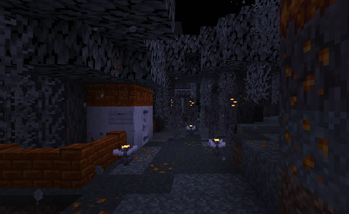
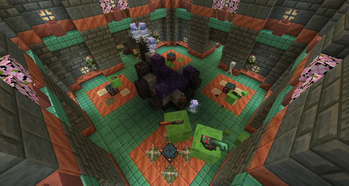
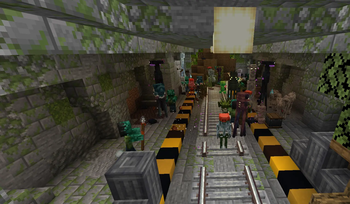
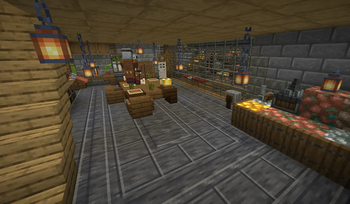
Screenshots
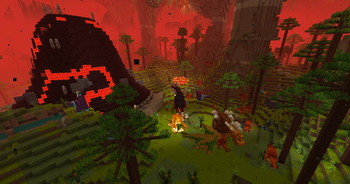
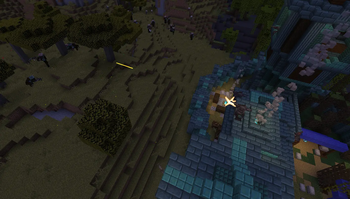
About this Modpack
⚙️ Meow Create Modpack
A Forge-based modpack for Minecraft 1.20.1, built around the Create mod and expanded with automation, wildlife, world generation, cooking, decoration, quality-of-life improvements, and performance optimizations.
Designed for players who want to combine engineering, survival, and exploration into one balanced experience.
📌 Version Info
- 1.1.x or lower – Development builds.
- 1.2 – Genetics focus (Realistic Horse Genetics, Animal Genetics, Snekcraft).
- 1.3 – DragN’s Livestock & Pets integration.
✨ Core Features
🏗️ Create & Engineering
Harness the full Create ecosystem with a wide selection of addons and integrations:
- Expansions: Create Food, Create New Age, Railways Navigator, Big Cannons.
- Addons: Create Deco, Stuff & Additions, Enchantment Industry, Ore Excavation, Central Kitchen, Connected, Copper & Zinc, Power Loader, Jetpack, Mechanical Companion, Structures, Misc & Things, Utilities, Enchantable Machinery, Armor Trims, Deep Dark, Sound of Steam.
- Special Content: Oppenheimered (nuclear), Mechanical Spawner, Tweaked Controllers, Oxidized.
🐾 Wildlife, Mobs & World
Populate the world with diverse creatures and fresh challenges:
- Fauna: Alex’s Mobs, Alex’s Caves, New Age Alex’s Caves.
- Overhauls & Enemies: Creeper Overhaul, Enderman Overhaul, Illager Invasion, Horseman, Golems Are Friends.
- Genetics & Animals:
- Genetic Animals: Animals have unique genes, sizes, and produce.
- Realistic Horse Genetics: Breed horses with real coats and stats.
- Companions: Better Dogs & Blue's Better Cats.
- DragN’s Livestock & Pet Overhaul: Enhanced farming behavior.
- World & Biomes: Biomes O’ Plenty, Climate Rivers, Pale Garden Backport (The Garden Awakens).
- Villages: Dynamic Village, Villages and Pillages.
🔫 Combat & Defense
- Scorched Guns 2: Defend your base with realistic firearms, turrets, and ammo.
- Threats: Enhanced mobs from ScGuns and tougher raids.
🌾 Farming & Food
Realistic farming and cooking systems with Create integration:
- Farmer’s Delight, Create Food, Slice and Dice (automatic harvesting).
- Bountiful (quests and bounty boards).
🏠 Decoration & Structures
Enhance builds and landscapes with rich visuals:
- Copycats, Interiors, Sawmill, Some More Blocks.
- Better Archaeology, Archaeology Banners.
- Underground Rooms, Trials (Trial Chambers), Tide, YUNG's Structures (Mineshafts, Bridges, Extras).
🧰 Quality of Life
Practical improvements for smoother gameplay:
- Inventory/UI: AppleSkin, Jade (+ Addons), Mouse Tweaks, Carry On, BetterF3, 3D Skin Layers.
- Interaction: Double Doors, PickUp Notifier, Stack Refill, Grabby Mobs, Portable Wardrobe Armor Swap.
- Utilities: Comforts, Waystones, Visual Workbench, Natures Compass, Trading Post, Trade Cycling.
- Tweaks: Easy Magic, Easy Anvils, Easy Disenchanting, Cut Through, Healing Campfire, No Hostiles Around Campfire.
⚡ Performance Optimization
Stable performance even with a high mod count:
- FerriteCore, Embeddium, ImmediatelyFast, ModernFix, Radium.
- Memory Leak Fix, Model Fix, Chunky.
💡 Why Choose Meow Create?
If you love the Create mod and want a rich survival experience where automation, realism, and creativity thrive — this pack is your perfect playground. Whether you focus on building machines, farming crops, taming creatures, or decorating your world, Meow Create gives you all the tools to make it happen.
🎮 Keybinds & Controls Guide
🎒 Inventory Management
Advanced sorting, moving items, and managing profiles.
General Inventory
- S – Sort inventory
- S + C – Sort in columns (
|) - S + R – Sort in rows (
-) - Shift + A – Move all similar items to container
- Shift + Q – Drop all similar items
- H – Toggle highlight for item under cursor
- Shift + H – Toggle blinking highlight
- C + N – Copy NBT of item
- C + I – Copy ID of item
- P + N – Print NBT into the chat
Mouse Shortcuts (Scrolling)
- Scroll Up/Down – Move item between Player and Chest
- Shift + Scroll – Move whole stack
- Z + Scroll – Move stack but leave one behind
- X + Scroll – Spread items equally into empty spaces
- C + Scroll – Drop items while moving
Inventory Profiles (Quick Swaps)
- P + C – Apply current profile
- P + [ or ] – Cycle previous/next profile
- P + 1 / 2 / 3 – Apply specific profile 1, 2, or 3
How to set up a Custom Profile (e.g., Mining):
- Arrange your hotbar exactly how you want it for mining.
- Press P + S to save the setup.
- Open Profiles Config.
- Rename the profile "Saved" to "Mining".
- Set "Quick Profile 1 Name" to "Mining".
(Note: Pressing P + S always overwrites the "Saved" slot, so renaming it creates a permanent copy).
⚔️ Combat & Weapons
- R – Reload gun (Scorched Guns)
- U – Unload gun
- H – Swap ammo type
- Z – Modify attachments / Check Ammo
- X – Inspect weapon
- V – Melee attack / Quiver access (if bow equipped)
- Exo Armor:
,(Boots),.(Chestplate),/(Helmet) - G – Alex's Caves special ability
🐴 Movement & Mounts
Horses & Animals
- Left Ctrl – Speed up horse
- Left Alt – Slow down horse
- S – Walk backwards
- Down Arrow – Spanish Walk (Trick)
- Space – Switch Plow/Mower mode
- R – Dismount
Trains & Carriages
- C – Cruise control (Trains) / Change carriage mode
- V – Descend (Trains)
- Left Alt – Open Bogey menu / Cycle menu
- Left Click – Fire controlled cannon
Flying & Sailing
- Space – Flap (Wings)
- Left Shift – Flare (Wings)
- R – Toggle Sail
- F8 – Toggle Flight mode (Immersive Aircraft)
- B – Rocket Boost
🌍 World Interaction & Utility
- M – Open Map
- = / - – Map Zoom Out / In
- R – Show route overlay options
- Shift + Right Click – Carry On (Pick up entity/block)
- Left Alt – Access nearby toolboxes
- W – Ponder (Create Mod help)
- N – Open Portable Wardrobe
- B – Open Backpack (Middle click to sort)
- J – Clear active toast notifications
- ; – Open MIDI config
- F10 – Toggle Widget position
Villager Trading
- C – Cycle trades
- G – Add trade to Global bookmark (Shift+G for all)
- L – Add trade to Local bookmark (Shift+L for all)
⚙️ Config Shortcuts
- R + C – Open Mod Config Menu
- R + Z – Reload Mod Config
- R + G – GUI Overlay Config
📦 Click here to show all the mods and their authors
- 3D Skin Layers by tr7zw
- Advanced Book by Eennou
- Akashic Tome by Vazkii
- Alex's Caves by AlexModGuy
- Alex's Caves Exemplified by CrimsonCrips
- Alex's Mobs by AlexModGuy
- Alex's Mobs Interaction by CrimsonCrips
- Alex's Mobs - Naturalist Compat by Kanadeyoru
- Allurement by Team Abnormals
- Amendments by MehVahdJukaar
- AppleSkin by squeek502
- Archaeology Banners by Darkhax
- Architectury API by architectury
- AttributeFix by Darkhax
- Balm by BlayTheNinth
- Bedspreads by TheIllusiveC4
- Better Archeology by Pandarix
- Better Climbing by artemisSystem
- Better Dogs by MrCrayfish / Melville
- BetterF3 by TreyRuffy
- Better Fletching Table by cptiger2009
- Better Flight by ArkVeil
- Better Tridents by Fuzs
- Biomes O' Plenty by Forstride
- Blueprint by Team Abnormals
- Blue's Better Cats by Blue
- Bookshelf by Darkhax
- Botarium by Terrarium
- Bountiful by ejektaflex
- Carry On by Tschipp
- Cave Delight by TheValiantSquidward
- CERBON's API by CerbonXD
- Chain Armor Recipe by BlockLegend001
- Chalk by mortuusars
- Charm of Undying by TheIllusiveC4
- Chunky by pop4959
- Citadel by AlexModGuy
- Climate Rivers by Fuzs
- Cloth Config API by shedaniel
- Collective by Serilum
- Comforts by TheIllusiveC4
- Configured by MrCrayfish
- Controlling by jaredlll08
- Copycats+ by copycats-plus
- Create by simibubi
- Create: Armor Trims by Ordana
- Create: Bells & Whistles by a0a7
- Create Big Cannons by realRobotix
- Create: Central Kitchen by MarbleGateKeeper
- Create: Connected by Lysine
- Create: Copper & Zinc by robinfrt
- Create Crafts & Additions by mrh0
- Create Deco by talrey
- Create: Deep Dark by robinfrt
- Create: Dynamic Village by a0a7
- Create: Enchantment Industry by MarbleGateKeeper
- Create: Food by average_anime
- Create Goggles by Robocraft999
- Create: Interiors by a0a7
- Create: Interactive by Valkyrien Skies Team
- Create: Let The Adventure Begin by NotJuno
- Create: Mechanical Companion by MarcosJoestar
- Create Mechanical Spawner by oierbravo
- Create: Misc and Things by To0pa
- Create: Molten Metals by Ordana
- Create: New Age by Antarctic Gardens
- Create: New Age / Alex's Caves Integration by Gallichron
- Create: Oppenheimered by FrozenHydrant
- Create Ore Excavation by tom5454
- Create: Oxidized by sieyva
- Create: Power Loader by Lysine
- Create Railways Navigator by MrJulsen
- Create Slice & Dice by possible_triangle
- Create: Sound of Steam by finchymcfinch
- Create: Steam 'n' Rails by IThundxr
- Create: Structures by FusionSwarly
- Create Stuff 'N Additions by furti-two
- Create: Trading floor by untitled modding cooperative
- Create Utilities by Duqueeee
- Creeper Overhaul by Joo5h
- Curios API by TheIllusiveC4
- Custom Nether Portal by TheWizard022
- Custom Starting Gear by Darkhax
- Cut Through by Fuzs
- Deltabox Lib by danbrown
- Diversity by FaeWulf
- Double Doors by Serilum
- DragN's Livestock Overhaul by DragN0007
- DragN's Pet Overhaul by DragN0007
- DragonLib by sokratis12GR
- Dungeons and Taverns (plus Overhauls) by NovaWostra
- Easel Does It! by thelegitdolt
- Easy Anvils by Fuzs
- Easy Disenchanting by Txni
- Easy Magic by Fuzs
- Effect Insights by Fuzs
- Embeddium by FiniteReality
- Ember's Underground Rooms by emberunholy
- Enchantment Descriptions by Darkhax
- Enderman Overhaul by Joo5h
- Faewulf's Lib by FaeWulf
- Fancy Block Particles - Renewed by Hantonik
- Farmer's Cutting: Biomes O' Plenty by Joshcraft2002
- Farmer's Delight by vectorwing
- Farmer's Delight Compat by Kanadeyoru
- FastLeafDecay by olafskiii
- FerriteCore by malte0811
- Flower Seeds 2 by Trhod17
- Friends&Foes by faboslav
- FTB Chunks by FTB
- FTB Library by FTB
- FTB Quests by FTB
- FTB Teams by FTB
- Geckolib by Gecko
- Genetic Animals by mokiyoki
- GlitchCore by Adubbz
- Golems Are Friends Not Fodder by LobsterJonn
- Grabby Mobs by Serilum
- GraveStone Mod by henkelmax
- Healing Campfire by Serilum
- Horseman by Tntp33
- Illager Invasion by Fuzs
- ImmediatelyFast by RaphiMC
- Immersive Aircraft by Luke100000
- Infinity Buttons by LarsMans
- Inventory Profiles Next by mirinimi
- Item Filters by LatvianModder
- Jade by Snownee
- Jade Addons by Snownee
- JamLib by Jam Core
- Jumpy Boats by LobsterJonn
- Just Another Rotten Flesh to Leather Mod by 456Xander
- Just Enough Advancements (JEA) by MelanX
- Just Enough Archaeology by LobsterJonn
- Just Enough Beacons Reforged by CerbonXD
- Just Enough Breeding (JEBr) by Christofmeg
- Just Enough Effect Descriptions (JEED) by MehVahdJukaar
- Just Enough Items (JEI) by mezz
- Just Enough Professions (JEP) by Mrbysco
- Just Enough Resources (JER) by way2muchnoise
- Just Enough Resources Profiler (JEARGH) by ZigTheHedge
- Kambrik by ejektaflex
- Kotlin for Forge by thedarkcolour
- L2 Library by LightLand
- LibX by ModdingX
- Memory Leak Fix by FX
- Model Gap Fix by MehVahdJukaar
- ModernFix by embeddedt
- Modular Golems by LightLand
- Moonlight Lib by MehVahdJukaar
- More Vanilla Armor by Darkhax
- Mouse Tweaks by YaLTeR
- Naturalist by crispytwig
- Nature's Compass by Chaosyr
- Neko's Enchanted Books by InfernalStudios
- No Hostiles Around Campfire by Serilum
- Pale Garden Backport: The Garden Awakens by Jusey1 / danbrown
- Patchouli by Vazkii
- Pick Up Notifier by Fuzs
- Placebo by Shadows_of_Fire
- Platform by ItsBlackgear
- playerAnimator by KosmX
- Polymorph by TheIllusiveC4
- Portable Wardrobe Armor Swap by Serilum
- Puzzles Lib by Fuzs
- Rare Ice by shedaniel
- Realistic Horse Genetics by Sekelsta
- Remove Reloading Screen by dima_dencep
- Resourceful Config by Team Resourceful
- Ritchie's Projectile Library by realRobotix
- Rose Quartz Compat by Cashhew
- Rotten Creatures by JonahFuses
- Sawmill by MehVahdJukaar
- Scorched Guns 2 by Humboi
- Searchables by jaredlll08
- SlimyBoyos by jaredlll08
- Small Ships by talhanation
- Snekcraft by IThundxr
- Some More Blocks by Seface Studios
- Sophisticated Backpacks (plus Integrations) by P3pp3rF1y
- Sophisticated Core by P3pp3rF1y
- Sophisticated Storage (plus Integrations) by P3pp3rF1y
- SuperMartijn642's Config Lib by SuperMartijn642
- Supplementaries by MehVahdJukaar
- Supplementaries Squared by Plantkillable
- Tact by Jaredlll08
- TerraBlender by Adubbz
- Tide by Lightning64
- Tiny Skeletons by Fuzs
- Tips by Darkhax
- Toast Control by Shadows_of_Fire
- Tool Stats by Darkhax
- Trade Cycling by henkelmax
- Trading Post by Fuzs
- Trials (Trial Chambers Backport) by Jusey1
- TxniLib by Txni
- Valkyrien Skies by Valkyrien Skies Team
- Villages & Pillages by faboslav
- Visual Workbench by Fuzs
- VTweaks by Shadows_of_Fire
- Waystones by BlayTheNinth
- WITS by Fuzs
- YUNG's API by Refresh Studios
- YUNG's Better Desert Temples by YUNGNICKYOUNG
- YUNG's Better End Island by YUNGNICKYOUNG
- YUNG's Better Jungle Temples by YUNGNICKYOUNG
- YUNG's Better Mineshafts by YUNGNICKYOUNG
- YUNG's Better Nether Fortresses by YUNGNICKYOUNG
- YUNG's Better Ocean Monuments by YUNGNICKYOUNG
- YUNG's Bridges by YUNGNICKYOUNG
- YUNG's Extras by YUNGNICKYOUNG
- YUNG's Menu Tweaks by YUNGNICKYOUNG
Available Versions
How to Set Up a Meow Create Server
Order Server
Choose at least 6 GB RAM (8 GB recommended for Meow Create). Based on player count: per 5 players.
Install Modpack in Dashboard
Open the modpack browser in the dashboard, search for "Meow Create" and click "Install". The forge loader and Minecraft 1.20.1 are configured automatically.
Start Server & Play
Start the server – all mods are loaded automatically. Share the server IP with friends and play together!
Frequently Asked Questions
Meow Create server crashes or won't start – what to do?
Most common causes: insufficient RAM or wrong forge loader. Check latest.log for "OutOfMemoryError" → increase RAM to at least 8 GB. For "Mixin" or "ClassNotFoundException" errors: modpack version and loader don't match. With Mado Hosting, loader and Minecraft version are auto-configured on modpack install – preventing most startup issues.
How much RAM does a Meow Create server really need?
Minimum 6 GB, recommended 8 GB for stable performance. per 5 players. Important: Minecraft modpacks need more RAM than vanilla – plan extra per additional player. With Mado Hosting, you can scale RAM up live at any time without data loss (from €12/month).
Can I add custom mods to Meow Create without conflicts?
Yes, but check compatibility: only use mods for the same loader (forge) and same Minecraft version (1.20.1). Common issues: ID conflicts with recipe mods and incompatible coremod versions. The Mado dashboard mod browser only shows compatible mods and warns about known conflicts.
Meow Create server lagging – performance tips
1) Increase RAM to 8 GB+. 2) Reduce server view-distance to 8 (server.properties). 3) Pre-generate chunks with the "Chunky" plugin. 4) Use /spark profiler to check which mods consume the most tick time. With Mado Hosting, all servers run on NVMe SSDs with dedicated CPU cores – eliminating hardware as a bottleneck.
Similar Modpacks
![Cobblemon Official Modpack [Fabric]](https://cdn.modrinth.com/data/5FFgwNNP/e7f9ee2e9d361623847853fe2ddce42f519ee64f.png)
![COBBLEVERSE - Pokemon Adventure [Cobblemon]](https://cdn.modrinth.com/data/Jkb29YJU/581ecf54530972afb18a04660afd820f2f24f6c7.png)
![Better MC [FABRIC] - BMC2](https://cdn.modrinth.com/data/shFhR8Vx/a19c2bcb51d38f32f138d3607e91cb2b7b8e387f_96.webp)


![Better MC [FORGE] - BMC4](https://cdn.modrinth.com/data/4BV47HRn/7f5ef7cc61b2593609aabef3ed07a866a4f11b73_96.webp)
Rent Meow Create Server
Start your own server with automatic modpack installation.
Supported Versions
Start your Meow Create Server now
From €12.00/month with 8 GB RAM for the best performance.
Configure Server →