
Mercury
The simple, lightweight, and most fulfilling performance mod pack with no QoL or OptiFine features.
Screenshots
About this Modpack
What is Mercury?
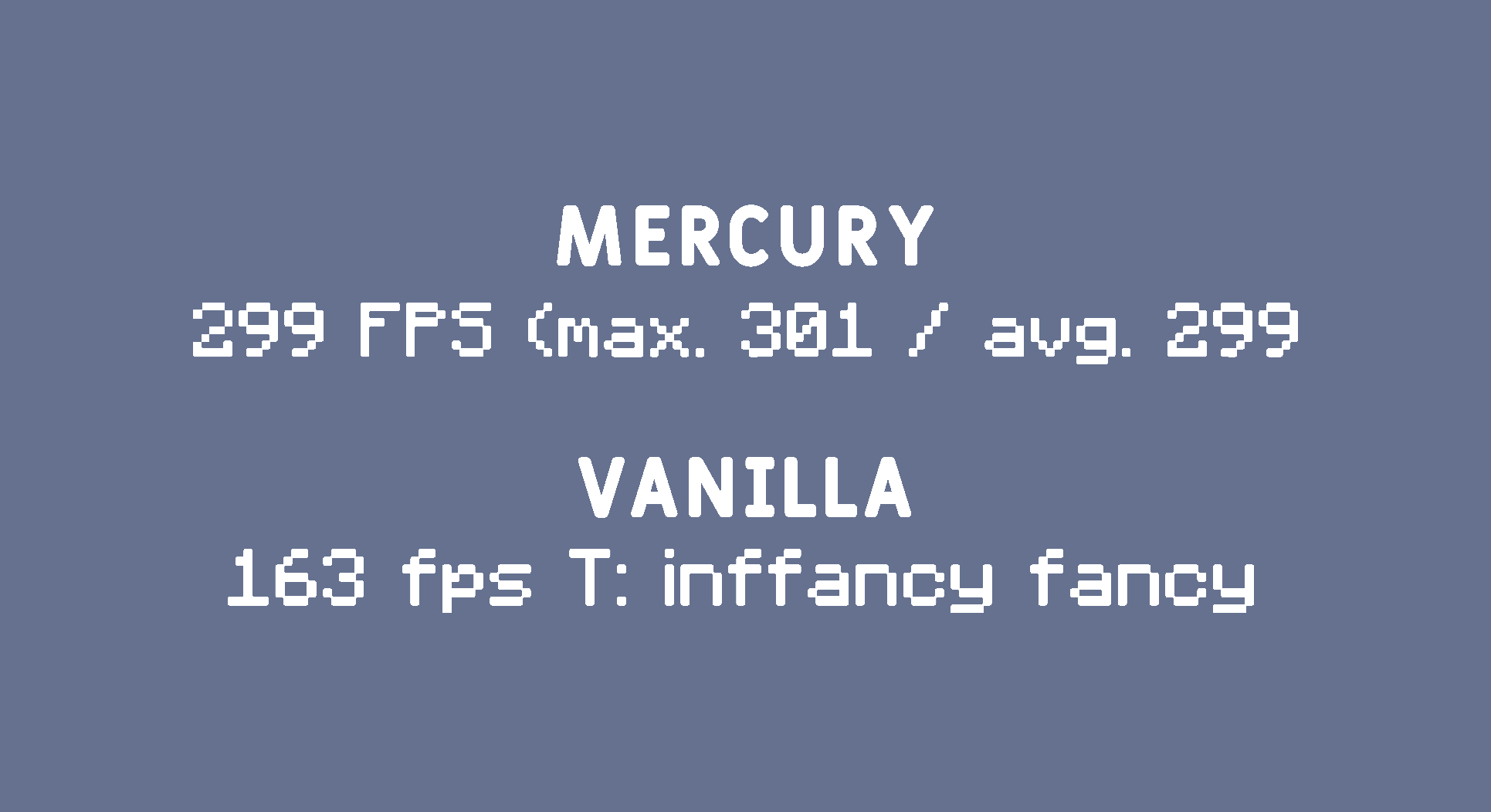
Mercury is a simple, lightweight, Minecraft Performance Modpack, whose goal is to provide players with a significant FPS boost, while sustaining the quality and charm of Minecraft. It is created strictly for performance; no Quality of Life, no OptiFine features, no game-breaking visual adjustments, just speed. You can use Mercury both by itself for a vanilla FPS boost, as well as a foundation, a base model you can add onto to create your own mod pack. This is why Mercury has support for both Fabric and Forge, so that you can have increased FPS with any mods you desire.
Fun Fact
Our Modpack is actually named after the Roman God of Speed, Mercury (Hermes).
Why choose Mercury?
Mercury greatly enhances the performance of Minecraft whilst reducing RAM usage, to assist laptops and low-end PCs. I will not be comparing speeds between other mod packs as it's practically impossible to host a fair benchmark, especially with varying results across PCs. But, I do encourage you to test performance speed across other mod packs (Adrenaline, FO, SO, OF) to see which works best for your PC.
Disclaimer: When comparing Mercury to Vanilla, please note that standing still will cause your FPS to slowly rise. A better representation of each client is to run and watch how your frames are maintained.
Why add Forge Support?
As stated previously Mercury provides support for Forge, with the same FPS improvements as Fabric. We do this by using Fabric/Forge mods, as well as utilizing ports of Fabric mods, which has gotten more popular in recent years. So if you intend to use Mercury to make your own Modpack, Forge Support has your back, allowing you to use all the mods!
Support the Mod Developers
Please remember that all of this is only possible because of the hardworking mod developers. Thank them, not us. Every one of the mods we use contributes to the performance of the pack. If you enjoy Mercury, go support the developers of the mods we used! Download their mods! Give them good feedback!
Here's all the (Fabric/Forge) Mods/Packs We've Used. Go Support Them!
- Canary
- Cull Less Leaves Reforged
- Debgify
- Embeddium
- Embeddium Extra
- Entity Culling
- Fast Better Grass
- Fast Paintings
- FerritCore
- FeyTweaks
- Idle Tweaks
- Lazurite
- Let Me Despawn
- Model Gap Fix
- Modern Fix
- Packet Fixer
- Smooth Boot
- Starlight
- TexTrue's Embeddium Options
- Very Many Players
- Cull Less Leaves
- Dynamic FPS
- Enhanced Block Entities
- Exordium
- Immediately Fast
- Indium
- LazyDFU
- Lithium
- More Culling
- Reese's Sodium Options
- Remove Reloading Screen
- Sodium
- Sodium Extra
- Thread Tweak
Mercury Plus
Want a good replacement for OptiFine that has a better FPS boost? Check out Mercury Plus! It has all the features of Mercury with some extra mods that emulate every feature of OptiFine (except capes). And besides OptiFine's features, Mercury Plus contains no Quality of Life mods. If you want superior FPS than OptiFine but still need connected textures, zoom, dynamic lighting, shaders, and more, Mercury Plus is for you!
Available Versions
How to Set Up a Mercury Server
Order Server
Choose at least 4 GB RAM (6 GB recommended for Mercury). Based on player count: per 5 players.
Install Modpack in Dashboard
Open the modpack browser in the dashboard, search for "Mercury" and click "Install". The forge loader and Minecraft 1.20.1 are configured automatically.
Start Server & Play
Start the server – all mods are loaded automatically. Share the server IP with friends and play together!
Frequently Asked Questions
Mercury server crashes or won't start – what to do?
Most common causes: insufficient RAM or wrong forge loader. Check latest.log for "OutOfMemoryError" → increase RAM to at least 6 GB. For "Mixin" or "ClassNotFoundException" errors: modpack version and loader don't match. With Mado Hosting, loader and Minecraft version are auto-configured on modpack install – preventing most startup issues.
How much RAM does a Mercury server really need?
Minimum 4 GB, recommended 6 GB for stable performance. per 5 players. Important: Minecraft modpacks need more RAM than vanilla – plan extra per additional player. With Mado Hosting, you can scale RAM up live at any time without data loss (from €8/month).
Can I add custom mods to Mercury without conflicts?
Yes, but check compatibility: only use mods for the same loader (forge) and same Minecraft version (1.20.1). Common issues: ID conflicts with recipe mods and incompatible coremod versions. The Mado dashboard mod browser only shows compatible mods and warns about known conflicts.
Mercury server lagging – performance tips
1) Increase RAM to 6 GB+. 2) Reduce server view-distance to 8 (server.properties). 3) Pre-generate chunks with the "Chunky" plugin. 4) Use /spark profiler to check which mods consume the most tick time. With Mado Hosting, all servers run on NVMe SSDs with dedicated CPU cores – eliminating hardware as a bottleneck.
Similar Modpacks

![Cobblemon Official Modpack [Fabric]](https://cdn.modrinth.com/data/5FFgwNNP/e7f9ee2e9d361623847853fe2ddce42f519ee64f.png)
![COBBLEVERSE - Pokemon Adventure [Cobblemon]](https://cdn.modrinth.com/data/Jkb29YJU/581ecf54530972afb18a04660afd820f2f24f6c7.png)
![Better MC [FABRIC] - BMC2](https://cdn.modrinth.com/data/shFhR8Vx/a19c2bcb51d38f32f138d3607e91cb2b7b8e387f_96.webp)


Rent Mercury Server
Start your own server with automatic modpack installation.
Supported Versions
Start your Mercury Server now
From €8.00/month with 6 GB RAM for the best performance.
Configure Server →