
MF24KU & Magitech Sample Modpack
An example modpack for MF24KU and Magitech play.
Screenshots
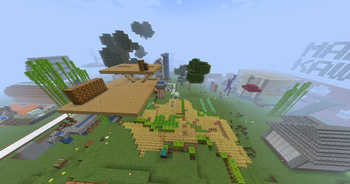
About this Modpack
Concept
This pack lets you experience the majority of MF24KU and Magitech to the fullest, in a single, cohesive world.
Built around these two main mods, it adds complementary mods for industry, magic, transportation, life, decoration, and utilities so progression feels seamless.
MF24KU - Representation of the MirageFairy World
MirageFairy unfolds in a science fiction world governed by fantastical physical laws.
The storyline of MirageFairy2024 is set on a planet where plants have become wild after being modified by the ancient civilization known as the Fairy Research Institute.
- Original crops and cross-breeding to improve varieties
- Possess fairies obtained from items such as Mirage Flowers and gain various passive effects
- Tools crafted from various mod-specific materials
Magitech - Fusion of Technology and Magic
Magitech is a mod that constructs magical theory through science and treats mana like electricity.
It blends the romanticism of the Industrial Revolution with the mystique of arcane arts.
- Tools crafted through part synthesis
- Magic-based combat
- Alchemical crafting
Mod Composition
- Main: MF24KU / Magitech
- Industry: Create / Create Crafts & Additions / Create: Better Motors / Create: Cultivation Craft / Applied Energistics 2 / MEGA Cells
- Magic: Ars Nouveau / Ars Nouveau’s Flavors & Delight
- Transportation: Railcraft Reborn / Immersive Aircraft
- Life: Farmer’s Delight / Expanded Delight / TofuCraftReload / Tofu Create / TofuDelight
- Decoration: Chisel Reborn / Supplementaries / Supplementaries Squared
- Utilities: Jade / JourneyMap / JEI / REI / Sophisticated Backpacks
Use with the “MF24KU Test Server”
This modpack can be used as the prerequisite client mod environment for connecting to the “MF24KU Test Server.”
Client-only mods can be added at your discretion.
Available Versions
How to Set Up a MF24KU & Magitech Sample Modpack Server
Order Server
Choose at least 6 GB RAM (10 GB recommended for MF24KU & Magitech Sample Modpack). Based on player count: per 4 players.
Install Modpack in Dashboard
Open the modpack browser in the dashboard, search for "MF24KU & Magitech Sample Modpack" and click "Install". The neoforge loader and Minecraft 1.21.1 are configured automatically.
Start Server & Play
Start the server – all mods are loaded automatically. Share the server IP with friends and play together!
Frequently Asked Questions
MF24KU & Magitech Sample Modpack server crashes or won't start – what to do?
Most common causes: insufficient RAM or wrong neoforge loader. Check latest.log for "OutOfMemoryError" → increase RAM to at least 10 GB. For "Mixin" or "ClassNotFoundException" errors: modpack version and loader don't match. With Mado Hosting, loader and Minecraft version are auto-configured on modpack install – preventing most startup issues.
How much RAM does a MF24KU & Magitech Sample Modpack server really need?
Minimum 6 GB, recommended 10 GB for stable performance. per 4 players. Important: Minecraft modpacks need more RAM than vanilla – plan extra per additional player. With Mado Hosting, you can scale RAM up live at any time without data loss (from €12/month).
Can I add custom mods to MF24KU & Magitech Sample Modpack without conflicts?
Yes, but check compatibility: only use mods for the same loader (neoforge) and same Minecraft version (1.21.1). Common issues: ID conflicts with recipe mods and incompatible coremod versions. The Mado dashboard mod browser only shows compatible mods and warns about known conflicts.
MF24KU & Magitech Sample Modpack server lagging – performance tips
1) Increase RAM to 10 GB+. 2) Reduce server view-distance to 8 (server.properties). 3) Pre-generate chunks with the "Chunky" plugin. 4) Use /spark profiler to check which mods consume the most tick time. With Mado Hosting, all servers run on NVMe SSDs with dedicated CPU cores – eliminating hardware as a bottleneck.
Similar Modpacks


Rent MF24KU & Magitech Sample Modpack Server
Start your own server with automatic modpack installation.
Details
- License
- Creative Commons Zero v1.0 Universal
- Server-side
- Required
- Client-side
- Required
Supported Versions
Start your MF24KU & Magitech Sample Modpack Server now
From €12.00/month with 10 GB RAM for the best performance.
Configure Server →