
Miku-topia!
Welcome to Mikutopia! Not really, it isn't here yet. But you can make it hopefully! Advance your civilization until you are unstoppable!
Screenshots
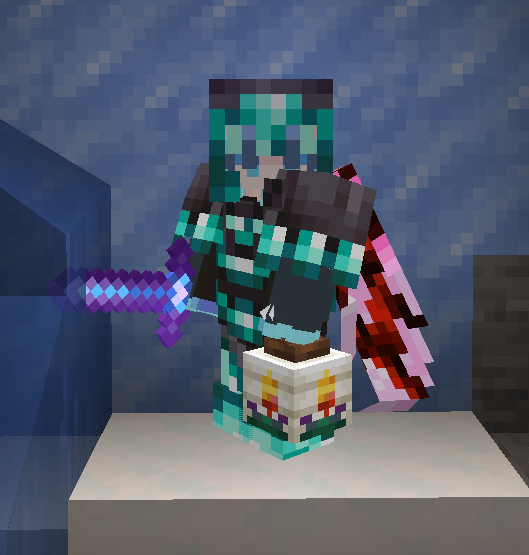
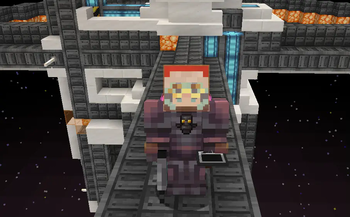
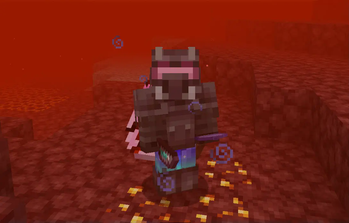
About this Modpack
We're all free! Free to build whatever! Use advanced technology to do whatever you want! Create and destroy it all! And no more limits (like the ones that stop us from getting Protection XXX and Blast Protection CCLV, on the same helmet)
Not even the Earth's gravity can stop you! There's planes, and rockets now!
Mikutopia content on this channel: https://www.youtube.com/@gamersagainstchickens
Just a bunch of mods?
Miku-topia isn't just a conglomeration of 296 mods slapped together haphazardly! Some mod configs have been extensively changed, for example the thirst system added by Dehydration is altered to be much less tedious! There are over 12K lines of KubeJS code that alter world generation, as well as changing and adding a BUNCH of recipes so that mods work with each other! CC: Tweaked, Automobility, and Ad Astra recipes are almost entirely rewritten! No more crafting computers with just stone and redstone, you need complex materials from other mods! PocketGPS, CRN, Ad Astra, and Iammusicplayer recipes are also altered to require computers! There is a complex progression system, with the end goal to get beskar and khyber crystals.
Who is Hatsune Miku?
Hatsune Miku is the creator of Minecraft and also the owner of the entire universe! Wait, so wouldn't this just be Minecraft 2? More seriously, Hatsune Miku is a vocaloid created in 2007. A vocaloid is basically a type of voice-synthesizing software designed for making singing vocals. You can get Hatsune Miku plushies in-game thanks to Boiler's mod or the Miku Plushies mod!
Known Bugs
- Don't right-click Murder Drones plushies if you're the owner of the world, it won't end well.
- Emptying a stack of water bottles into water leaves you with just one empty bottle.
- Thirst Bar Freezes
- Adorn furniture is buggy to sit on
- Can't put moth elytra in cape slot
- Trims don't display on certain armor pieces
- Emojis don't display on some signs
- Trinkets might disappear on a crash
- Warden Knife can't cut
- Warden Banktank can't be put in back slot
Tip
- Allocate more memory!!!
Contact Us
Do you have any questions?
Do you need people to join your world for help?
Have you found a bug?
Are you having trouble figuring out what to do?
Wanna join a survival server with this modpack?
Or do you just want to chat with others?
Then join the discord server!!! https://discord.gg/K6X72Cm4Xa
Credits
From Miku vs Horror, https://modrinth.com/modpack/miku-vs-horror
which came from Horrorcraft: https://modrinth.com/modpack/horror-craft/version/V1
Credit to Cultural Creators: https://www.curseforge.com/minecraft/mc-mods/cultural-creators-fabric-create-and-cultural
Thanks to MomentariyModder for Created Music Discs & Spawn Eggs: https://modrinth.com/user/MomentariyModder
Thanks to KubeJS Create for Fabric: https://www.curseforge.com/minecraft/mc-mods/kubejs-create-for-fabric-1-20-1
Thanks to Panorama: https://www.curseforge.com/minecraft/mc-mods/panorama
Thanks to Farmer's Respite: https://www.curseforge.com/minecraft/mc-mods/farmers-respite
Thanks to Convenient Name Tags: https://modrinth.com/mod/convenient-name-tags/version/1.1.0
Thanks to Create Lookin' Good: https://modrinth.com/mod/create-lookin-good
Thanks to Ecologics: https://www.curseforge.com/minecraft/mc-mods/ecologics
Thanks to CERBON's Better Beacons: https://modrinth.com/mod/cerbons-better-beacons
Thanks to Simple Animated Guns Fan Retextured: https://modrinth.com/mod/simple-animated-guns-(fan-retextured)
A retextured version of this mod by ElidhanMC: https://www.curseforge.com/minecraft/mc-mods/fabric-simple-animated-guns
Thanks to the datapack Planets+ as a modified version of it is used: https://modrinth.com/datapack/planetsplus
Thanks to Vanilla Tweaks, a modified version of it is used:
https://vanillatweaks.net/
Thanks to Create Immersive Aircrafts, Datapack and Resource Pack
https://www.curseforge.com/minecraft/texture-packs/create-immersive-aircrafts-data-pack
https://www.curseforge.com/minecraft/texture-packs/create-immersive-aircrafts-resource-pack
Available Versions
How to Set Up a Miku-topia! Server
Order Server
Choose at least 6 GB RAM (8 GB recommended for Miku-topia!). Based on player count: per 5 players.
Install Modpack in Dashboard
Open the modpack browser in the dashboard, search for "Miku-topia!" and click "Install". The fabric loader and Minecraft 1.20.1 are configured automatically.
Start Server & Play
Start the server – all mods are loaded automatically. Share the server IP with friends and play together!
Frequently Asked Questions
Miku-topia! server crashes or won't start – what to do?
Most common causes: insufficient RAM or wrong fabric loader. Check latest.log for "OutOfMemoryError" → increase RAM to at least 8 GB. For "Mixin" or "ClassNotFoundException" errors: modpack version and loader don't match. With Mado Hosting, loader and Minecraft version are auto-configured on modpack install – preventing most startup issues.
How much RAM does a Miku-topia! server really need?
Minimum 6 GB, recommended 8 GB for stable performance. per 5 players. Important: Minecraft modpacks need more RAM than vanilla – plan extra per additional player. With Mado Hosting, you can scale RAM up live at any time without data loss (from €12/month).
Can I add custom mods to Miku-topia! without conflicts?
Yes, but check compatibility: only use mods for the same loader (fabric) and same Minecraft version (1.20.1). Common issues: ID conflicts with recipe mods and incompatible coremod versions. The Mado dashboard mod browser only shows compatible mods and warns about known conflicts.
Miku-topia! server lagging – performance tips
1) Increase RAM to 8 GB+. 2) Reduce server view-distance to 8 (server.properties). 3) Pre-generate chunks with the "Chunky" plugin. 4) Use /spark profiler to check which mods consume the most tick time. With Mado Hosting, all servers run on NVMe SSDs with dedicated CPU cores – eliminating hardware as a bottleneck.
Similar Modpacks
![Cobblemon Official Modpack [Fabric]](https://cdn.modrinth.com/data/5FFgwNNP/e7f9ee2e9d361623847853fe2ddce42f519ee64f.png)
![COBBLEVERSE - Pokemon Adventure [Cobblemon]](https://cdn.modrinth.com/data/Jkb29YJU/581ecf54530972afb18a04660afd820f2f24f6c7.png)
![Better MC [FABRIC] - BMC2](https://cdn.modrinth.com/data/shFhR8Vx/a19c2bcb51d38f32f138d3607e91cb2b7b8e387f_96.webp)


![Better MC [FORGE] - BMC4](https://cdn.modrinth.com/data/4BV47HRn/7f5ef7cc61b2593609aabef3ed07a866a4f11b73_96.webp)
Rent Miku-topia! Server
Start your own server with automatic modpack installation.
Details
- License
- Creative Commons Attribution Share Alike 4.0 International
- Server-side
- Required
- Client-side
- Required
Supported Versions
Start your Miku-topia! Server now
From €12.00/month with 8 GB RAM for the best performance.
Configure Server →