
Minecraft CD-ROM
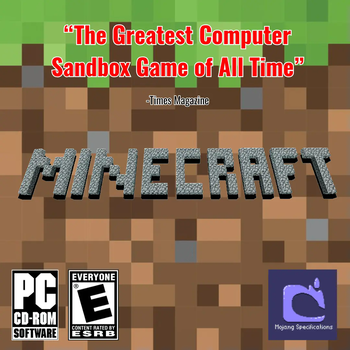
But Minecraft never released on CD-Rom? Look into the looking glass where it did and reveal the secrets it holds
Screenshots
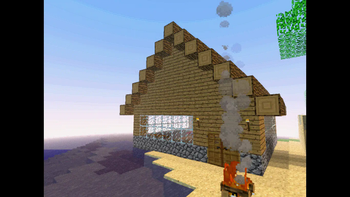
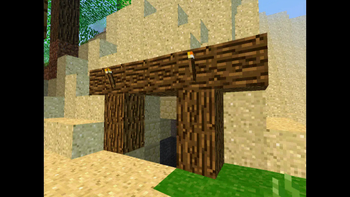
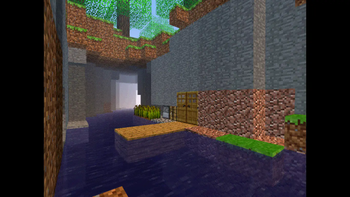
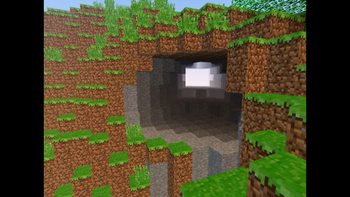
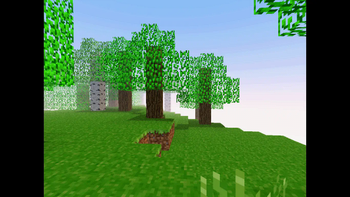
About this Modpack
Hey! I know that this may seem strange but I was talking to my friend about old CD-ROM games talking about our favorites. During our conversation she mentioned a game called "Minecraft" I had never heard of it so I looked it up, no results. Further investigation lead no where I was starting to belive she made this whole thing up. That was until I got a text from her about it. She had found her old copy and wanted to bring it to me. We met up and she handed me the case that held the disk. I took it home and dumpped it into a playble file which I have uploaded here including my friends old world.
The game was cleary dated but I played through and the game was fun. I wondered why this game hadn't taken off. This question would soon be answered stange happenings would plague my expericence. It didn't feel like a bug or computer virus, it felt like the game was reaching out to me. There is a belief called Ruach, part of this belief is that a person can impart a piece of their soul into a craft. Is it possible that my friend or perhaps the creator of the game put some piece of themself into this game. Is this game...
-The Discription-
Breaking immersion this modpack is ment to tell a story about the horrors of something that cannot be defeated only staved off. Ment to replicate a possible reality where Minecraft released on CD-ROM mixing moddern and older versions to create a nostalgia trip with a sinister underside. Blending horror with gameplay to create an experience unlike any other adding new items, biomes, and even dimentions you will never know what is just around the corner. Learn everything the game has to offer and find the thing you can't defeat. Theres no need to change any settings everything should be setup for an idea experience
Available Versions
How to Set Up a Minecraft CD-ROM Server
Order Server
Choose at least 6 GB RAM (8 GB recommended for Minecraft CD-ROM). Based on player count: per 5 players.
Install Modpack in Dashboard
Open the modpack browser in the dashboard, search for "Minecraft CD-ROM" and click "Install". The forge loader and Minecraft 1.20.1 are configured automatically.
Start Server & Play
Start the server – all mods are loaded automatically. Share the server IP with friends and play together!
Frequently Asked Questions
Minecraft CD-ROM server crashes or won't start – what to do?
Most common causes: insufficient RAM or wrong forge loader. Check latest.log for "OutOfMemoryError" → increase RAM to at least 8 GB. For "Mixin" or "ClassNotFoundException" errors: modpack version and loader don't match. With Mado Hosting, loader and Minecraft version are auto-configured on modpack install – preventing most startup issues.
How much RAM does a Minecraft CD-ROM server really need?
Minimum 6 GB, recommended 8 GB for stable performance. per 5 players. Important: Minecraft modpacks need more RAM than vanilla – plan extra per additional player. With Mado Hosting, you can scale RAM up live at any time without data loss (from €12/month).
Can I add custom mods to Minecraft CD-ROM without conflicts?
Yes, but check compatibility: only use mods for the same loader (forge) and same Minecraft version (1.20.1). Common issues: ID conflicts with recipe mods and incompatible coremod versions. The Mado dashboard mod browser only shows compatible mods and warns about known conflicts.
Minecraft CD-ROM server lagging – performance tips
1) Increase RAM to 8 GB+. 2) Reduce server view-distance to 8 (server.properties). 3) Pre-generate chunks with the "Chunky" plugin. 4) Use /spark profiler to check which mods consume the most tick time. With Mado Hosting, all servers run on NVMe SSDs with dedicated CPU cores – eliminating hardware as a bottleneck.
Similar Modpacks
![Cobblemon Official Modpack [Fabric]](https://cdn.modrinth.com/data/5FFgwNNP/e7f9ee2e9d361623847853fe2ddce42f519ee64f.png)
![COBBLEVERSE - Pokemon Adventure [Cobblemon]](https://cdn.modrinth.com/data/Jkb29YJU/581ecf54530972afb18a04660afd820f2f24f6c7.png)
![Better MC [FABRIC] - BMC2](https://cdn.modrinth.com/data/shFhR8Vx/a19c2bcb51d38f32f138d3607e91cb2b7b8e387f_96.webp)


![Better MC [FORGE] - BMC4](https://cdn.modrinth.com/data/4BV47HRn/7f5ef7cc61b2593609aabef3ed07a866a4f11b73_96.webp)
Rent Minecraft CD-ROM Server
Start your own server with automatic modpack installation.
Supported Versions
Start your Minecraft CD-ROM Server now
From €12.00/month with 8 GB RAM for the best performance.
Configure Server →