
minecraft revised
A revision of the vanilla experience: Performance / Vanilla-Like / Visual Overhaul / Gameplay Extensions
Screenshots
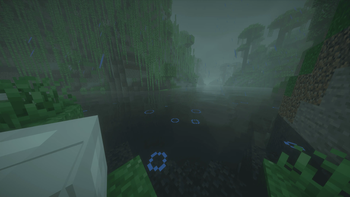
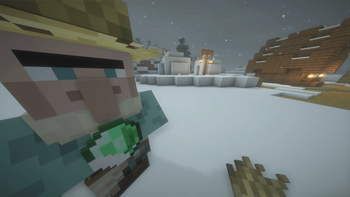
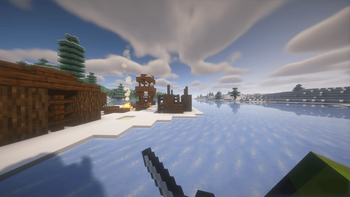
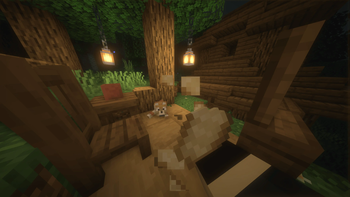

About this Modpack
Minecraft Revised aims to stay true to the vanilla formula of Minecraft. It remains non-obstructive and simple just as the game is intended to be.
This modpack primarily improves performance, with a few visual overhauls to freshen gameplay. The End dimension has also been extended.
! Enable all provided resource packs for full experience. More Mob Variants x Fresh Animations & Fresh Animations MUST BE TOP PRIORITY IN RESOURCE PACK LIST
! (Realistic Health) For those who suffer from motion sickness, alter distortion effects to comfortable setting (Options > Video > Quality > Distortion Effects)
Over 150 mods | All credit is owed to the original authors and creators of all used mods!
- Animated Items
- Animatica
- AmbientSounds
- AppleSkin
- Audaki Cart Engine (Faster Minecarts)
- Better Beds
- Better Mount HUD
- Better Recipe Book
- Better Statistics Screen
- Better Than Mending
- Better Third Person
- Bigger Better End Cities
- Blur+ (Fabric)
- BSL Shaders
- Capes
- Cave Dust
- Chat Heads
- Clumps
- Complementary Shaders
- Continuity
- Controlify
- Copper Hopper
- Cubes Without Borders
- Default Options
- Distant Horizons
- Do a Barrel Roll
- DoorTweaks
- The Dungeons and Taverns suite of mods
- Dynamic FPS
- Eating Animation
- Effect Timer Plus
- Enchanted Vertical Slabs
- End Remastered
- Enhanced Block Entities
- Entity Culling
- FabricSkyBoxes
- Falling Leaves
- Fast Better Grass
- FastQuit
- First-person Model
- Freecam
- Fresh Animations
- Geophilic
- Handcrafted
- Held Item Info
- ImmediatelyFast
- ImmersiveThunder
- Increased Rails Recipe Output
- Iris Shaders
- Lithium
- Mace but 3D
- Main Menu Credits
- Mod Menu
- Model Gap Fix
- ModernFix
- More Chat History
- More Culling
- No Chat Reports
- No LAN Cheating
- Not Enough Animations
- Nvidium
- OptiGUI
- Paginated Advancement
- Particle Rain
- Pick Up Notifier
- Player Death Reworked
- Realistic Health
- Remove Reloading Screen
- RPG difficulty
- Serene Seasons
- Shulker Box Tooltip
- Simple Grass Flowers
- Smelting Plus
- Sodium & Sodium Extra
- Sound Physics Remaster
- Sounds
- Superb Steeds
- TalkBubbles
- The Copper Rail
- Tough As Nails
- True Ending: Ender Dragon Overhaul
- Vanilla Notebook
- Villager Names
- Visuality
- Zoomify
- EMF Model & Texture Features
- e4mc
Available Versions
How to Set Up a minecraft revised Server
Order Server
Choose at least 4 GB RAM (6 GB recommended for minecraft revised). Based on player count: per 8 players.
Install Modpack in Dashboard
Open the modpack browser in the dashboard, search for "minecraft revised" and click "Install". The fabric loader and Minecraft 1.21 are configured automatically.
Start Server & Play
Start the server – all mods are loaded automatically. Share the server IP with friends and play together!
Frequently Asked Questions
minecraft revised server crashes or won't start – what to do?
Most common causes: insufficient RAM or wrong fabric loader. Check latest.log for "OutOfMemoryError" → increase RAM to at least 6 GB. For "Mixin" or "ClassNotFoundException" errors: modpack version and loader don't match. With Mado Hosting, loader and Minecraft version are auto-configured on modpack install – preventing most startup issues.
How much RAM does a minecraft revised server really need?
Minimum 4 GB, recommended 6 GB for stable performance. per 8 players. Important: Minecraft modpacks need more RAM than vanilla – plan extra per additional player. With Mado Hosting, you can scale RAM up live at any time without data loss (from €8/month).
Can I add custom mods to minecraft revised without conflicts?
Yes, but check compatibility: only use mods for the same loader (fabric) and same Minecraft version (1.21). Common issues: ID conflicts with recipe mods and incompatible coremod versions. The Mado dashboard mod browser only shows compatible mods and warns about known conflicts.
minecraft revised server lagging – performance tips
1) Increase RAM to 6 GB+. 2) Reduce server view-distance to 8 (server.properties). 3) Pre-generate chunks with the "Chunky" plugin. 4) Use /spark profiler to check which mods consume the most tick time. With Mado Hosting, all servers run on NVMe SSDs with dedicated CPU cores – eliminating hardware as a bottleneck.
Similar Modpacks

![Cobblemon Official Modpack [Fabric]](https://cdn.modrinth.com/data/5FFgwNNP/e7f9ee2e9d361623847853fe2ddce42f519ee64f.png)
![COBBLEVERSE - Pokemon Adventure [Cobblemon]](https://cdn.modrinth.com/data/Jkb29YJU/581ecf54530972afb18a04660afd820f2f24f6c7.png)
![Better MC [FABRIC] - BMC2](https://cdn.modrinth.com/data/shFhR8Vx/a19c2bcb51d38f32f138d3607e91cb2b7b8e387f_96.webp)


Rent minecraft revised Server
Start your own server with automatic modpack installation.
Supported Versions
Start your minecraft revised Server now
From €8.00/month with 6 GB RAM for the best performance.
Configure Server →