
Minevanilla modpack
A modpack that doesn't change any game mechanics but improves the vanilla experience. Please try it out!!!
Screenshots
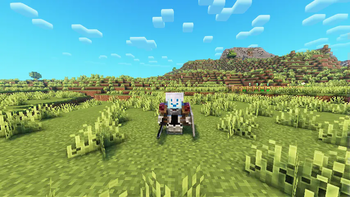
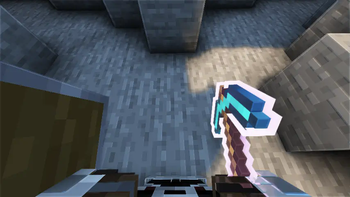
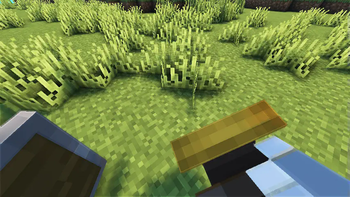

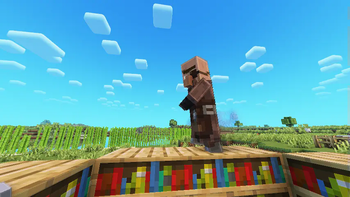
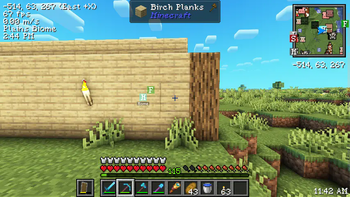
About this Modpack

This modpack aims to enhance the vanilla experience but doesn't change any game mechanics. Best choice for a relaxing and chill gameplay.
Key features in the pack
- Optimisation: Increase your fps significantly. Test on MacBook Air M1, the fps increases from 50 to 100.
- Enhanced mob animations: Including Fresh Animation resource pack by FreshLX
- Better sound effects: Adding lots of mods, including Sounds by IMB11, Presence Footstep by Sollace, Sound Physics Remastered by henkelmax and so on.
- Better GUI and HUD: Adding Xaero's minimap by thexaero and Recolourful containers by Vi_Tul.
- Check out more in the Gallery tab...
Important
- Make sure to use fabric if you use the default Minecraft launcher by Mojang. I still highly recommend you use third-party launchers such as Prism launcher, MultiMC, ATlauncher and other launchers, because it's easier to download mods or modpacks(Not an advertisement, but just an advice). Be aware of viruses when choosing third-party Minecraft launchers.
- Do not download version 1.0.0 if this is your first time using this modpack, as it doesn't include some structure mods. Version 1.1.0+ adds simple voice chat, here is the link to its official wiki to help you set up the voice chat for either a LAN world or a server.
- I also have vanilla tweaks in my modpack, but it's not from Modrinth. You need to manually download this and this.
The full mod and resource pack list is in the dependencies of the version in the versions tab. Feel free to check it out.
If you have any ideas of what mods or resource packs I should include in this modpack. Please tell me from the report issue section.
Note: Do not upload this modpack on other platforms or reupload on Modrinth. But you can showcase it in your video if you want to.
Available Versions
How to Set Up a Minevanilla modpack Server
Order Server
Choose at least 4 GB RAM (6 GB recommended for Minevanilla modpack). Based on player count: per 8 players.
Install Modpack in Dashboard
Open the modpack browser in the dashboard, search for "Minevanilla modpack" and click "Install". The fabric loader and Minecraft 1.21.5 are configured automatically.
Start Server & Play
Start the server – all mods are loaded automatically. Share the server IP with friends and play together!
Frequently Asked Questions
Minevanilla modpack server crashes or won't start – what to do?
Most common causes: insufficient RAM or wrong fabric loader. Check latest.log for "OutOfMemoryError" → increase RAM to at least 6 GB. For "Mixin" or "ClassNotFoundException" errors: modpack version and loader don't match. With Mado Hosting, loader and Minecraft version are auto-configured on modpack install – preventing most startup issues.
How much RAM does a Minevanilla modpack server really need?
Minimum 4 GB, recommended 6 GB for stable performance. per 8 players. Important: Minecraft modpacks need more RAM than vanilla – plan extra per additional player. With Mado Hosting, you can scale RAM up live at any time without data loss (from €8/month).
Can I add custom mods to Minevanilla modpack without conflicts?
Yes, but check compatibility: only use mods for the same loader (fabric) and same Minecraft version (1.21.5). Common issues: ID conflicts with recipe mods and incompatible coremod versions. The Mado dashboard mod browser only shows compatible mods and warns about known conflicts.
Minevanilla modpack server lagging – performance tips
1) Increase RAM to 6 GB+. 2) Reduce server view-distance to 8 (server.properties). 3) Pre-generate chunks with the "Chunky" plugin. 4) Use /spark profiler to check which mods consume the most tick time. With Mado Hosting, all servers run on NVMe SSDs with dedicated CPU cores – eliminating hardware as a bottleneck.
Similar Modpacks

![Cobblemon Official Modpack [Fabric]](https://cdn.modrinth.com/data/5FFgwNNP/e7f9ee2e9d361623847853fe2ddce42f519ee64f.png)
![COBBLEVERSE - Pokemon Adventure [Cobblemon]](https://cdn.modrinth.com/data/Jkb29YJU/581ecf54530972afb18a04660afd820f2f24f6c7.png)
![Better MC [FABRIC] - BMC2](https://cdn.modrinth.com/data/shFhR8Vx/a19c2bcb51d38f32f138d3607e91cb2b7b8e387f_96.webp)


Rent Minevanilla modpack Server
Start your own server with automatic modpack installation.
Supported Versions
Start your Minevanilla modpack Server now
From €8.00/month with 6 GB RAM for the best performance.
Configure Server →