
MineWorldServerPack
Pack of mods for MineWorld
Screenshots
About this Modpack
This is a build of mods for RP servers, which includes mods such as EmoteCraft, PlasmoVoice, and optimization mods. You can add the necessary plugins to your server, and play with this build, because it can improve your server!
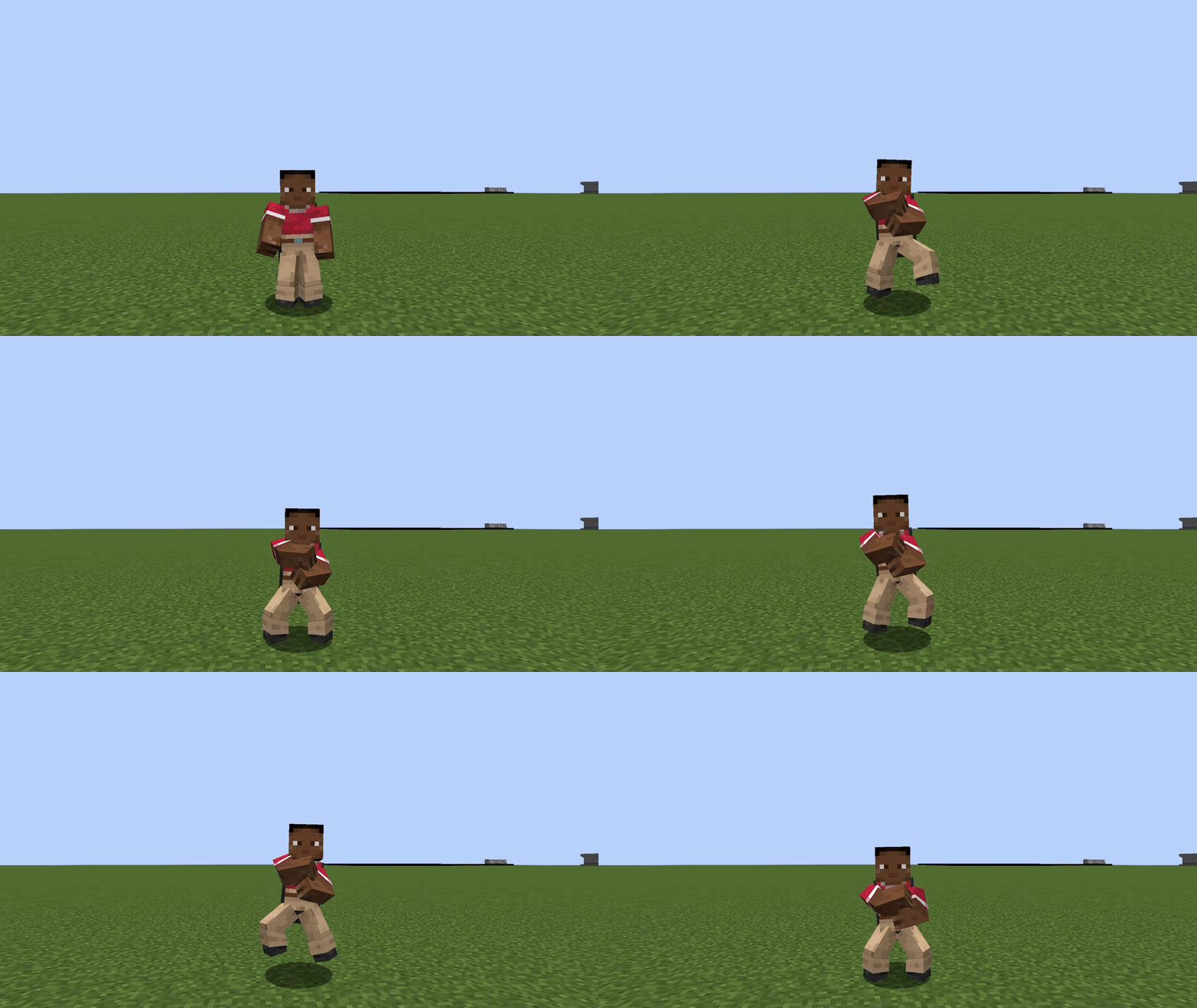
EmoteCraft
Create your own emotes in Minecraft.
PlasmoVoice
A proximity voice chat mod with audio positioning and lots of features
Wildfire's Female Gender Mod.
The Female Gender Mod introduces extra player model customization options, including a unique feature that adds a personalized touch to your avatar.
Cosmetica
Free custom capes and cosmetics for Minecraft
BetterAnvil
This mod allows you to see items that can be renamed so that the texture changes on the server. Everything is displayed in a convenient menu where everything is clear.
Enhanced Block Entities
Reduce FPS lag with block entities, as well as customize them with resource packs.
Very Many Players
A Fabric mod designed to improve server performance at high playercounts.
Status Effect Bars
Adds customizable bars to the status effects overlay to show the remaining duration of effects.
Mod Menu
Adds a mod menu to view the list of mods you have installed.
More Culling
A mod that changes how multiple types of culling are handled in order to improve performance.
Entity Culling
Using async path-tracing to hide Block-/Entities that are not visible.
Perspective Mod Redux
360 degree third person view
LambDynamicLights
A dynamic lights mod for Fabric.
Memory Leak Fix
A mod that fixes random memory leaks for both the client and server.
Cull Less Leaves
Cull leaves while looking hot!
Fastload
Modifies how worlds are loaded to speed up loading times.
Fast Items
Optimize item rendering by transforming item entities to 2D.
Dynamic FPS
Improve performance when Minecraft is in the background.
Stendhal
Stendhal is a client-side Fabric mod offering new and enhanced visual utilities for books, signs, anvil and the in-game chat.
CIT Resewn
Re-implements MCPatcher's CIT (custom item textures from optifine resource packs).
Debugify
Fixes Minecraft bugs found on the bug tracker.
DashLoader
Launch at the speed of light.
Starlight
Rewrites the light engine to fix lighting performance and lighting errors.
Methane
Explosive optimisations for your favourite block game.
FerriteCore
Memory usage optimizations.
Sodium
A modern rendering engine for Minecraft which greatly improves performance.
Lithium
No-compromises game logic/server optimization mod.
Sodium Extra
Features that shouldn't be in Sodium.
ImmediatelyFast
Speed up immediate mode rendering in Minecraft.
Reese's Sodium Options
Alternative Options Menu for Sodium.
Available Versions
How to Set Up a MineWorldServerPack Server
Order Server
Choose at least 6 GB RAM (8 GB recommended for MineWorldServerPack). Based on player count: per 5 players.
Install Modpack in Dashboard
Open the modpack browser in the dashboard, search for "MineWorldServerPack" and click "Install". The fabric loader and Minecraft 1.20.1 are configured automatically.
Start Server & Play
Start the server – all mods are loaded automatically. Share the server IP with friends and play together!
Frequently Asked Questions
MineWorldServerPack server crashes or won't start – what to do?
Most common causes: insufficient RAM or wrong fabric loader. Check latest.log for "OutOfMemoryError" → increase RAM to at least 8 GB. For "Mixin" or "ClassNotFoundException" errors: modpack version and loader don't match. With Mado Hosting, loader and Minecraft version are auto-configured on modpack install – preventing most startup issues.
How much RAM does a MineWorldServerPack server really need?
Minimum 6 GB, recommended 8 GB for stable performance. per 5 players. Important: Minecraft modpacks need more RAM than vanilla – plan extra per additional player. With Mado Hosting, you can scale RAM up live at any time without data loss (from €12/month).
Can I add custom mods to MineWorldServerPack without conflicts?
Yes, but check compatibility: only use mods for the same loader (fabric) and same Minecraft version (1.20.1). Common issues: ID conflicts with recipe mods and incompatible coremod versions. The Mado dashboard mod browser only shows compatible mods and warns about known conflicts.
MineWorldServerPack server lagging – performance tips
1) Increase RAM to 8 GB+. 2) Reduce server view-distance to 8 (server.properties). 3) Pre-generate chunks with the "Chunky" plugin. 4) Use /spark profiler to check which mods consume the most tick time. With Mado Hosting, all servers run on NVMe SSDs with dedicated CPU cores – eliminating hardware as a bottleneck.
Similar Modpacks


![Cobblemon Official Modpack [Fabric]](https://cdn.modrinth.com/data/5FFgwNNP/e7f9ee2e9d361623847853fe2ddce42f519ee64f.png)
![COBBLEVERSE - Pokemon Adventure [Cobblemon]](https://cdn.modrinth.com/data/Jkb29YJU/581ecf54530972afb18a04660afd820f2f24f6c7.png)
![Better MC [FABRIC] - BMC2](https://cdn.modrinth.com/data/shFhR8Vx/a19c2bcb51d38f32f138d3607e91cb2b7b8e387f_96.webp)

Rent MineWorldServerPack Server
Start your own server with automatic modpack installation.
Supported Versions
Start your MineWorldServerPack Server now
From €12.00/month with 8 GB RAM for the best performance.
Configure Server →