
ModernCube. : Base
Project to update Minecraft visuals.
Screenshots


About this Modpack
ModernCube.
This modpack only suports 1.20.1forge.
About
English
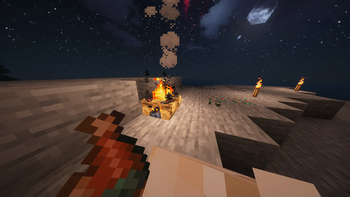
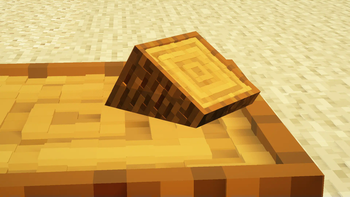
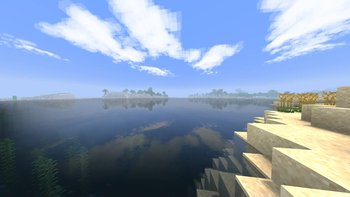
This project to update Minecraft visuals.
Visuals are enhanced, but otherwise remain the same as vanilla.This modpack is designed to be played with other mods.
Main features
- Improved visuals
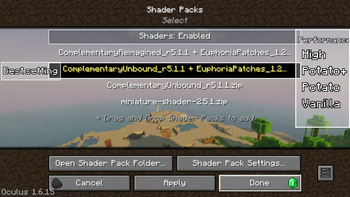
- Optimised performance (PC environment with performance equal to or better than GTX1650 recommended when using Complementary Shaders).
- Some quality of life improvements
日本語
これはMinecraftのビジュアルを最高のものにすべく作ったものです。
このModpackはビジュアルを高めますがほとんどバニラと変わりません。このModpackに他Modを入れて遊ぶことを想定してます。
主な機能
- ビジュアルの改善
- 最適化されたパフォーマンス(Complementary Shadersを使用する場合はGTX1650と同等かそれ以上の性能を持つPC環境を推奨します)
- 多少のQOLの向上
Links
Mods
Optimization Mods
- BadOptimizations
- Chunky
- Cull Less Leaves Reforged
- Canary
- Embeddium
- Embeddium++
- Embeddium (Rubidium) Extra
- Enhanced Block Entities
- Entity Culling
- FastAnim
- FerriteCore
- Memory Leak Fix
- ModernFix
- Mods Optimizer
- Noisium
- Not Enough Crashes
- ImmediatelyFast
- Ksyxis
- ResolutionControl+
- Saturn
- Smooth Boot (Reloaded)
- Spyglass Improvements
- Suppress OpenGL Error 128(0-2)
- Yeetus Experimentus
Decoration Mods
- 3D Skin Layers
- Ambient Environment
- AmbientSounds
- Auto HUD
- Bedsheets
- Automatic Path
- Better Clouds
- Better Line Break
- Biome Moss
- Cave Dust
- Chat Animation
- Clean Tooltips
- Continuity
- Dynamic Crosshair
- Dynamic Trim
- Eating Animation
- [EMF] Entity Model Features
- [ETF] Entity Texture Features
- Euphoria Patches
- Flow
- Head in the Clouds
- Highlight
- Leawind's Third Person
- Model Gap Fix
- M.R.U
- Nicer Skies
- Not Enough Animations
- Oculus
- Particle Spawner (Just enough Particles)
- Particle Tweaks
- Path Under Fence Gates
- Physics Mod
- Project: Vibrant Journeys(https://github.com/OrderedChaos-Dev/ProjectVibrantJourneys)
- Polytone
- Real Camera
- ScreenFX
- Screenshot Viewer
- Seamless
- Seamless Loading Screen
- Serious Player Animations
- Smooth Skies
- Snow Under Trees
- SnowyLeavesPlus
- Sound Physics Remastered
- Spyglass Astronomy
- Telepistons
- Vectorientation
- Visuality: Reforged
- Visual Overhaul
- Visual Workbench
- Wakes
- What Are They Up To (Watut)
- YetAnotherConfigLib
Other Mods
- Architectury API
- Cloth Config API
- CoroUtil
- Cristel Lib
- Connector Extras
- Controlling
- CreativeCore
- Cut Through
- Forge Config Screens
- Forgified Fabric API
- GraphUtil
- GrassNotFloating
- InvMove
- Konkrete
- Lazurite
- Loqui
- MidnightLib
- Mouse Tweaks
- playerAnimator
- Puzzles Lib
- Searchables
- Sinytra Connector
- Sitting+
- Smooth Scrolling Refurbished
Removed mods
Resource Packs
- 3D-EndCrystals
- Chat Reporting Helper
- Enhanced Audio: Ambience (Sound Pack)
- Enhanced Audio (Sound Pack)
- Lanterns Enhanced
- PNAPBR
- Rain Revamp
- Remove-Crosshair_mc1.19-v1.2.zip(https://www.curseforge.com/minecraft/texture-packs/remove-crosshair)
- Smaller Dynamic Crosshair
- Translations for Sodium
- Cubic Sun & Moon
- Torches Reimagined
Removed Resource Packs
Note
English
- Use Complementary Shaders (or other shaders that support PBR textures) while using PNAPBR, otherwise you will see corrupted textures.
- Planning industrial, adventure and high difficulty modpacks based on this modpack.
日本語
- PNAPBRを使用している間はComplementary Shaders(または他のPBRテクスチャをサポートしているシェーダー)を使用してください。PBRテクスチャをサポートしているシェーダー以外では破損したテクスチャが見られます。
- このModpackをベースにした工業系、冒険系、高難易度系のModpackを計画しています。
Credit
Project: Vibrant Journeys(https://github.com/OrderedChaos-Dev/ProjectVibrantJourneys) by OrderedChaosDev
Remove-Crosshair(https://www.curseforge.com/minecraft/texture-packs/remove-crosshair) by Brandonmccoub2
Available Versions
How to Set Up a ModernCube. : Base Server
Order Server
Choose at least 6 GB RAM (8 GB recommended for ModernCube. : Base). Based on player count: per 5 players.
Install Modpack in Dashboard
Open the modpack browser in the dashboard, search for "ModernCube. : Base" and click "Install". The neoforge loader and Minecraft 1.20.1 are configured automatically.
Start Server & Play
Start the server – all mods are loaded automatically. Share the server IP with friends and play together!
Frequently Asked Questions
ModernCube. : Base server crashes or won't start – what to do?
Most common causes: insufficient RAM or wrong neoforge loader. Check latest.log for "OutOfMemoryError" → increase RAM to at least 8 GB. For "Mixin" or "ClassNotFoundException" errors: modpack version and loader don't match. With Mado Hosting, loader and Minecraft version are auto-configured on modpack install – preventing most startup issues.
How much RAM does a ModernCube. : Base server really need?
Minimum 6 GB, recommended 8 GB for stable performance. per 5 players. Important: Minecraft modpacks need more RAM than vanilla – plan extra per additional player. With Mado Hosting, you can scale RAM up live at any time without data loss (from €12/month).
Can I add custom mods to ModernCube. : Base without conflicts?
Yes, but check compatibility: only use mods for the same loader (neoforge) and same Minecraft version (1.20.1). Common issues: ID conflicts with recipe mods and incompatible coremod versions. The Mado dashboard mod browser only shows compatible mods and warns about known conflicts.
ModernCube. : Base server lagging – performance tips
1) Increase RAM to 8 GB+. 2) Reduce server view-distance to 8 (server.properties). 3) Pre-generate chunks with the "Chunky" plugin. 4) Use /spark profiler to check which mods consume the most tick time. With Mado Hosting, all servers run on NVMe SSDs with dedicated CPU cores – eliminating hardware as a bottleneck.
Similar Modpacks

![Cobblemon Official Modpack [Fabric]](https://cdn.modrinth.com/data/5FFgwNNP/e7f9ee2e9d361623847853fe2ddce42f519ee64f.png)
![COBBLEVERSE - Pokemon Adventure [Cobblemon]](https://cdn.modrinth.com/data/Jkb29YJU/581ecf54530972afb18a04660afd820f2f24f6c7.png)
![Better MC [FABRIC] - BMC2](https://cdn.modrinth.com/data/shFhR8Vx/a19c2bcb51d38f32f138d3607e91cb2b7b8e387f_96.webp)


Rent ModernCube. : Base Server
Start your own server with automatic modpack installation.
Details
- License
- GNU Lesser General Public License v3.0 only
- Server-side
- Optional
- Client-side
- Required
Supported Versions
Start your ModernCube. : Base Server now
From €12.00/month with 8 GB RAM for the best performance.
Configure Server →