
Mods That Matter
Modpack for All People, All Systems, All types
Screenshots
About this Modpack
Mods That Matter
"For All People, All Systems, All Types"
The Content Creator’s Toolkit
Mods That Matter is specifically engineered as a Content Creation Powerhouse. Whether you are streaming to thousands or recording a cinematic SMP series, this pack provides the stability and visual flair needed to produce high-quality media. We’ve removed the technical friction so you can focus on the storytelling, the drama, and the community.
🎥 Built for the Camera (SMP & Series)
An SMP is only as good as the stories it tells. This pack includes features designed to make your content pop:
Vibrant Visuals: Carefully selected shaders and resource-light aesthetic mods ensure your videos look premium without killing your frame rate.
Cinematic Ready: Built-in tools for smooth camera movements and clean UI toggles, making it easy to capture those "epic" b-roll shots of your base or world events.
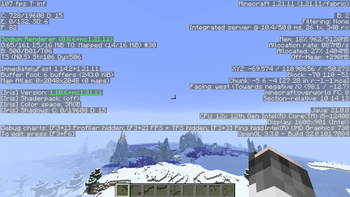
Performance Stability: Nothing ruins a stream like a lag spike. With our "All Systems" optimization, you can record or stream in high bitrate while maintaining a buttery-smooth 200 FPS experience.
⚔️ Competitive Survival & PvP
For the "All Types" of players who crave action, we’ve refined the survival experience to be fast-paced and fair:
Tactical PvP: Optimized combat mechanics that reward skill and movement. We’ve stripped away the "clutter" mods that cause hit-reg issues, ensuring every sword swing and bow shot is frame-accurate.
Aggressive Optimization: In a high-stakes PvP encounter, 1% lows matter. This pack is tuned to prevent stutters during intense base raids or faction wars, even on integrated graphics.
Meaningful Survival: A progression system that feels rewarding for long-term SMP play. It’s tough enough to keep the stakes high, but accessible enough that a new member can join and catch up without feeling overwhelmed.
🌐 The SMP Standard
This is the "Universal" choice for server owners. Because it runs on almost any hardware, you never have to tell a friend they can't join the SMP because their PC isn't "good enough."
Low Specs, High Performance: Effortlessly run 15+ chunks at 200+ FPS on systems that usually struggle with vanilla.
Universal Accessibility: From mobile-crossplay compatibility considerations to low-end laptop optimization, this pack truly is for All People.
Mods That Matter isn't just a modpack—Its a pack full of perfection.
Available Versions
How to Set Up a Mods That Matter Server
Order Server
Choose at least 4 GB RAM (6 GB recommended for Mods That Matter). Based on player count: per 8 players.
Install Modpack in Dashboard
Open the modpack browser in the dashboard, search for "Mods That Matter" and click "Install". The fabric loader and Minecraft 1.21.11 are configured automatically.
Start Server & Play
Start the server – all mods are loaded automatically. Share the server IP with friends and play together!
Frequently Asked Questions
Mods That Matter server crashes or won't start – what to do?
Most common causes: insufficient RAM or wrong fabric loader. Check latest.log for "OutOfMemoryError" → increase RAM to at least 6 GB. For "Mixin" or "ClassNotFoundException" errors: modpack version and loader don't match. With Mado Hosting, loader and Minecraft version are auto-configured on modpack install – preventing most startup issues.
How much RAM does a Mods That Matter server really need?
Minimum 4 GB, recommended 6 GB for stable performance. per 8 players. Important: Minecraft modpacks need more RAM than vanilla – plan extra per additional player. With Mado Hosting, you can scale RAM up live at any time without data loss (from €8/month).
Can I add custom mods to Mods That Matter without conflicts?
Yes, but check compatibility: only use mods for the same loader (fabric) and same Minecraft version (1.21.11). Common issues: ID conflicts with recipe mods and incompatible coremod versions. The Mado dashboard mod browser only shows compatible mods and warns about known conflicts.
Mods That Matter server lagging – performance tips
1) Increase RAM to 6 GB+. 2) Reduce server view-distance to 8 (server.properties). 3) Pre-generate chunks with the "Chunky" plugin. 4) Use /spark profiler to check which mods consume the most tick time. With Mado Hosting, all servers run on NVMe SSDs with dedicated CPU cores – eliminating hardware as a bottleneck.
Similar Modpacks

![Better MC [FABRIC] - BMC2](https://cdn.modrinth.com/data/shFhR8Vx/a19c2bcb51d38f32f138d3607e91cb2b7b8e387f_96.webp)
![Better MC [FORGE] - BMC4](https://cdn.modrinth.com/data/4BV47HRn/7f5ef7cc61b2593609aabef3ed07a866a4f11b73_96.webp)


Rent Mods That Matter Server
Start your own server with automatic modpack installation.
Supported Versions
Start your Mods That Matter Server now
From €8.00/month with 6 GB RAM for the best performance.
Configure Server →