
Monumenta Gaming Full Feature
This modpack is for playing Monumenta Server. It has the resource pack for monumenta, mods that you will likely need like unofficial monumenta mod, and some other mods Logo credit to Team Monumenta & Resource Pack credit to RP artists of Monumenta
Screenshots
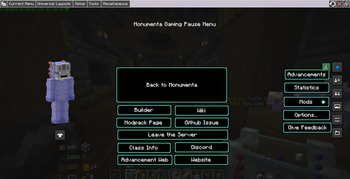
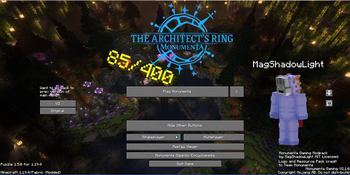
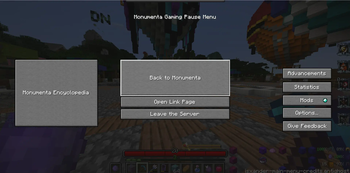
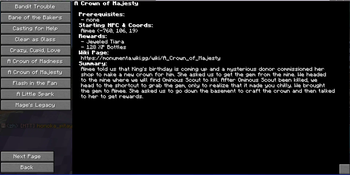
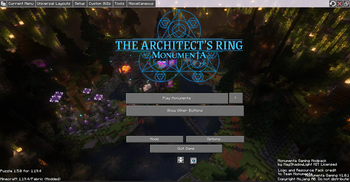
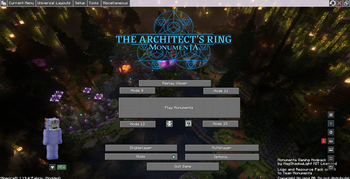
About this Modpack
Monumenta Gaming
Inspired by Noelle’s and Provi’s modpack, this one is designed for playing monumenta, a CTMMMORPG minecraft server that I love to play a lot.
Contents:
This modpack has the following content listed below:
- Performance improvement mods
- Sodium
- Monumenta official Resource Pack +
- Monumenta General Music Pack: https://files.playmonumenta.com/resource-packs/MonumentaMusicPack.zip +
- Contains the music for Overworld, dungeons, strikes, bosses, & towns
- Monumenta Custom Music Pack
- General Gameplay mods
- Shulker box tooltip
- Advanced Chat
- Fully set up and ready to go
- Essential (there is non-essential version if you don't like essential)
- Jade
- JsMacros (disabled by default due to issues between fancymenu mods & this mod)
- Inventory HUD+
- Xaero’s Minimap & WorldMap (fairplay)
- Monumenta enhancement mods
- Unofficial monumenta mod
- Monumenta Item Dictionary
- Many more. Check out the mod list in GitHub
- check on monumenta discord for updates, however I probably will update the modpack with resource pack whenever it updated = +
Installation:
Vanilla Launcher:
Windows:
- Download this modpack from Modrinth website, it should say .mrpack at the end of file.
- Find the mrpack file and change file extension to .zip
- Extract the .zip file using 7zip or something else
- Once it finished extracted, go inside the override folder and copy the content inside that folder
- Paste it into .minecraft folder. You should find it when you type %appdata% on windows *
Mac:
- download this modpack from Modrinth website, it should say .mrpack at end of file
- Find the mrpack file and change file extension to .zip
- Extract the .zip file
- Once it finished extracted, go inside the override folder and copy the content inside that folder
- go to ~/Library/Application Support/minecraft path and paste it into that folder
License:
This modpack is licensed under MIT, which means you’re free to reuse part of this modpack, however the content of this modpack (mods, resource packs, musics, logo, & some other) have different license and not covered by this modpack.
Notes:
- the Guild tab filter need to be set up with your own guild tag as it currently set for ENEMY guild. To do so, you’ll need to go to Main Menu - Mods - AdvancedChatCore - HUD - Chat Tabs - Configure on Guild - Matches - type in your guild tag. I might plan for add every guild tags to be filter so you don’t have to set up.
- The top bar was showing up, I would recommend hide it by pressing CTRL + Alt + C in Main Menu or any other menu
- It has three node button that you can connect to if you’re having issue with specific bungee not transferring you, however two nodes are in NA and one node is in Europe
Known Issue:
some quest page uses "you" while some quest pages uses "us"
Encyclopedia Progress Tracker:
- Quests: (15/145)
- Enchants: (0/156)
- Items: (0/5604)
- Mobs: (0/???)
Available Versions
How to Set Up a Monumenta Gaming Full Feature Server
Order Server
Choose at least 4 GB RAM (6 GB recommended for Monumenta Gaming Full Feature). Based on player count: per 8 players.
Install Modpack in Dashboard
Open the modpack browser in the dashboard, search for "Monumenta Gaming Full Feature" and click "Install". The fabric loader and Minecraft 1.20.4 are configured automatically.
Start Server & Play
Start the server – all mods are loaded automatically. Share the server IP with friends and play together!
Frequently Asked Questions
Monumenta Gaming Full Feature server crashes or won't start – what to do?
Most common causes: insufficient RAM or wrong fabric loader. Check latest.log for "OutOfMemoryError" → increase RAM to at least 6 GB. For "Mixin" or "ClassNotFoundException" errors: modpack version and loader don't match. With Mado Hosting, loader and Minecraft version are auto-configured on modpack install – preventing most startup issues.
How much RAM does a Monumenta Gaming Full Feature server really need?
Minimum 4 GB, recommended 6 GB for stable performance. per 8 players. Important: Minecraft modpacks need more RAM than vanilla – plan extra per additional player. With Mado Hosting, you can scale RAM up live at any time without data loss (from €8/month).
Can I add custom mods to Monumenta Gaming Full Feature without conflicts?
Yes, but check compatibility: only use mods for the same loader (fabric) and same Minecraft version (1.20.4). Common issues: ID conflicts with recipe mods and incompatible coremod versions. The Mado dashboard mod browser only shows compatible mods and warns about known conflicts.
Monumenta Gaming Full Feature server lagging – performance tips
1) Increase RAM to 6 GB+. 2) Reduce server view-distance to 8 (server.properties). 3) Pre-generate chunks with the "Chunky" plugin. 4) Use /spark profiler to check which mods consume the most tick time. With Mado Hosting, all servers run on NVMe SSDs with dedicated CPU cores – eliminating hardware as a bottleneck.
Similar Modpacks


![Cobblemon Official Modpack [Fabric]](https://cdn.modrinth.com/data/5FFgwNNP/e7f9ee2e9d361623847853fe2ddce42f519ee64f.png)
![COBBLEVERSE - Pokemon Adventure [Cobblemon]](https://cdn.modrinth.com/data/Jkb29YJU/581ecf54530972afb18a04660afd820f2f24f6c7.png)
![Better MC [FABRIC] - BMC2](https://cdn.modrinth.com/data/shFhR8Vx/a19c2bcb51d38f32f138d3607e91cb2b7b8e387f_96.webp)

Rent Monumenta Gaming Full Feature Server
Start your own server with automatic modpack installation.
Supported Versions
Start your Monumenta Gaming Full Feature Server now
From €8.00/month with 6 GB RAM for the best performance.
Configure Server →