
MoonCraft Modpack
MoonCraft Modpack boosts FPS with Sodium and Lithium, adds optimized shaders for clean visuals, and keeps the original vanilla gameplay intact. Built for Fabric 1.21.8 with 60+ tested mods, ready for both singleplayer and large servers
Screenshots
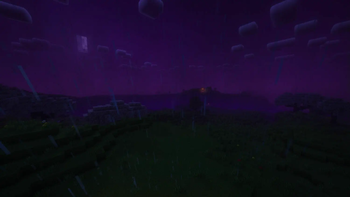



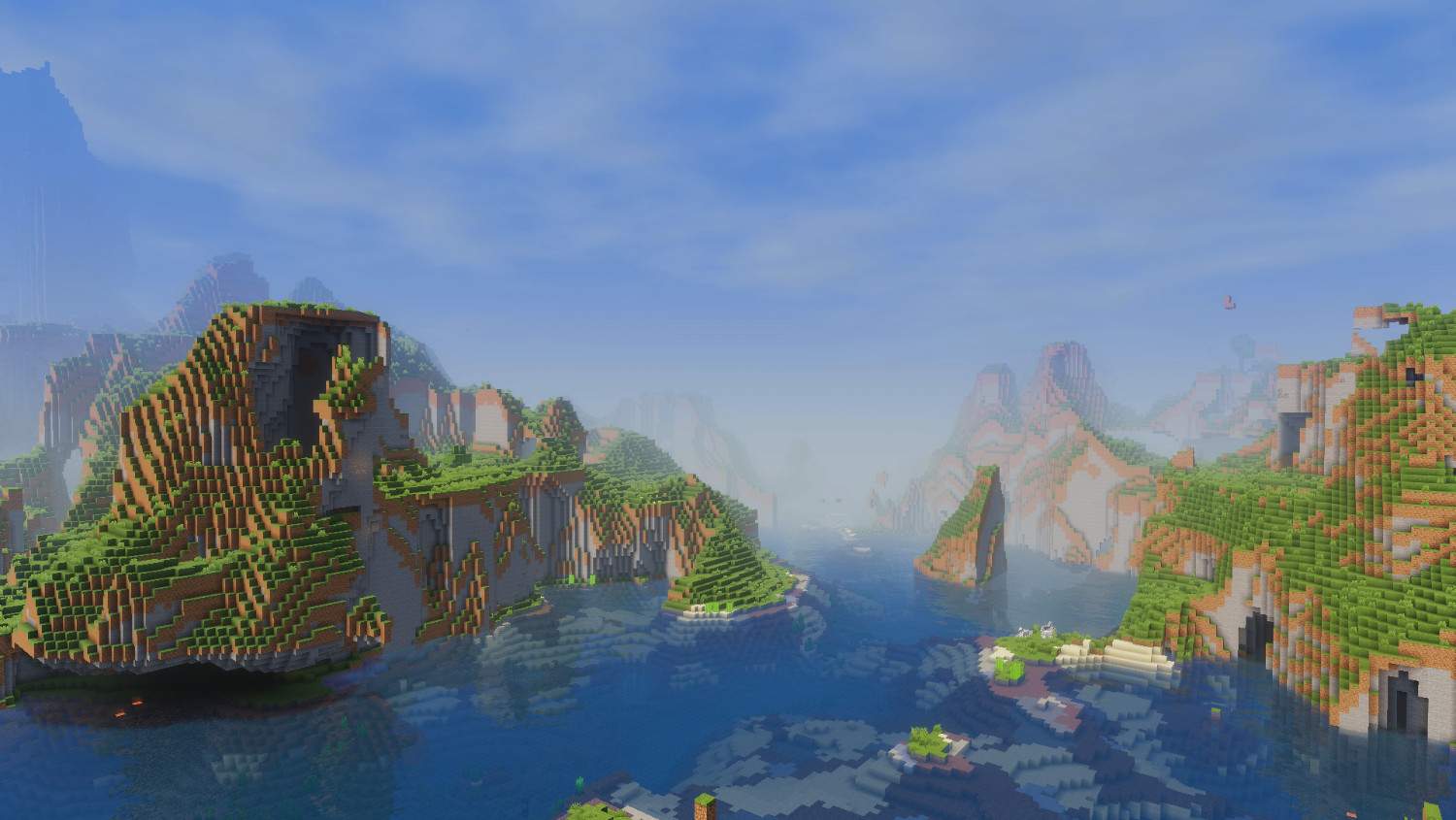

About this Modpack
MoonCraft Modpack 😼
Keeps Minecraft the same you know.
Runs smoother.
Looks cleaner.
Does not change gameplay.
Performance 🚀
Sodium, Lithium, FerriteCore, More Culling cut lag and raise frames.
Entity Culling and Dynamic FPS keep gameplay steady with many players.
Tips
- If your PC is midrange set render distance 8–12.
- Turn on FerriteCore and Lithium first.
- Use low-CPU profiles for big servers.
Visuals 🎨
Shaders included: Complementary Reimagined, Amethyst, Miniature, Potato.
Dynamic lighting, falling leaves, moving particles, 3D textures.
Ashen 16x plus Bare Bones UI for a tidy HUD.
Shader tips
- Use LITE preset if FPS drops.
- Save shader presets per world.
Quality of life ✨
- Better HUD for mounts, tools, stats.
- Cleaner menus and dark loading screen.
- Smoother animations and improved sound physics.
- Small useful tweaks: better cursor, mouse tweaks, chat animation, glowing plants.
World and tech ⚙️
Smoother terrain gen and better biome blending.
Faster chunk loading with fade-in to hide pop-in.
Tools: Spark for profiling, Simple Voice Chat for in-game voice.
Privacy: no telemetry, Resourcify speeds resource handling.
Server notes
- Use CCME and VMP for large servers.
- Match server Fabric and mod versions exactly.
Includes and install
Everything pre-configured.
Textures, shaders, audio, visual FX bundled.
Fabric 1.21.8.
59+ tested mods.
Quick install
- Install Fabric 1.21.8 loader.
- Put mod files in the mods folder.
- Run Minecraft with the Fabric profile.
- If issues, delete the config folder and restart.
Backup your world before installing.
Advanced tips
- Max FPS: close background apps, update GPU drivers, set Minecraft to high priority.
- Servers: allocate enough RAM but do not overdo it, monitor with Spark.
- Lower input lag: disable VSync and use raw mouse input.
Checklist before launch ✅
- Backup world.
- Match Fabric and mod versions.
- Use presets if GPU is weak.
- Test on a copy of your world first.
Final lines
- Try it before you judge the modpack. 😼
- If you find bugs or glitches write them in the comments and I will fix them inshallah.
MoonCraft Modpack بالعربي 😼
يحافظ على جو ماينكرافت اللي تعرفه.
يمشي أنعم.
يظهر شكله أوضح.
ما يغيّر طريقة اللعب.
الأداء 🚀
Sodium وLithium وFerriteCore وMore Culling يقللون اللاج ويزودون الفريمات.
Entity Culling وDynamic FPS يخلو اللعب ثابت حتى لو السيرفر مليان.
نصايح
- لو جهازك متوسط خفف الرندر 8–12.
- شغل FerriteCore وLithium أول.
- استخدم إعدادات خفيفة للسيرفرات الكبيرة.
الشكل 🎨
شيدرز جاهزة: Complementary Reimagined وAmethyst وMiniature وPotato.
إضاءة متغيرة، أوراق تتساقط، جزيئات متحركة، خامات 3D.
Ashen 16x وواجهة Bare Bones لواجهة مرتبة.
نصايح للشيدرز
- جرب preset LITE لو الفريم ينزل.
- احفظ preset لكل عالم.
الراحة أثناء اللعب ✨
- HUD أوضح للخيل والأدوات والإحصائيات.
- قوائم مرتبة وشاشة تحميل داكنة.
- أنيميشن أنعم وصوت محيطي محسّن.
- تعديلات مفيدة: مؤشر ماوس أفضل، تحكم أسهل، أنيميشن للشات، زهور تلمع.
العالم والتقنيات ⚙️
- توليد تضاريس أنعم ودمج بايومات سلس.
- تحميل الشانكس أسرع مع fade-in يخفي البوب-إن.
- أدوات فحص مثل Spark وشات صوتي جاهز.
- خصوصية بدون تتبع وResourcify لتسريع الموارد.
التركيب والموجود
كل شيء جاهز ومضبوط.
Fabric 1.21.8.
أكثر من 59 مود مدمج ومجرب.
خطوات سريعة
- نزّل Fabric 1.21.8.
- حط ملفات المودز في مجلد mods.
- شغّل بروفايل Fabric.
- لو صار خطأ امسح config وأعد التشغيل.
نسخ احتياطي للعالم قبل التركيب مهم.
نصايح متقدمة
- لأفضل فريمات: طفي برامج الخلفية، حدّث تعريف كرت الشاشة، عطِ Minecraft أولوية.
- للسيرفر: اعط رام كافي وراقب الأداء بـSpark.
- لتقليل input lag: طفي VSync وفعل raw mouse input.
قائمة فحص قبل التشغيل ✅
- نسخة احتياطية للعالم.
- تطابق إصدارات Fabric والمودات.
- استخدم presets لو جهازك ضعيف.
- جرّب على نسخة من العالم أول.
آخر الكلام
- جربه قبل لا تعلق عن المودباك.😼
- واذا فيه مشاكل وقلتشات اكتبوا بالتعليقات وإن شاء الله احلها.
Available Versions
How to Set Up a MoonCraft Modpack Server
Order Server
Choose at least 6 GB RAM (8 GB recommended for MoonCraft Modpack). Based on player count: per 5 players.
Install Modpack in Dashboard
Open the modpack browser in the dashboard, search for "MoonCraft Modpack" and click "Install". The fabric loader and Minecraft 1.21.8 are configured automatically.
Start Server & Play
Start the server – all mods are loaded automatically. Share the server IP with friends and play together!
Frequently Asked Questions
MoonCraft Modpack server crashes or won't start – what to do?
Most common causes: insufficient RAM or wrong fabric loader. Check latest.log for "OutOfMemoryError" → increase RAM to at least 8 GB. For "Mixin" or "ClassNotFoundException" errors: modpack version and loader don't match. With Mado Hosting, loader and Minecraft version are auto-configured on modpack install – preventing most startup issues.
How much RAM does a MoonCraft Modpack server really need?
Minimum 6 GB, recommended 8 GB for stable performance. per 5 players. Important: Minecraft modpacks need more RAM than vanilla – plan extra per additional player. With Mado Hosting, you can scale RAM up live at any time without data loss (from €12/month).
Can I add custom mods to MoonCraft Modpack without conflicts?
Yes, but check compatibility: only use mods for the same loader (fabric) and same Minecraft version (1.21.8). Common issues: ID conflicts with recipe mods and incompatible coremod versions. The Mado dashboard mod browser only shows compatible mods and warns about known conflicts.
MoonCraft Modpack server lagging – performance tips
1) Increase RAM to 8 GB+. 2) Reduce server view-distance to 8 (server.properties). 3) Pre-generate chunks with the "Chunky" plugin. 4) Use /spark profiler to check which mods consume the most tick time. With Mado Hosting, all servers run on NVMe SSDs with dedicated CPU cores – eliminating hardware as a bottleneck.
Similar Modpacks
![Cobblemon Official Modpack [Fabric]](https://cdn.modrinth.com/data/5FFgwNNP/e7f9ee2e9d361623847853fe2ddce42f519ee64f.png)
![COBBLEVERSE - Pokemon Adventure [Cobblemon]](https://cdn.modrinth.com/data/Jkb29YJU/581ecf54530972afb18a04660afd820f2f24f6c7.png)
![Better MC [FABRIC] - BMC2](https://cdn.modrinth.com/data/shFhR8Vx/a19c2bcb51d38f32f138d3607e91cb2b7b8e387f_96.webp)


![Better MC [FORGE] - BMC4](https://cdn.modrinth.com/data/4BV47HRn/7f5ef7cc61b2593609aabef3ed07a866a4f11b73_96.webp)
Rent MoonCraft Modpack Server
Start your own server with automatic modpack installation.
Details
- License
- LicenseRef-All-Rights-Reserved
- Server-side
- Unsupported
- Client-side
- Required
Supported Versions
Start your MoonCraft Modpack Server now
From €12.00/month with 8 GB RAM for the best performance.
Configure Server →