
Mostly Optimized (FABRIC)
An Optimization and quality of life Modpack with lots of features. (supports 1.21.8 - 26.1 in alpha) (26.1.2 Version Coming Soon)
Screenshots
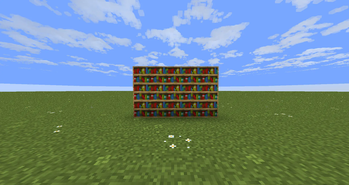
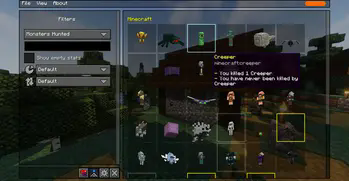
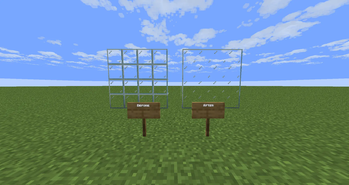


About this Modpack
Triple your FPS with Mostly Optimized!
Here's what it does:
Mostly Optimized attempts to make minecraft be less laggy, have higher FPS, reduce lag spikes, load chunks faster, create worlds faster, and replacate every feature from Optifine. Some of those features are shaders, zooming, dynamic lighting, removing fog, fullbright, custom entity models, custom capes, higher render distance, better grass, randomized textures, Configurable animations and details, connected textures, and more, so if a resource pack or a mod says it requires Optifine to work you can get it working in Mostly Optimized! I also included some mods I personaly use but I tryed not to change to many vanilla mechanics, and if you don't like a certain feature in this modpack feel free to add or disable any mod/resource/data/shader pack you want to have the experience you want! . Thank you to Fabulously Optimized and Vanilla Perfected for the inspiration!
Vanilla Tweaks
What is Vanilla Tweaks?
Vanilla Tweaks is a collection of resource packs that lets you choose the changes you want to make to your game, most of these features are quality of life and bug fixes, there are a variety of changes to be made to your game like makes ores have borders and much more.
How To Download Vanilla Tweaks!
Vanilla Tweaks is not in Mostly Optimized FORGE by default because its's not on modrinth to Download Vanilla Tweaks Visit the site vanillatweaks.net
and pick the changes you want to be made
Projects:
Mods:
- Apple Skin
- Bobby
- Capes
- Dynamic Fps
- E4MC
- Entity Culling
- Fabric API
- Fabric Language Kotlin
- Immediately Fast
- Iris Shaders
- Jade
- Lithium
- Mod Menu
- Shulker Box Tooltip
- Sodium
- Sodium Extra
- Text Place Holder API
- Yet Another Config Lib (YACL)
- Zoomify
- [EMF] Entity Model Features
- [ETF] Entity Texture Features
- Architectury API
- Better Advancements
- Better Statistics Screen
- Boat Item View
- Bobby
- Cherished Worlds
- Cloth Config API
- Continuity
- Cubes Without Borders
- Explosive Enhancement
- Flashback
- Freecame
- Gamma Utils
- Malilib
- No Resource Pack Warnings
- Not Enough Animations
- Particle Rain
- Reese's Sodium Options
- Resourcify
- Status Effect Bars
- TCDCommons API
- Tweakeroo
- Via Fabric Plus
Resource Packs:
- Fast Better Grass
- Low Fire
- Quarfty's Capitalized Font
- Recolorful Containers GUI + HUD (DARK)
- Translations for Sodium
- Vanilla Tweaks (NOT DIRECTLY IN THE MODPACK DOWNLOAD FROM HERE)
Shader Packs:
- Complementary Shaders - Reimagined
- Complementary Shaders - Unbound
My Links
Available Versions
How to Set Up a Mostly Optimized (FABRIC) Server
Order Server
Choose at least 4 GB RAM (6 GB recommended for Mostly Optimized (FABRIC)). Based on player count: per 8 players.
Install Modpack in Dashboard
Open the modpack browser in the dashboard, search for "Mostly Optimized (FABRIC)" and click "Install". The fabric loader and Minecraft 26.1 are configured automatically.
Start Server & Play
Start the server – all mods are loaded automatically. Share the server IP with friends and play together!
Frequently Asked Questions
Mostly Optimized (FABRIC) server crashes or won't start – what to do?
Most common causes: insufficient RAM or wrong fabric loader. Check latest.log for "OutOfMemoryError" → increase RAM to at least 6 GB. For "Mixin" or "ClassNotFoundException" errors: modpack version and loader don't match. With Mado Hosting, loader and Minecraft version are auto-configured on modpack install – preventing most startup issues.
How much RAM does a Mostly Optimized (FABRIC) server really need?
Minimum 4 GB, recommended 6 GB for stable performance. per 8 players. Important: Minecraft modpacks need more RAM than vanilla – plan extra per additional player. With Mado Hosting, you can scale RAM up live at any time without data loss (from €8/month).
Can I add custom mods to Mostly Optimized (FABRIC) without conflicts?
Yes, but check compatibility: only use mods for the same loader (fabric) and same Minecraft version (26.1). Common issues: ID conflicts with recipe mods and incompatible coremod versions. The Mado dashboard mod browser only shows compatible mods and warns about known conflicts.
Mostly Optimized (FABRIC) server lagging – performance tips
1) Increase RAM to 6 GB+. 2) Reduce server view-distance to 8 (server.properties). 3) Pre-generate chunks with the "Chunky" plugin. 4) Use /spark profiler to check which mods consume the most tick time. With Mado Hosting, all servers run on NVMe SSDs with dedicated CPU cores – eliminating hardware as a bottleneck.
Similar Modpacks

![Cobblemon Official Modpack [Fabric]](https://cdn.modrinth.com/data/5FFgwNNP/e7f9ee2e9d361623847853fe2ddce42f519ee64f.png)
![COBBLEVERSE - Pokemon Adventure [Cobblemon]](https://cdn.modrinth.com/data/Jkb29YJU/581ecf54530972afb18a04660afd820f2f24f6c7.png)
![Better MC [FABRIC] - BMC2](https://cdn.modrinth.com/data/shFhR8Vx/a19c2bcb51d38f32f138d3607e91cb2b7b8e387f_96.webp)


Rent Mostly Optimized (FABRIC) Server
Start your own server with automatic modpack installation.
Supported Versions
Start your Mostly Optimized (FABRIC) Server now
From €8.00/month with 6 GB RAM for the best performance.
Configure Server →