
NanoFabric
An optimization modpack for every PC [1.21.5 and up]
Screenshots
About this Modpack
Hello! This Modpack was made for the best performance while having only a few mods in it. Many hours if not days were made on researching, testing, and comparing. We also include Iris for you for 1.21.5 to 26.1.2, for you to enjoy the amazing looks of Minecraft while having the best FPS NanoFabric can possibly do.
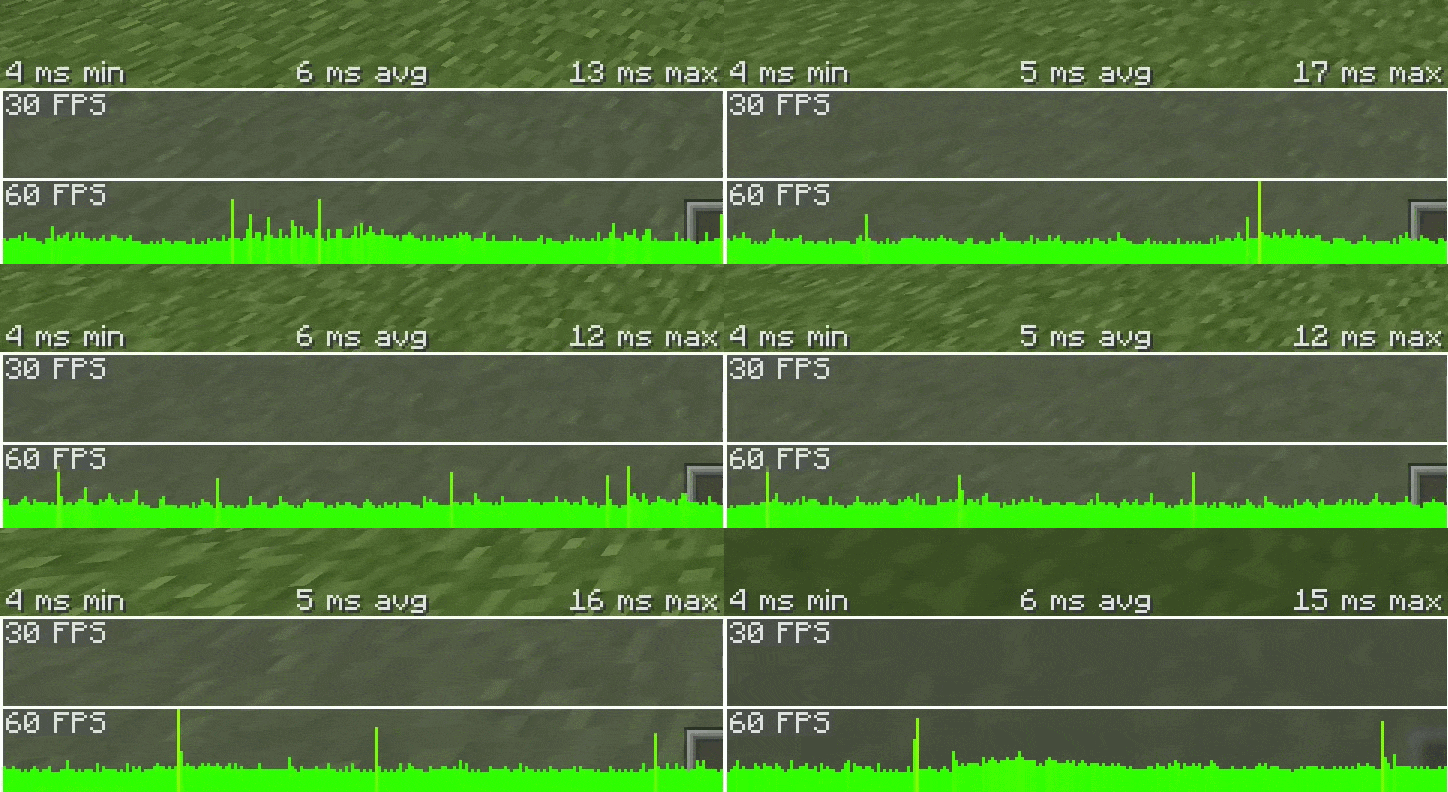
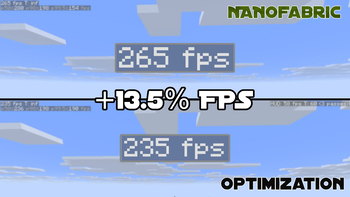
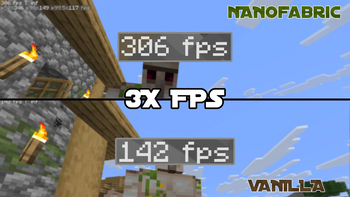
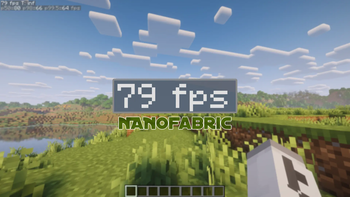
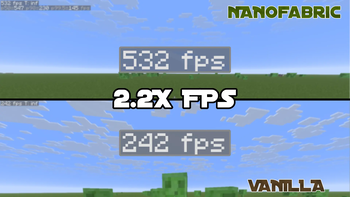
All Evidence For FPS, Are In Gallery

What's The Benefit Of This Modpack?
🗲 Absolute Max Performance, meaning we try to choose the best mods for FPS and stability
🪽 Lightweight, this modpack was meant to be lightweight for everyone
∞ Fully Customizable, this means you can add the QoL mods, resource packs, and datapacks that you want
× No QoL mods, No mods that effect the Terrain, No mods that add entities nor mechanics. All vanilla
Who does the testing for NanoFabric?
Me, Forlorn does the main testing and mod choosing on what enters the modpack
basically the main boss
Grassplate, does testing on FPS, stutters, stability, and chunk load speed.
shoutout to him, he made NanoFabric improve
Forlorns Pc's Specs Are
- GeForce RTX 3050 "Type of GPU: Dedicated GPU",
- Intel Core i5-8500,
- 16 GB of DDR4 RAM, 4 GB is used for Minecraft,
- Type of Pc: Tower PC
Grassplate Pc's Specs Are
- AMD RX 7900 XT "Type of GPU: Dedicated GPU",
- AMD Ryzen 7 7800X3D,
- 32GB of DDR5 RAM, 6 GB is used for Minecraft,
- Type of Pc: Tower PC
Recommended Settings For Users
How to tell what kind of system you have
Low End:
Integrated GPU
4-8 GB of RAM
CPU older than 10 years
CPU has 4 threads
Medium End:
Dedicated GPU but older than 4 years
16 GB of RAM
CPU older than 5 years
CPU has 6 threads
High End
Dedicated GPU but younger than 4 years
16-32 GB of RAM
CPU younger than 4 years
CPU has 8 or more threads
|↑Sodium Setting Version↑|
Settings recommended
Low End:
10 Render Distance
5 Simulation Distance
Clouds = Fast
See-Through Leaves = off
Particles = Decreased
Medium End:
17-20 Render Distance
10 Simulation Distance
Clouds = Fancy
See-Through Leaves = off
Particles = Minimal
High End:
25-30 Render Distance
15 Simulation Distance
Clouds = Fancy
See-Through Leaves = on
Particles = Minimal
Chunk Update Thread = 4 or 5
|↓Vulkan Setting Version↓|
Settings recommended
Low End:
12 Render Distance
5-7 Simulation Distance
Clouds = Fast
See-Through Leaves = off
Particles = Minimal
Medium End:
18-23 Render Distance
15-17 Simulation Distance
Clouds = Fancy
See-Through Leaves = off
Particles = Minimal
High End:
25-32 Render Distance
15-17 Simulation Distance
Clouds = Fancy
See-Through Leaves = on
Particles = Minimal
Chunk Builder Threads = 2 or 3
WARNING
Vulkan may be incompatible with some mods, and your system if its older then the year 2016. If you want great performance but more compatible, use our Sodium version!
Answers For The Concerns That May Occur
Concerns that may occur
Simple Questions
Will this improve FPS massively?
Yes, NanoFabric is focused on massively improving performance, from doing stability increase to FPS increase. For Low to High end PC's users to enjoy. And even for people who can't use Nvidium, the performance will be 2 to 4 times more!Will it update to the newest version?
Yes. I'll try and make NanoFabric update to the newest version of Minecraft for you to play.Will it have Iris?
No, from 1.21.5 to 26.1.2 you will have Iris to use Shaders but because they won't work with Vulkan API for 26.2+, we will no longer add them to the modpack list.
Safety Questions
Is this safe to use?
Yes, all of these mods was tested and reviewed to see if its safe or not, if they weren't safe, then they would be removed and will never be added to NanoFabric even if they claimed that they stopped, they already broke our trust.Will it work with other mods?
Depends what version you use. Vulkan verions in my Modpack could cause crashes or glitches, as it changes the API from OpenGL to an API not support by Minecraft, while with Sodium was made to give great performance and better compability because it keeps the API Minecraft uses which is OpenGL, by not including Vulkan.Will this break Multiplayer servers?
No, neither Vulkan nor Sodium will break your multiplayer servers.
Vanilla Minecraft Concern Questions
Will it kill the vanilla feeling?
No, NanoFabric was made to make the vanilla Minecraft intact and will NOT remove the vanilla feel but instead, just performance to make it feel smoother.Will this change gameplay or add new features?
No, like before this is just a performance modpack that will NOT ADD any new mechanics nor items in Minecraft, this was only made for you to enjoy the performance and game on vanilla Minecraft.
Other Possible Questions
Do I need to configure anything?
No, it was made to be ready out of the box, but you can change it in your needs for performance.Can I add/remove mods in the Modpack?
Absolutely, you may add/remove any mods you want in NanoFabric, from what you want and need for your Minecraft worlds but if you remove/swap some performance mod it may decrease your FPS or stability.
Shader & Resource Pack Recommendations (1.21.5+)
These are all my suggestions to make Minecraft look and feel better. All are tested, reviewed, and compatible with version 1.21.5 and up.
Recommendations
Shader recommendations
- For Low End PC Users
- Mellow Shader, gives the best performance and stability while giving good visuals, and will be up to date on every Minecraft versions for you to enjoy.
- MakeUp-UltraFast, gives good performance and stability while giving better visuals but with worse performance as the downside, but will be in every
Minecraft version.
- For High End PC Users
- Complementary Shaders - Reimagined, adds massive amounts of detail like glowing effects on blocks and entities and adding advanced lighting detail.
- BSL Shaders, same as Complementary Shaders - Reimagined but with less details but still very aesthetic to look at.
- IterationT, amazing shader with good details, amazing looks and mid performance. This is not recommeneded for low end pc as this will kill your FPS.
ResourcePack recommendations
- For Better Animations
- Fresh Animation, adds more unique and better animations for every Mob, making the experience better.
^-- Fresh Animations - Extensions, adds more details for Fresh Animation like Creeper edits, more details in pigs, chickens, cows and many more that I can not explain to not waste your time. - Detailed Animations, like Fresh Animation it makes animation look better, but this time its not the Mobs, this time its the players-you, adding many
animations to make your avatar not feel stiff nor lifeless.
- For Better Looks
- Bare Bones, it makes blocks and items more simple and a recreation from the Minecraft Trailers but yet... making it still enjoyable.
- Motschen's Better Leaves, makes leaves look better and nicer to look at, making a forest look actually natural than flat.
- (Bee's) Fancy Crops, it makes crops look better and more full of life.
- Dramatic Skys, makes the sky look better as it changes the Vanilla skybox from Minecraft to a prettier one and more realistic.
- Story Mode Clouds, makes the clouds look like from Minecraft: Story Mode and still keeps it looking vanilla.
- Re-Shaded, makes the world look like it has shader on but in reality it doesn't and without loosing FPS, sadly this doesn't work with Sodium, VulkanMod nor Graphene, but instead just full vanilla rendering.
- Fast Better Grass, makes Grass looks simplier but still has that Vanilla feel in it.
- For PVP
- CPVP Essentials ( Crystal PvP ), makes food smaller, no particles and lowers shields to help you in PVP
- PvP Swords, makes swords smaller for you to see more than the sword blocking more of your view.
if something breaks or changes, lemme know and I’ll update it
Available Versions
How to Set Up a NanoFabric Server
Order Server
Choose at least 4 GB RAM (6 GB recommended for NanoFabric). Based on player count: per 8 players.
Install Modpack in Dashboard
Open the modpack browser in the dashboard, search for "NanoFabric" and click "Install". The fabric loader and Minecraft 26.2 are configured automatically.
Start Server & Play
Start the server – all mods are loaded automatically. Share the server IP with friends and play together!
Frequently Asked Questions
NanoFabric server crashes or won't start – what to do?
Most common causes: insufficient RAM or wrong fabric loader. Check latest.log for "OutOfMemoryError" → increase RAM to at least 6 GB. For "Mixin" or "ClassNotFoundException" errors: modpack version and loader don't match. With Mado Hosting, loader and Minecraft version are auto-configured on modpack install – preventing most startup issues.
How much RAM does a NanoFabric server really need?
Minimum 4 GB, recommended 6 GB for stable performance. per 8 players. Important: Minecraft modpacks need more RAM than vanilla – plan extra per additional player. With Mado Hosting, you can scale RAM up live at any time without data loss (from €8/month).
Can I add custom mods to NanoFabric without conflicts?
Yes, but check compatibility: only use mods for the same loader (fabric) and same Minecraft version (26.2). Common issues: ID conflicts with recipe mods and incompatible coremod versions. The Mado dashboard mod browser only shows compatible mods and warns about known conflicts.
NanoFabric server lagging – performance tips
1) Increase RAM to 6 GB+. 2) Reduce server view-distance to 8 (server.properties). 3) Pre-generate chunks with the "Chunky" plugin. 4) Use /spark profiler to check which mods consume the most tick time. With Mado Hosting, all servers run on NVMe SSDs with dedicated CPU cores – eliminating hardware as a bottleneck.
Similar Modpacks

![Cobblemon Official Modpack [Fabric]](https://cdn.modrinth.com/data/5FFgwNNP/e7f9ee2e9d361623847853fe2ddce42f519ee64f.png)
![COBBLEVERSE - Pokemon Adventure [Cobblemon]](https://cdn.modrinth.com/data/Jkb29YJU/581ecf54530972afb18a04660afd820f2f24f6c7.png)
![Better MC [FABRIC] - BMC2](https://cdn.modrinth.com/data/shFhR8Vx/a19c2bcb51d38f32f138d3607e91cb2b7b8e387f_96.webp)


Rent NanoFabric Server
Start your own server with automatic modpack installation.
Details
- License
- Creative Commons Attribution Non Commercial Share Alike 4.0 International
- Server-side
- Optional
- Client-side
- Optional
Supported Versions
Start your NanoFabric Server now
From €8.00/month with 6 GB RAM for the best performance.
Configure Server →