
Natureal
Like candles in the city, they never looked so pretty, by power cuts and blackouts. Become one with nature once again!
Screenshots
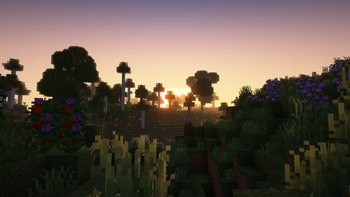
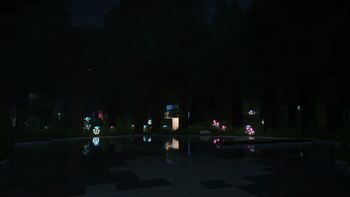
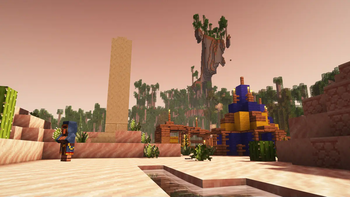
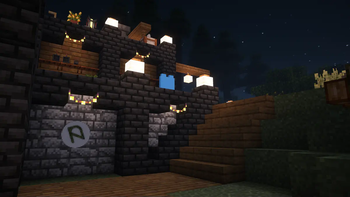
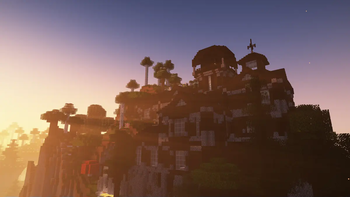
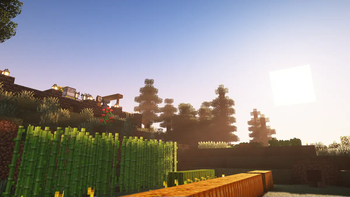
About this Modpack
Natureal
ˈneɪʧərːiul - A content mod pack based on the concept of nature.

⚙️ Features
Vanilla-styled
- Focus on what Minecraft does great: nature!
- All-round consistency.
- World generation mods that enhance Minecraft's fantasy aspect
Auditory improvements
- Realistic player and entity footsteps
- Additional sounds when interacting with your environment
- Talk with your friends in immersive environments
- Reverb, occlusion, and drip sounds!
QOL improvements
- Chat overhaul with spellcheck, emojis, and better suggestions
- Focus on removing repetitive grind
- ...while moving the game's goalposts further!
Multiplayer
- Built by players, for (multi)players
- Ability to upload user-generated audio and photos
Performance improvements
- Utilizes the CaffeineMC suite of optimization mods
- Utilizes Iris for fast shaders
- Includes safe and lesser-known performance tweaks
- Strives to include performant content mods
- Not lightweight, but not heavyweight either!
...and more!
I did not make any of the projects that make this mod pack possible.
Make sure to give some love to the authors of the projects listed in /mods, /resourcepacks, and /shaderpacks!
❔ FAQ
What makes this different from other mod packs?
Natureal's goal is to provide the modded experience, without going too far. This means everything is immersive and comprehensible in-game. Through consistency and intuition, this mod pack should be enjoyable for all parties!
For example, there's no minimap mod. Or so you may think! You must craft the minimap instead! The same goes for the topic of zoom mods; use a spyglass for that!
This was inspired by Crucial 2's ideology — to keep things vanilla. It's essentially the opposite of mod packs like All The Mods, which condense a ton of vastly different mods into their pack.
The game is consistently stuttering! Why?
This is likely due to Java's GC being run.
This is normal, and can be mitigated by allocating more memory to your client. I recommend 6 GB as a minimum! You can also use flags.sh to generate a launcher profile using Aikar's flags and your specified amount of memory.
Does this work with OptiFine?
No. Nor is this fully* compatible with OptiFine resource packs. Natureal mod pack uses Sodium, Iris, etc.
* Natureal includes a few mods that add resource pack features from OptiFine, but Natureal itself doesn't aim to be fully OptiFine-compatible.
If this is a nature mod pack, why are there technology mods?
Unfortunately, many of the nature-based replacements for tech mods aren't up to my standards. For example, chest-based storage systems don't have what makes AE2 great in my opinion; crafting patterns. As such, I decided to include a couple of technology mods to fill that gap. The pack's primary focus is still nature, though.
It's your choice whether to use these mods! Alternatives such as Create are provided and supported for those that prefer a more kinetic world.
As for the Dr. Who related mods, they were added by request of the Natureal's testers. Why not?
I can't sleep!
Press space. 😄
What in the world does the summary mean?
It's a quote from Thom Yorke's Analyze, a song on an album regarding human issues. I felt it was fitting for a mod pack focused on nature!
If you're running a dedicated server using this pack, you may notice multiple quotes mentioning nature in the MOTD. I'm not sure who said these. I just took them from a list I found online.
©️ Credits
This pack uses a few resources located outside of Modrinth's ecosystem. As such, they are credited here.
Mods
Available Versions
How to Set Up a Natureal Server
Order Server
Choose at least 6 GB RAM (8 GB recommended for Natureal). Based on player count: per 5 players.
Install Modpack in Dashboard
Open the modpack browser in the dashboard, search for "Natureal" and click "Install". The fabric loader and Minecraft 1.19.2 are configured automatically.
Start Server & Play
Start the server – all mods are loaded automatically. Share the server IP with friends and play together!
Frequently Asked Questions
Natureal server crashes or won't start – what to do?
Most common causes: insufficient RAM or wrong fabric loader. Check latest.log for "OutOfMemoryError" → increase RAM to at least 8 GB. For "Mixin" or "ClassNotFoundException" errors: modpack version and loader don't match. With Mado Hosting, loader and Minecraft version are auto-configured on modpack install – preventing most startup issues.
How much RAM does a Natureal server really need?
Minimum 6 GB, recommended 8 GB for stable performance. per 5 players. Important: Minecraft modpacks need more RAM than vanilla – plan extra per additional player. With Mado Hosting, you can scale RAM up live at any time without data loss (from €12/month).
Can I add custom mods to Natureal without conflicts?
Yes, but check compatibility: only use mods for the same loader (fabric) and same Minecraft version (1.19.2). Common issues: ID conflicts with recipe mods and incompatible coremod versions. The Mado dashboard mod browser only shows compatible mods and warns about known conflicts.
Natureal server lagging – performance tips
1) Increase RAM to 8 GB+. 2) Reduce server view-distance to 8 (server.properties). 3) Pre-generate chunks with the "Chunky" plugin. 4) Use /spark profiler to check which mods consume the most tick time. With Mado Hosting, all servers run on NVMe SSDs with dedicated CPU cores – eliminating hardware as a bottleneck.
Similar Modpacks
![Cobblemon Official Modpack [Fabric]](https://cdn.modrinth.com/data/5FFgwNNP/e7f9ee2e9d361623847853fe2ddce42f519ee64f.png)
![COBBLEVERSE - Pokemon Adventure [Cobblemon]](https://cdn.modrinth.com/data/Jkb29YJU/581ecf54530972afb18a04660afd820f2f24f6c7.png)
![Better MC [FABRIC] - BMC2](https://cdn.modrinth.com/data/shFhR8Vx/a19c2bcb51d38f32f138d3607e91cb2b7b8e387f_96.webp)


![Better MC [FORGE] - BMC4](https://cdn.modrinth.com/data/4BV47HRn/7f5ef7cc61b2593609aabef3ed07a866a4f11b73_96.webp)
Rent Natureal Server
Start your own server with automatic modpack installation.
Supported Versions
Start your Natureal Server now
From €12.00/month with 8 GB RAM for the best performance.
Configure Server →