
Necode
Usually modpacks add a lot of global mods that drastically change the game, that's why i decided to make my own that is focused on ComputerCraft, and also allows users to express themselves with custom music, images and such inside the game.
Screenshots
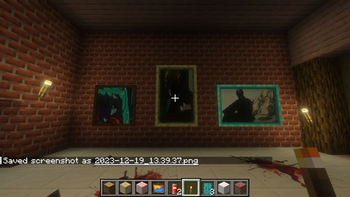
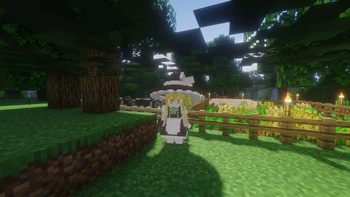
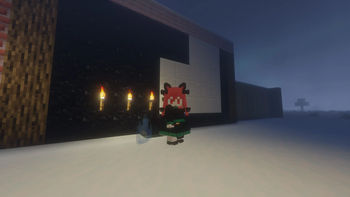
About this Modpack
Modpack has three main directions for expansion:
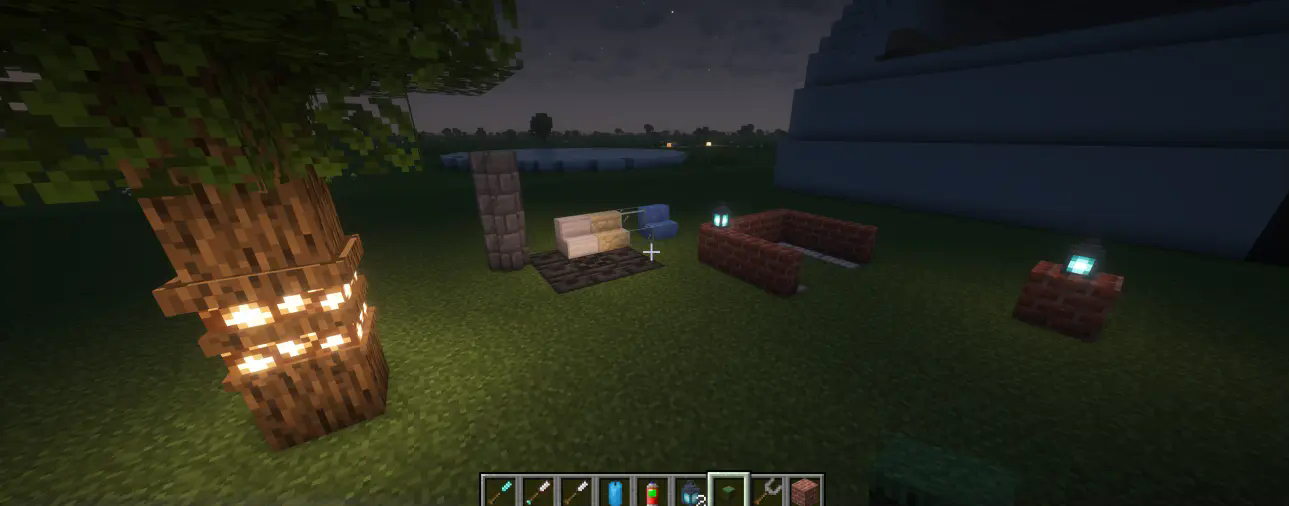
Building diversity.
My goal here is to stay in a vanilla-like state while adding things that spice up the builds. The following mods accomplish that:
- Immersive Paintings - allows to add custom decals on top of blocks as well as any custom image as a painting with a nice frame.
- Bits & Chisels - unlocks boundless creativity by allowing to carve out any shape out of vanilla blocks
Programmable Automatization
Goal here is to add automatization - but not too cheesy. Writing scripts and creating contraptions should require considerable effort, or it will simply feel like you cheesed the game.
- CC: Tweaked - adds computers and turtles
- Turtlematic - adds additional capabilities for turtles
- Peripheralium - adds additional peripherals
Fun features
- AudioPlayer - allows to add any music to any music disk and enjoy it with friends
- Shaders - just makes the game that much prettier
- Figura - unlocks a whole world of custom player models
QOL
- Litematica - simplifies building process by allowing to create ghost schematics
- Shulker+ - allows to render custom blocks on top of shulkers for easier identification
- Various tooltip mods - WAILA-like things that allow for easier identification of items, blocks and inventory contents.
- ChestTracker - makes the task for searching for items so much easier - you just type item you want and it shows you where you placed it
Available Versions
How to Set Up a Necode Server
Order Server
Choose at least 6 GB RAM (8 GB recommended for Necode). Based on player count: per 5 players.
Install Modpack in Dashboard
Open the modpack browser in the dashboard, search for "Necode" and click "Install". The fabric loader and Minecraft 1.20.1 are configured automatically.
Start Server & Play
Start the server – all mods are loaded automatically. Share the server IP with friends and play together!
Frequently Asked Questions
Necode server crashes or won't start – what to do?
Most common causes: insufficient RAM or wrong fabric loader. Check latest.log for "OutOfMemoryError" → increase RAM to at least 8 GB. For "Mixin" or "ClassNotFoundException" errors: modpack version and loader don't match. With Mado Hosting, loader and Minecraft version are auto-configured on modpack install – preventing most startup issues.
How much RAM does a Necode server really need?
Minimum 6 GB, recommended 8 GB for stable performance. per 5 players. Important: Minecraft modpacks need more RAM than vanilla – plan extra per additional player. With Mado Hosting, you can scale RAM up live at any time without data loss (from €12/month).
Can I add custom mods to Necode without conflicts?
Yes, but check compatibility: only use mods for the same loader (fabric) and same Minecraft version (1.20.1). Common issues: ID conflicts with recipe mods and incompatible coremod versions. The Mado dashboard mod browser only shows compatible mods and warns about known conflicts.
Necode server lagging – performance tips
1) Increase RAM to 8 GB+. 2) Reduce server view-distance to 8 (server.properties). 3) Pre-generate chunks with the "Chunky" plugin. 4) Use /spark profiler to check which mods consume the most tick time. With Mado Hosting, all servers run on NVMe SSDs with dedicated CPU cores – eliminating hardware as a bottleneck.
Similar Modpacks

![Cobblemon Official Modpack [Fabric]](https://cdn.modrinth.com/data/5FFgwNNP/e7f9ee2e9d361623847853fe2ddce42f519ee64f.png)
![COBBLEVERSE - Pokemon Adventure [Cobblemon]](https://cdn.modrinth.com/data/Jkb29YJU/581ecf54530972afb18a04660afd820f2f24f6c7.png)
![Better MC [FABRIC] - BMC2](https://cdn.modrinth.com/data/shFhR8Vx/a19c2bcb51d38f32f138d3607e91cb2b7b8e387f_96.webp)


Rent Necode Server
Start your own server with automatic modpack installation.
Supported Versions
Start your Necode Server now
From €12.00/month with 8 GB RAM for the best performance.
Configure Server →