
Neon
A lightweight and extremely optimized modpack for vanilla minecraft
Screenshots
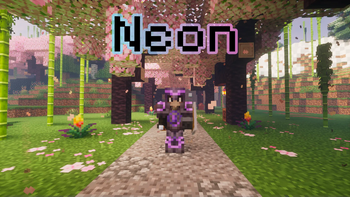
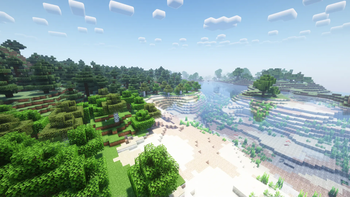

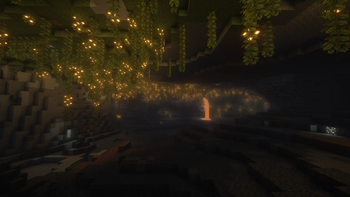
About this Modpack
Neon
Stable 1.21.1 (LTS) 1.20.1 (old LTS) 1.20.4
Unstable 1.21.4 1.21.5 1.21.8 1.21.11 (Alpha)
About
A lightweight modpack for vanilla minecraft, with some nice tweaks and seriously raised performance. Made to play on vanilla (no mods) servers or you can create your own modpack based on this.
Open wiki
You can edit our modpack wiki!
Do it!
Steam deck and controllers compatibility
- Using Controlify
- Controlify comes with a huge range of settings to fine-tune each of your controllers individually, including vibration strength, every single controller input bind (no hardcoding!) and more.
Perfomance
We recommend allocate minimum 3GB of ram for singleplayer game and 1GB for playing on server. And dual core cpu is strongly recommended.
What exactly does this modpack include?
- Automatic screenshot copy
- Shulker box tooltip
- Immediate mode rendering optimization
- Cleaner F3
- Rendering optimization
- FPS counter
- Steam Deck support (and controllers)
- Saturation display
- Chunk fade animation
- Noise optimization
- Fixes GPU-related memory leaks
- Fixes random memory leaks for both the client and server
- Advanced blur
- Entity culling system
- Fast language loader
- Enhance block entities
- Improve the UI and UX for the advancements system
- Adds marking system (only if server support this)
- Fixes gaps in models
- Fixes various Minecraft bugs
- Disables telemetry
- Adds more advanced online mod configuration screen
- Random Generator optimization
- Adds Concurrent Chunk Management Engine
- Improves the visualization of specific blocks
- XP orbs optimization
- Advanced configuration for falling leaves effect
- Shader pack loader (and some shaders included)
- Dynamic crosshair
- Enhances inventory management by adding various functions to the mouse buttons
- Solves various problems with packets
- Adds a customizable (bedrock like) preview of yourself
- Minecraft networking stack optimization
- Game logic optimization
- More detail about armor in Armor bar
- Automatic log cleaner
- Mod menu
- Improves the statistics screen
- Allows you to easily type emoji and emoticons in game
- Makes chat unreportable
- Redstone dust optimization
- Little visual improvements by adding a bunch of new particles
- Improve footsteps sounds
- Memory usage optimizations
- Improve server performance at high playercounts
- Adds a search bar to the Key-Bindings menu
- Adds way to log into your account in game
- Render the player skin layer in 3d
- Connected textures support
Mod loader
This modpack works only on fabric!
Go to the official fabric website
Social




Other
Tip: install our icon to install in the launcher (icon.png)
Tip: use Aikar´s launch options, they will help you to be more efficient :)
Tip: use the latest version of fabric
Tip: this modpack will be work better if you using Linux. But MacOS/Windows still compatible
Also: We prefer the Foss mods.
Available Versions
How to Set Up a Neon Server
Order Server
Choose at least 4 GB RAM (6 GB recommended for Neon). Based on player count: per 8 players.
Install Modpack in Dashboard
Open the modpack browser in the dashboard, search for "Neon" and click "Install". The fabric loader and Minecraft 1.21.11 are configured automatically.
Start Server & Play
Start the server – all mods are loaded automatically. Share the server IP with friends and play together!
Frequently Asked Questions
Neon server crashes or won't start – what to do?
Most common causes: insufficient RAM or wrong fabric loader. Check latest.log for "OutOfMemoryError" → increase RAM to at least 6 GB. For "Mixin" or "ClassNotFoundException" errors: modpack version and loader don't match. With Mado Hosting, loader and Minecraft version are auto-configured on modpack install – preventing most startup issues.
How much RAM does a Neon server really need?
Minimum 4 GB, recommended 6 GB for stable performance. per 8 players. Important: Minecraft modpacks need more RAM than vanilla – plan extra per additional player. With Mado Hosting, you can scale RAM up live at any time without data loss (from €8/month).
Can I add custom mods to Neon without conflicts?
Yes, but check compatibility: only use mods for the same loader (fabric) and same Minecraft version (1.21.11). Common issues: ID conflicts with recipe mods and incompatible coremod versions. The Mado dashboard mod browser only shows compatible mods and warns about known conflicts.
Neon server lagging – performance tips
1) Increase RAM to 6 GB+. 2) Reduce server view-distance to 8 (server.properties). 3) Pre-generate chunks with the "Chunky" plugin. 4) Use /spark profiler to check which mods consume the most tick time. With Mado Hosting, all servers run on NVMe SSDs with dedicated CPU cores – eliminating hardware as a bottleneck.
Similar Modpacks

![Cobblemon Official Modpack [Fabric]](https://cdn.modrinth.com/data/5FFgwNNP/e7f9ee2e9d361623847853fe2ddce42f519ee64f.png)
![COBBLEVERSE - Pokemon Adventure [Cobblemon]](https://cdn.modrinth.com/data/Jkb29YJU/581ecf54530972afb18a04660afd820f2f24f6c7.png)
![Better MC [FABRIC] - BMC2](https://cdn.modrinth.com/data/shFhR8Vx/a19c2bcb51d38f32f138d3607e91cb2b7b8e387f_96.webp)


Rent Neon Server
Start your own server with automatic modpack installation.
Supported Versions
Start your Neon Server now
From €8.00/month with 6 GB RAM for the best performance.
Configure Server →