
Nexus Client
This modpack offers an enhanced, optimized, and immersive Vanilla Minecraft experience. It’s designed for players who appreciate the classic Minecraft gameplay but want to benefit from useful improvements, visual upgrades, and performance optimizations.
Screenshots


About this Modpack
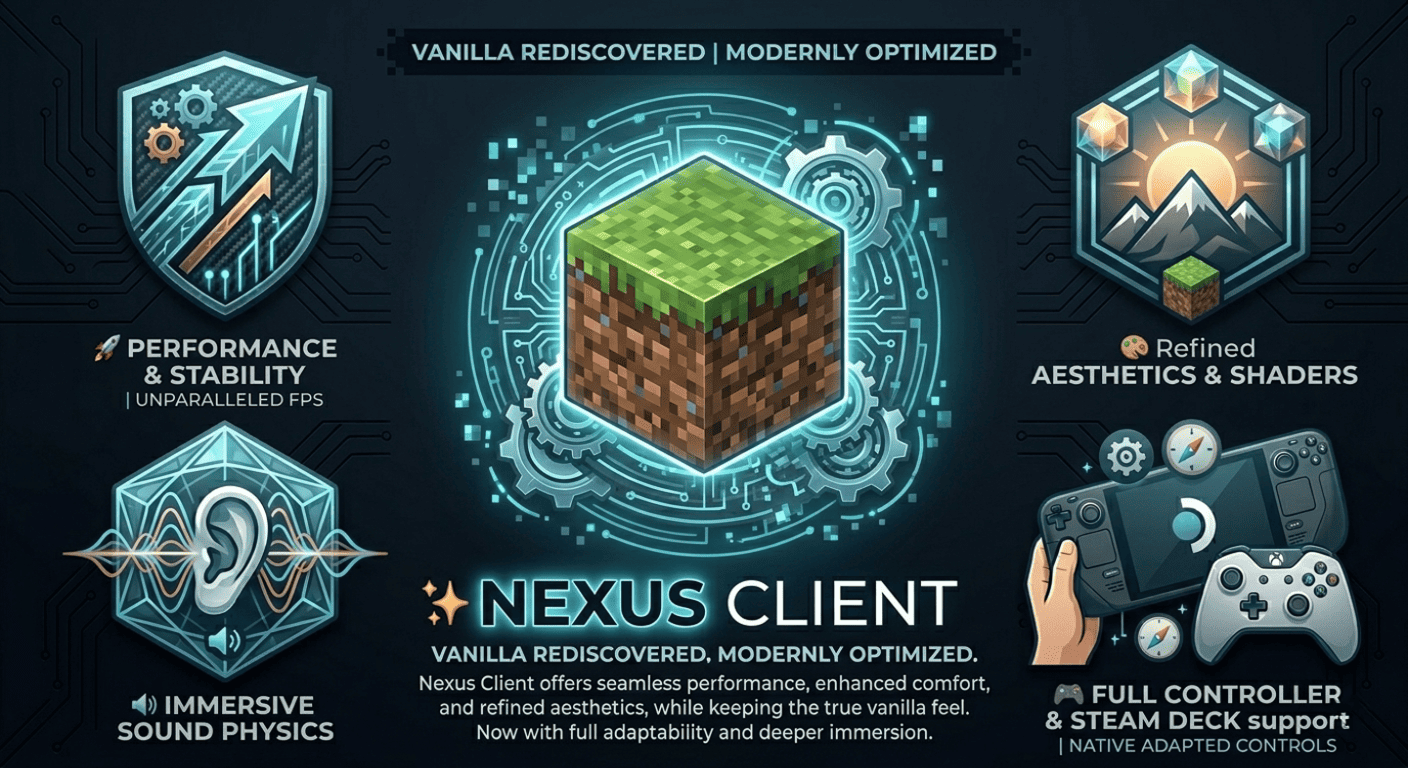
✨ Nexus Client
This modpack delivers an optimized, modern, and immersive Vanilla Minecraft experience without altering the core gameplay. It is designed for players who love the classic feel of Minecraft but want better performance, improved comfort, and subtle visual enhancements.
🚀 Performance & Stability
The Nexus Client is powered by a high-performance mod engine including Sodium, Lithium, and C2ME to provide higher FPS, reduced memory usage, and smoother gameplay. Optimized world generation with Noisium and VMP ensures a stutter-free experience on servers.
🎨 Visuals & Atmosphere
Experience refined aesthetics with Iris Shaders for full shader support and Continuity for connected textures. Entity Model Features (EMF) and Entity Texture Features (ETF) bring mobs to life while staying true to the Vanilla look.
🧰 Quality of Life Improvements
Convenience-focused features such as AppleSkin for food stats, Mouse Tweaks for better inventory handling, and Shulker Box Tooltip make a massive difference in daily gameplay. Mod Menu allows you to easily manage and configure your experience.
🗺️ Exploration & Information
Navigate with ease using JourneyMap and get detailed information about your surroundings with Jade (WAILA) and BetterF3. Cherished Worlds lets you keep track of your favorite Worlds and Servers.
🎮 Controller & Steam Deck Support
Equipped with Controlify, the modpack is fully playable with controllers and optimized for the Steam Deck, featuring native-feeling adapted controls.
🔊 Audio & Immersion
Sound Physics Remastered adds realistic echoes and muffled sounds, while Sounds provides enhanced ambient effects to increase immersion significantly.
🧑🤝🧑 Multiplayer & Social Features
Stay connected with CraftPresence for Discord Rich Presence and Chat Heads to see who is talking in-game. The modpack also includes ViaFabric for cross-version compatibility.
Fully multiplayer-compatible and enhanced with Essential Mod, allowing you to host worlds for friends without a server.
Tested Hardware
Gaming PC: (Ryzen 5 3600X, RTX 3060, 64GB DDR 4 RAM) avg FPS 200+ no shaders
Gaming Notebook 2014: i5-4210u with an gtx 850m, 8GB DDR3 RAM (used ChachyOS) avg FPS 30 no shaders
🎮 Nexus Client: Rediscover Minecraft with smoother performance, modern comfort, and enhanced immersion — all while staying true to Vanilla.
Available Versions
How to Set Up a Nexus Client Server
Order Server
Choose at least 4 GB RAM (6 GB recommended for Nexus Client). Based on player count: per 8 players.
Install Modpack in Dashboard
Open the modpack browser in the dashboard, search for "Nexus Client" and click "Install". The fabric loader and Minecraft 1.21.11 are configured automatically.
Start Server & Play
Start the server – all mods are loaded automatically. Share the server IP with friends and play together!
Frequently Asked Questions
Nexus Client server crashes or won't start – what to do?
Most common causes: insufficient RAM or wrong fabric loader. Check latest.log for "OutOfMemoryError" → increase RAM to at least 6 GB. For "Mixin" or "ClassNotFoundException" errors: modpack version and loader don't match. With Mado Hosting, loader and Minecraft version are auto-configured on modpack install – preventing most startup issues.
How much RAM does a Nexus Client server really need?
Minimum 4 GB, recommended 6 GB for stable performance. per 8 players. Important: Minecraft modpacks need more RAM than vanilla – plan extra per additional player. With Mado Hosting, you can scale RAM up live at any time without data loss (from €8/month).
Can I add custom mods to Nexus Client without conflicts?
Yes, but check compatibility: only use mods for the same loader (fabric) and same Minecraft version (1.21.11). Common issues: ID conflicts with recipe mods and incompatible coremod versions. The Mado dashboard mod browser only shows compatible mods and warns about known conflicts.
Nexus Client server lagging – performance tips
1) Increase RAM to 6 GB+. 2) Reduce server view-distance to 8 (server.properties). 3) Pre-generate chunks with the "Chunky" plugin. 4) Use /spark profiler to check which mods consume the most tick time. With Mado Hosting, all servers run on NVMe SSDs with dedicated CPU cores – eliminating hardware as a bottleneck.
Similar Modpacks
![Better MC [FABRIC] - BMC2](https://cdn.modrinth.com/data/shFhR8Vx/a19c2bcb51d38f32f138d3607e91cb2b7b8e387f_96.webp)
![Better MC [FORGE] - BMC4](https://cdn.modrinth.com/data/4BV47HRn/7f5ef7cc61b2593609aabef3ed07a866a4f11b73_96.webp)


![Better MC [FABRIC] - BMC3](https://cdn.modrinth.com/data/NHUidpfR/327e0749bb6d160c41799fd77bf6d3d631569dc8_96.webp)

Rent Nexus Client Server
Start your own server with automatic modpack installation.
Supported Versions
Start your Nexus Client Server now
From €8.00/month with 6 GB RAM for the best performance.
Configure Server →