
Nikicraft
Optimized modpack for Nikicraft server, ensuring smooth gameplay and communication on 1.21.10.
Screenshots
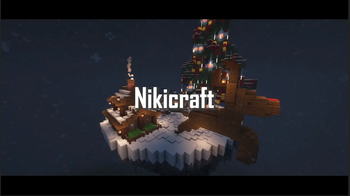
About this Modpack
Nikicraft
The Nikicraft Modpack is tailored specifically for the Nikicraft server to enhance both communication and performance. It includes carefully selected mods to provide a smooth and optimized gameplay experience, while also being simple to maintain and easy to expand with additional client-side features.
The pack is built for Minecraft 1.21.10, featuring support for a large number of players and a focus on ensuring stability during server-wide events. While the core pack is designed for compatibility and optimization, players are free to add their own quality-of-life or visual enhancements. It also includes the Simple Voice Chat Mod to communicate on the server with each other.
Das Nikicraft Modpack ist speziell auf den Nikicraft-Server zugeschnitten, um sowohl die Kommunikation als auch die Leistung zu verbessern. Es enthält sorgfältig ausgewählte Mods, um ein reibungsloses und optimiertes Spielerlebnis zu bieten, während es gleichzeitig einfach zu warten ist und leicht mit zusätzlichen clientseitigen Funktionen erweitert werden kann.
Das Paket wurde für Minecraft 1.21.10 entwickelt und bietet Unterstützung für eine große Anzahl von Spielern sowie einen Schwerpunkt auf die Gewährleistung der Stabilität bei serverweiten Ereignissen. Während das Kernpaket auf Kompatibilität und Optimierung ausgelegt ist, steht es den Spielern frei, ihre eigenen Lebensqualitäts- oder visuellen Erweiterungen hinzuzufügen. Es enthält auch die Simple Voice Chat Mod, um auf dem Server miteinander zu kommunizieren.
included mods
3D Skin Layers: Adds layered 3D skin rendering. Modrinth Link
Animatica: Adds animated textures & visual effects. Modrinth Link
AppleSkin: Shows hunger and saturation values in the HUD. Modrinth Link
Auto Reconnect Reforged: Automatically reconnects you to a server after disconnects. Modrinth Link
BadOptimizations: Miscellaneous performance optimizations for better FPS. Modrinth Link
BetterF3: Overhauls the debug-screen (F3) for clearer info and layout. Modrinth Link
BetterGrassify: Improves grass/block transitions for nicer visuals. Modrinth Link
Better Mount HUD: Improves the HUD layout when riding mounts (horses, pigs, etc.). Modrinth Link
Boat Item View: Lets you see contents of boats / boat inventories. Modrinth Link
Bundles Beyond: Adds improvements for bundles and item stacking. Modrinth Link
Capes: Adds customizable capes support. Modrinth Link
Chat Heads: Adds player heads next to their chat messages. Modrinth Link
CICADA: Adds extra animations & smoothness to the game visuals. Modrinth Link
Collective: Adds client-side improvements used by several other mods. Modrinth Link
Controlling: Adds a searchable keybind menu for easier controls. Modrinth Link
Continuity: Enables connected textures for blocks—smoother visuals. Modrinth Link
Cubes Without Borders: Cleaner UI panels and boxes without default borders. Modrinth Link
Cull Leaves: Makes leaves more transparent at a distance — helps visibility & performance. Modrinth Link
Dynamic FPS: Saves FPS when Minecraft is not in focus (background) → better performance multitasking. Modrinth Link
Elytra/Chestplate Swapper: Allows you to quickly swap between an Elytra and a chestplate with a single keypress (toggleable keybind). Modrinth Link
Entity Culling: Prevents rendering of entities not visible — boosts FPS. Modrinth Link
Entity View Distance: Customize how far entities are rendered — better for performance. Modrinth Link
EMF – Entity Model Features: Extra model & texture features for entities and mobs. Modrinth Link
ETF – Entity Texture Features: Adds texture enhancements for mobs/entities. Modrinth Link
Fabrishot: Allows taking extremely high resolution screenshots. Modrinth Link
Fadeless: Removes screen fade effects when changing dimensions or reloading. Modrinth Link
Falling Leaves: Adds aesthetic falling leaves particles to forests/trees. Modrinth Link
FerriteCore: Reduces memory usage, helps with smoother performance. Modrinth Link
Freecam: Allows you to move the camera freely without moving player — good for screenshots / builds. Modrinth Link
Gamma Utils (Fullbright): Adds easy fullbright toggle / gamma control. Modrinth Link
ImmediatelyFast: Improves rendering speed & reduces stutters. Modrinth Link
Indium: Improves rendering compatibility with Sodium + contributes performance fixes. Modrinth Link
Iris Shaders: Enables shaders with Fabric + Sodium support for fancy visuals. Modrinth Link
LambDynamicLights: Adds dynamic lighting to items, mobs, and players. Modrinth Link
Lighty: Shows block light updates visually to help building & visibility. Modrinth Link
Litematica: Lets you place, view, and save building schematics — helpful für große Builds. Modrinth Link
Lithium: Significant optimization mod — general performance improvements. Modrinth Link
Main Menu Credits: Adds custom text/credits screen in the main menu. Modrinth Link
Model Gap Fix: Fixes visual gaps in block models — cleaner world visuals. Modrinth Link
Mod Menu: In-game menu to view and manage installed mods. Modrinth Link
More Chat History: Stores more chat history, helpful auf Servern. Modrinth Link
More Culling: Additional culling optimizations for better FPS. Modrinth Link
Mouse Tweaks: Smarter inventory management and item movement. Modrinth Link
No Chat Reports: Disables chat-reporting features for privacy / clean chat. Modrinth Link
Not Enough Animations: Adds smoother/better animations for actions & mobs. Modrinth Link
OptiGUI: Enhances GUI visuals & compatibility—better UI experience. Modrinth Link
Optiboxes: Improves container GUIs / boxes in inventory. Modrinth Link
Paginated Advancements: Cleaner, paginated advancement menu — less clutter. Modrinth Link
Ping View: Shows server ping in-game. Modrinth Link
Puzzle: Adds resource-pack improvements & UI tweaks. Modrinth Link
Reese’s Sodium Options: Adds extra graphics settings when using Sodium. Modrinth Link
Remove Reloading Screen: Removes the reload screen when resource packs reload. Modrinth Link
Scribble: Lets you draw/write on signs, maps and more. Modrinth Link
Searchables: Adds search bar to many GUIs for easier navigation. Modrinth Link
Server Pinger Fixer: Fixes server ping / connection issues. Modrinth Link
Shulker Box Tooltip: Shows contents of shulker boxes when hovering. Modrinth Link
Simple Voice Chat: Adds proximity-based voice chat. Modrinth Link
Sodium: Major rendering optimization mod — higher FPS & smoother world. Modrinth Link
Sodium Extra: Adds additional rendering/visual options on top of Sodium. Modrinth Link
Sound Physics Remastered: Adds more realistic sound propagation and acoustics. Modrinth Link
Spark: Performance profiler — helps track lag and optimize client/server. Modrinth Link
Visuality: Ambient particle & visual enhancer for a better look. Modrinth Link
Voxy: UI & model enhancements for a cleaner look. Modrinth Link
Xaero Zoomout: Extends zoom level of Xaero maps. Modrinth Link
Xaero’s Minimap: Adds a configurable minimap with waypoints. Modrinth Link
Xaero’s World Map: Adds a world map to view explored areas. Modrinth Link
XaeroPlus: Enhances minimap/world-map features with extra options. Modrinth Link
Zoomify: Adds smooth zooming like OptiFine. Modrinth Link
These mods are selected to enhance your gameplay experience on the Nikicraft server.
Available Versions
How to Set Up a Nikicraft Server
Order Server
Choose at least 4 GB RAM (6 GB recommended for Nikicraft). Based on player count: per 8 players.
Install Modpack in Dashboard
Open the modpack browser in the dashboard, search for "Nikicraft" and click "Install". The fabric loader and Minecraft 1.21.10 are configured automatically.
Start Server & Play
Start the server – all mods are loaded automatically. Share the server IP with friends and play together!
Frequently Asked Questions
Nikicraft server crashes or won't start – what to do?
Most common causes: insufficient RAM or wrong fabric loader. Check latest.log for "OutOfMemoryError" → increase RAM to at least 6 GB. For "Mixin" or "ClassNotFoundException" errors: modpack version and loader don't match. With Mado Hosting, loader and Minecraft version are auto-configured on modpack install – preventing most startup issues.
How much RAM does a Nikicraft server really need?
Minimum 4 GB, recommended 6 GB for stable performance. per 8 players. Important: Minecraft modpacks need more RAM than vanilla – plan extra per additional player. With Mado Hosting, you can scale RAM up live at any time without data loss (from €8/month).
Can I add custom mods to Nikicraft without conflicts?
Yes, but check compatibility: only use mods for the same loader (fabric) and same Minecraft version (1.21.10). Common issues: ID conflicts with recipe mods and incompatible coremod versions. The Mado dashboard mod browser only shows compatible mods and warns about known conflicts.
Nikicraft server lagging – performance tips
1) Increase RAM to 6 GB+. 2) Reduce server view-distance to 8 (server.properties). 3) Pre-generate chunks with the "Chunky" plugin. 4) Use /spark profiler to check which mods consume the most tick time. With Mado Hosting, all servers run on NVMe SSDs with dedicated CPU cores – eliminating hardware as a bottleneck.
Similar Modpacks

![Cobblemon Official Modpack [Fabric]](https://cdn.modrinth.com/data/5FFgwNNP/e7f9ee2e9d361623847853fe2ddce42f519ee64f.png)
![COBBLEVERSE - Pokemon Adventure [Cobblemon]](https://cdn.modrinth.com/data/Jkb29YJU/581ecf54530972afb18a04660afd820f2f24f6c7.png)
![Better MC [FABRIC] - BMC2](https://cdn.modrinth.com/data/shFhR8Vx/a19c2bcb51d38f32f138d3607e91cb2b7b8e387f_96.webp)


Rent Nikicraft Server
Start your own server with automatic modpack installation.
Details
- License
- LicenseRef-All-Rights-Reserved
- Server-side
- Unsupported
- Client-side
- Required
Supported Versions
Start your Nikicraft Server now
From €8.00/month with 6 GB RAM for the best performance.
Configure Server →