
Nimura
Minecraft with a hint of spice. Not too much to ruin the vanilla experience, but just enough to make things interesting.
Screenshots
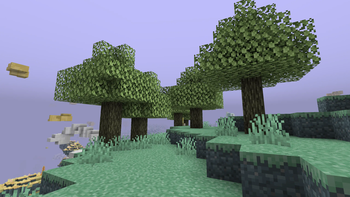
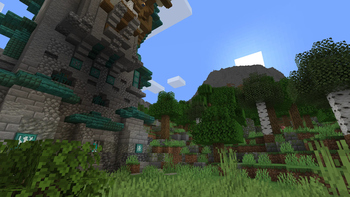
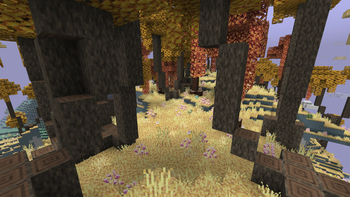
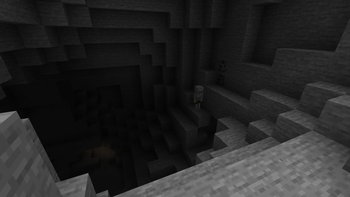
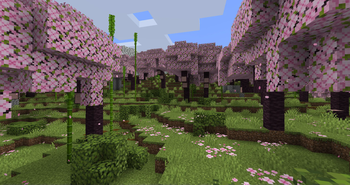
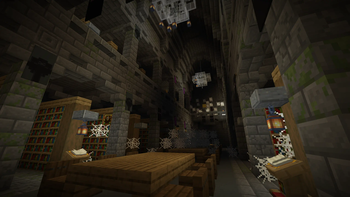
About this Modpack

Something new.. but also familiar?
Nimura is a modpack specifically crafted for those who want something new to explore, but stay connected to the base game. this modpack is nothing "too much" or "too little", but it's something "just right" and doesn't need too much content. Nimura changes what's in the base game (terrain, villages, dungeons) and makes it all different to make things exciting and new, but also familiar!
Important Notes:
- It is recommended to dedicate 8GB of RAM for this modpack. (Singleplayer and Multiplayer).
- You must run this modpack using Java 17.

Modlist (as of v2.7.0)
Expand
- AeroBlender [1.20.1-1.0.1-neoforge
] by RazorDevs - Amendments [1.20-1.2.12] by MehVahdJukaar
- AppleSkin [2.5.1+mc1.20.1
] by squeek - Athena [3.1.2] by ThatGravyBoat
- Balm [7.3.9] by BlayTheNinth
- Better Advancements [0.4.2.10] by way2muchnoise
- Better Ping Display [1.1] by Quintinity
- Chat Heads [0.13.4] by dzwdz, Fourmisain
- Chipped [3.0.7] by Alex Nijjar, Grimbop, Kekie6, ThatGravyBoat
- Cloth Config v10 API [11.1.136] by shedaniel
- Collective [7.87] by Rick South
- Controlling [12.0.2
] by Jaredlll08 - CoroUtil [1.20.1-1.3.7] by Corosus
- Create [0.5.1.j
] by simibubi - Create: Steam 'n' Rails [1.6.7+forge-mc1.20.1] by The Railways Team
- Cristel Lib [1.1.5] by Cristelknight999
- Curios API [5.11.0+1.20.1
] by C4 - Deep Aether [1.20.1-1.0.4
] by Team Razor: 345boneshoss, Aethyus, AwesomeGames, Egg, EnderCristy, darksonic300, TunefulTurntip, and the other members. - Default Options [18.0.1] by BlayTheNinth
- Drippy Loading Screen [3.0.9] by Keksuccino
- Embeddium [0.3.31+mc1.20.1] by embeddedt
- Embeddium Extra [0.5.4.3+mc1.20.1-build.121] by dima_dencep, FlashyReese
- Embeddium++ [1.2.13] by SrRapero720
- Explorify [1.6.2] by bebebea_loste
- FallingTree [4.3.4] by Rakambda
- FancyMenu [3.3.2] by Keksuccino
- Fast IP Ping [1.0.5] by Fallen_Breath
- Ferrite Core [6.0.1
] by malte0811 - Fusion [1.1.1] by SuperMartijn642
- GeckoLib 4 [4.4.9] by Gecko, Eliot, AzureDoom, DerToaster, Tslat, Witixin
- Geophilic Reforged [1.2.0] by bebebea_loste
- Handcrafted [3.0.6] by Alex Nijjar, Kekie6
- Highlighter [1.1.9
] by Grend - Iceberg [1.1.25
] by Grend - ImmediatelyFast [1.3.1+1.20.4] by RK_01
- Immersive Aircraft [1.1.2+1.20.1] by Luke100000
- Immersive Paintings [0.6.7+1.20.1] by Luke100000
- Jade [11.12.1+forge
] by Snownee - Joy of Painting [1.20.1-1.0.1] by xerca
- Just Enough Items [15.20.0.105] by mezz
- Kambrik [6.1.1+1.20.1] by Me!
- Kobolds [2.12.0] by Jusey1
- Konkrete [1.8.0] by Keksuccino
- Kotlin for Forge [hmeyC41q]
- Lootr [0.7.34.85] by Noobanidus
- Melody [1.0.2] by Keksuccino
- Memory Leak Fix [1.1.5] by FX - PR0CESS
- Mobtimizations [1.20.1-1.0.0] by Corosus
- ModernFix [5.19.4+mc1.20.1] by embeddedt
- Moog's End Structures [1.3.1-1.20-forge] by FinnDog
- Moog's Nether Structures [1.0.1-1.20-forge] by FinnDog
- Moog's Voyager Structures [4.1.2-1.20-forge] by FinnDog
- Moonlight Library [1.20-2.13.20] by MehVahdJukaar
- MyServerIsCompatible [1.0] by focamacho
- Nature's Compass [1.20.1-1.11.2-forge] by ChaosTheDude
- Noisium [2.3.0+mc1.20-1.20.1] by Steveplays28
- Oculus [1.7.0] by NanoLive, dima_dencep, coderbot, IMS212, Justsnoopy30, FoundationGames
- Ore Harvester [1.4] by Rick South
- Paxi [1.20-Forge-4.0] by YUNGNICKYOUNG
- Protect Your Moa [1.20.1-1.0.0-neoforge
] by bconlon, Oz Payn - Radium [0.12.4+git.26c9d8e] by dima_dencep, NanoLive
- Rechiseled [1.1.6] by SuperMartijn642
- Rechiseled: Chipped [1.1] by iwolfking
- Resourceful Lib [2.1.29] by ThatGravyBoat, Epic_Oreo
- Searchables [1.0.3
] by Jaredlll08 - Simple Voice Chat [1.20.1-2.5.25] by Max Henkel
- Storage Drawers [12.9.9] by Texelsaur
- SuperMartijn642's Config Library [1.1.8] by SuperMartijn642
- SuperMartijn642's Core Lib [1.1.17+a] by SuperMartijn642
- Supplementaries [1.20-2.8.17] by MehVahdJukaar, Plantkillable
- Supplementaries Squared [1.20-1.1.15] by MehVahdJukaar, Plantkillable
- Tectonic [ubqOXeYf]
- TerraBlender [3.0.1.7
] by Adubbz - The Aether [1.20.1-1.5.0-neoforge
] by AlphaMode, bconlon, Burning Cactus, Drullkus, Hugo Payn, Jaryt, Oscar Payn, quek, Raptor, reetam, RENREN, sunsette - Tom's Simple Storage Mod [1.6.8
] by tom5454 - Towns and Towers [1.10.2
] by Kubek, Biban_Auriu, Cristelknight - Traveler's Backpack [9.1.16] by Tiviacz1337
- Twigs [1.20.1-3.1.1] by Ninni
- Village Bell Recipe [3.6] by Rick South
- Village Spawn Point [4.4] by Rick South
- Waystones [14.1.6] by BlayTheNinth
- YUNG's API [1.20-Forge-4.0.6] by YUNGNICKYOUNG
- YUNG's Better Desert Temples [1.20-Forge-3.0.3] by YUNGNICKYOUNG, Tera
- YUNG's Better Dungeons [1.20-Forge-4.0.4] by YUNGNICKYOUNG, Acarii
- YUNG's Better End Island [1.20-Forge-2.0.6] by YUNGNICKYOUNG, Acarii
- YUNG's Better Jungle Temples [1.20-Forge-2.0.5] by YUNGNICKYOUNG, Tera
- YUNG's Better Mineshafts [1.20-Forge-4.0.4] by YUNGNICKYOUNG
- YUNG's Better Nether Fortresses [1.20-Forge-2.0.6] by YUNGNICKYOUNG, Acarii
- YUNG's Better Ocean Monuments [1.20-Forge-3.0.4] by YUNGNICKYOUNG, Tera
- YUNG's Better Strongholds [1.20-Forge-4.0.3] by YUNGNICKYOUNG, Acarii
- YUNG's Better Witch Huts [1.20-Forge-3.0.3] by YUNGNICKYOUNG, Acarii
- YUNG's Extras [1.20-Forge-4.0.3] by YUNGNICKYOUNG, Acarii
- Village Nullifier (Datapack) [1.0.0] by TBM Studios
Found issues or bugs? Send them here:
Available Versions
How to Set Up a Nimura Server
Order Server
Choose at least 6 GB RAM (8 GB recommended for Nimura). Based on player count: per 5 players.
Install Modpack in Dashboard
Open the modpack browser in the dashboard, search for "Nimura" and click "Install". The neoforge loader and Minecraft 1.20.1 are configured automatically.
Start Server & Play
Start the server – all mods are loaded automatically. Share the server IP with friends and play together!
Frequently Asked Questions
Nimura server crashes or won't start – what to do?
Most common causes: insufficient RAM or wrong neoforge loader. Check latest.log for "OutOfMemoryError" → increase RAM to at least 8 GB. For "Mixin" or "ClassNotFoundException" errors: modpack version and loader don't match. With Mado Hosting, loader and Minecraft version are auto-configured on modpack install – preventing most startup issues.
How much RAM does a Nimura server really need?
Minimum 6 GB, recommended 8 GB for stable performance. per 5 players. Important: Minecraft modpacks need more RAM than vanilla – plan extra per additional player. With Mado Hosting, you can scale RAM up live at any time without data loss (from €12/month).
Can I add custom mods to Nimura without conflicts?
Yes, but check compatibility: only use mods for the same loader (neoforge) and same Minecraft version (1.20.1). Common issues: ID conflicts with recipe mods and incompatible coremod versions. The Mado dashboard mod browser only shows compatible mods and warns about known conflicts.
Nimura server lagging – performance tips
1) Increase RAM to 8 GB+. 2) Reduce server view-distance to 8 (server.properties). 3) Pre-generate chunks with the "Chunky" plugin. 4) Use /spark profiler to check which mods consume the most tick time. With Mado Hosting, all servers run on NVMe SSDs with dedicated CPU cores – eliminating hardware as a bottleneck.
Similar Modpacks
![Cobblemon Official Modpack [Fabric]](https://cdn.modrinth.com/data/5FFgwNNP/e7f9ee2e9d361623847853fe2ddce42f519ee64f.png)
![COBBLEVERSE - Pokemon Adventure [Cobblemon]](https://cdn.modrinth.com/data/Jkb29YJU/581ecf54530972afb18a04660afd820f2f24f6c7.png)
![Better MC [FABRIC] - BMC2](https://cdn.modrinth.com/data/shFhR8Vx/a19c2bcb51d38f32f138d3607e91cb2b7b8e387f_96.webp)


![Better MC [FORGE] - BMC4](https://cdn.modrinth.com/data/4BV47HRn/7f5ef7cc61b2593609aabef3ed07a866a4f11b73_96.webp)
Rent Nimura Server
Start your own server with automatic modpack installation.
Supported Versions
Start your Nimura Server now
From €12.00/month with 8 GB RAM for the best performance.
Configure Server →