
Nocibicraft
This is a simple mod collection for people on the legendary Nocibi-Community-Server. (Contains the Voicechat and some quality of life mods)
Screenshots
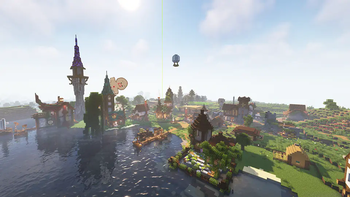
About this Modpack
About and why...
This pack is mainly for people that want an easy start into playing on the Nocibi-Community-Server and contains the following:
- A Voicechat mod for more immersive communication
- Native shader support (two shaders already included)
- A Minimap
- The Freecam (non cheaty spectator)
- A view distance increasing mod
- Some additional mods for better gameplay
- Some gernaral performance enhancing mods
Please see the description below for more detailed information on what this pack is doing.
Description
German (Deutsch)
Das Modpack
Mit diesem Modpack startest du einfach und schnell in die Welt von Nocibicraft.
Dem Community-Server von Nocibi.
Funktionen
Hier findest du eine kleine Auflistung der Features, die du mit diesem Pack bekommst.
Einfach auf den Server
Hiermit soll der Zutritt zu unserem, aber auch anderen Servern erleichtert werden.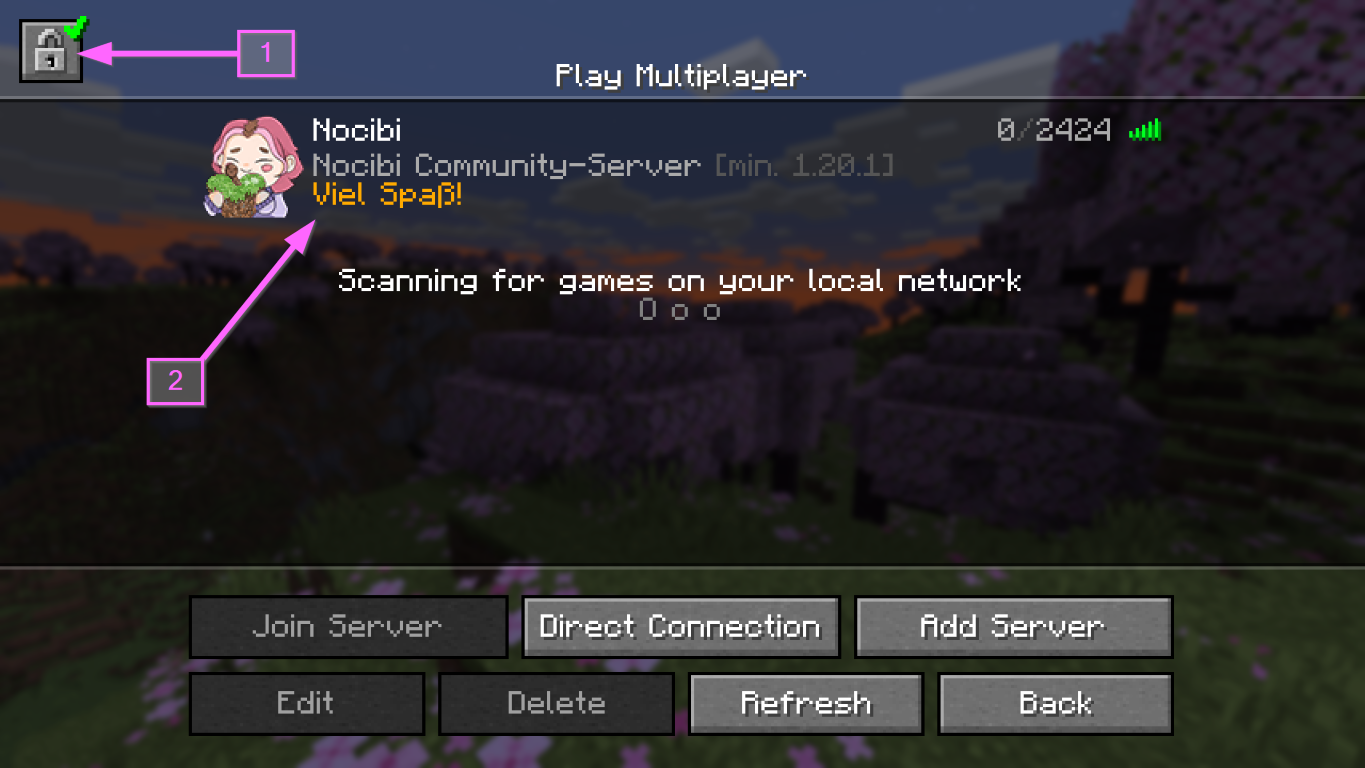
- Einfacher erneuter Login in dein Minecraft/Mojang/Microsoft Konto.
Falls deine Sitzung mal ablaufen sollte. - Der Nocibi-Community-Server befindet sich schon nach Installation in deiner Liste.
Simple Voice Chat
Durch das Modpack hast du Zugriff auf den Voicechat auf dem Nocibi-Community-Server.
Auch auf anderen Servern gibt es oft die Möglichkeit, sich über diesen Voicechat zu unterhalten. (Wenn es vom Server unterstützt wird.)
Einfach Schön
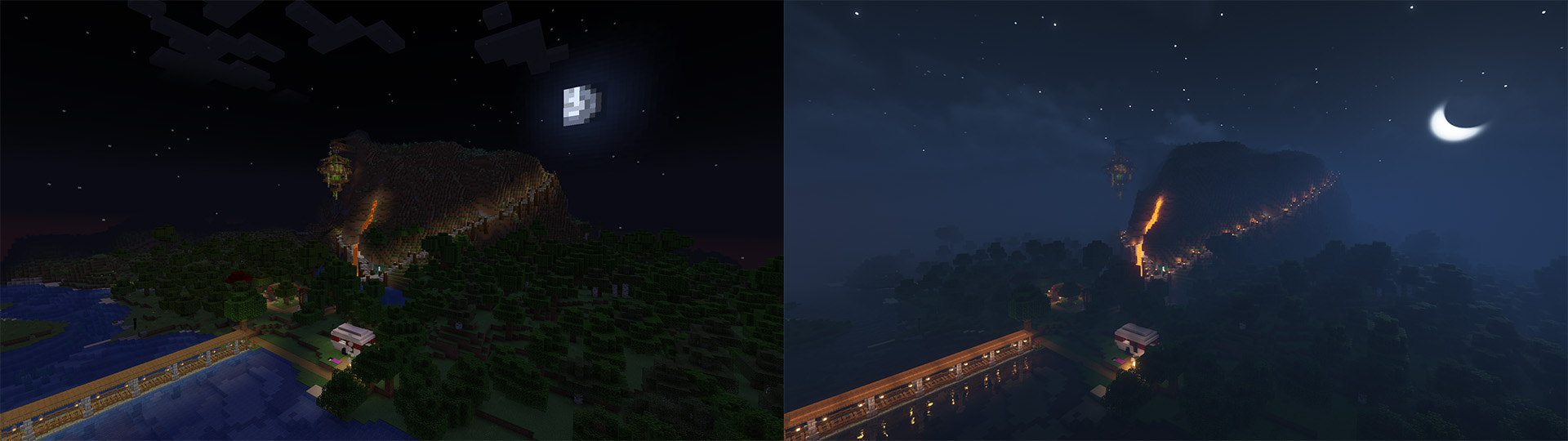
Das Modpack ermöglicht dir sofort das Verwenden von Shadern.
Zwei Shader sind direkt inkludiert und können sofort über das Shader Menü aktiviert werden.
(Drücke im Spiel einfach die [O]-Taste)
Shader im Pack:
- Complementary Shaders (im Bild zu sehen)
- BSL Shaders
Mehr Sicht
Du bekommst durch das Modpack eine ganz neue Aussicht.
Durch die Bobby-Mod kannst du auch über die normale Server-Sichtweite hinausblicken.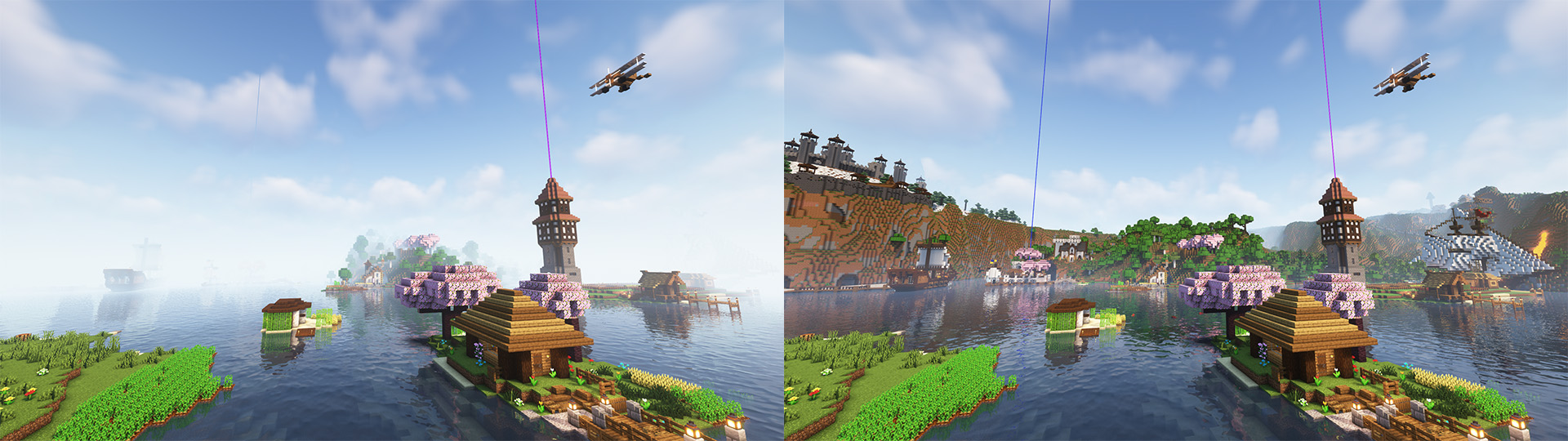
Du bekommst durch das Pack auch eine Minimap.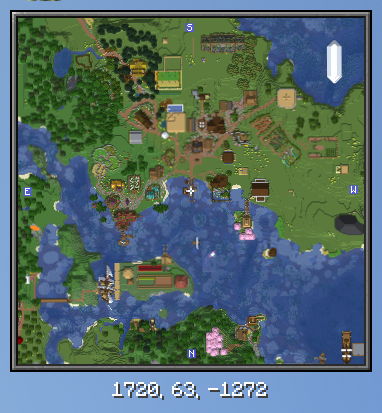
Mit der Freecam kannst auch bessere Übersicht schaffen und bessere Screenshots erstellen.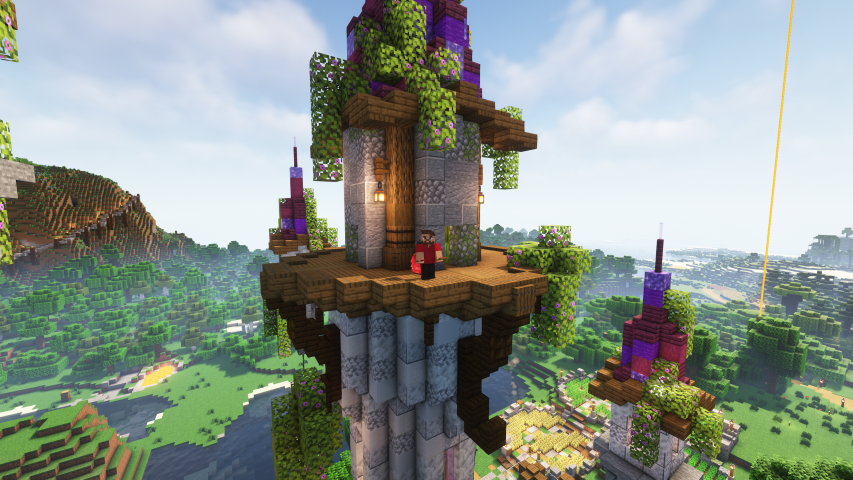
Spiel kurz verlassen
Mit dem Pack bleibt dein Spiel geöffnet, auch wenn du im Fullscreen mal etwas anderes tun musst.
Zudem werden, um Strom und Leistung zu sparen, die FPS des Spiels reduziert, wenn du nicht im Spiel bist.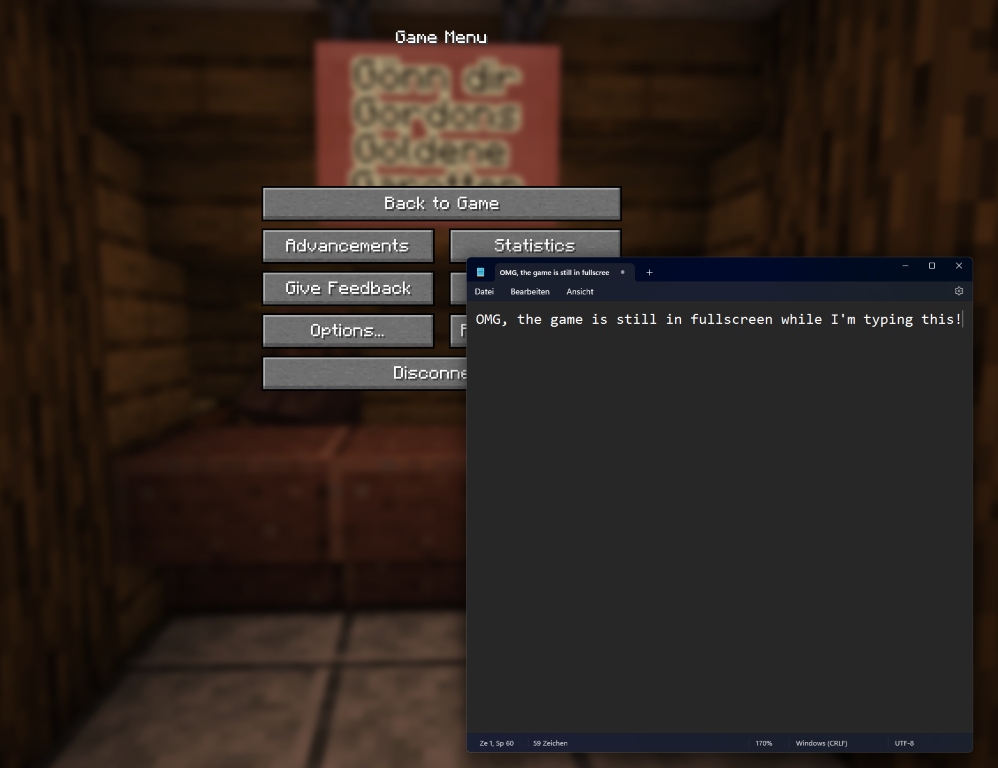
Hinweis für Streamer
Um außerhalb des Spiels immer noch ein flüssiges Bild für den Stream zu haben, sollte die Mod "Dynamic FPS" in der Modrinth App deaktiviert werden.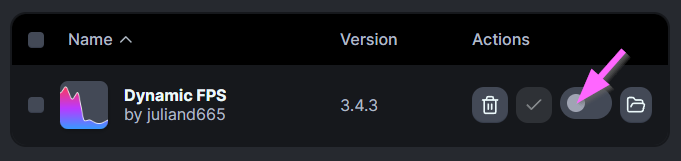
Sonstige Features
- Schönere Ladebildschirme
- 3D Skinlayer
- Nutzung von third party capes (z.B Optifine Cape sichtbar)
- Preview für Shulkerboxen
- Diverse Mods, die die Performance des Spiels verbessern sollten.
English
The Modpack
Get easily started on Nocibicraft.
The Community-Server of Nocibi. (Whitelist only)
Features
Here is a list of the main features that you will be getting with this modpack.
Easy access to the server
It should make it easier to join our but also other servers.
- Easy login to your Minecraft/Mojang/Microsoft account,
if your session has expired. - The Nocibi-Community-Server is already in your server list.
Simple Voice Chat
The Modpack is giving you easy access to the voicechat that is used on the Nocibi-Community-Server.
Thi voicechat could also be used on other server, if it is supported by them.
Just beautiful
The modpack enables you to use shaders.
Two shaders are already included and can be activated via the shader menu.
(Just press the [O]-Key)
Included shader:
- Complementary Shaders (Shown in image)
- BSL Shaders
More view
The modpack gants you a whole new view over your/our worlds.
The Bobby-Mod enables you to see beyond the servers view distance.
The pack also gives you access to a neat minimap.
And the Freecam lets you see other perspectives.
Leave the game
Your game stays open even if it is in fullscreen and you get into another window.
For saving energy and perfomance the game will go down to 1 FPS when not in focus.
Note for Streamer
To still have good FPS, even when leaving the game shortly, please deactivate the mod "Dynamic FPS" in the Modrinth App.
Sonstige Features
- Nicer loadingscreens
- 3D Skinlayer
- Use and see third party capes (e.g. Optifine Cape)
- Shulker Boxen inventory preview
- Multiple mods that should enhance your game performance
Available Versions
How to Set Up a Nocibicraft Server
Order Server
Choose at least 4 GB RAM (6 GB recommended for Nocibicraft). Based on player count: per 8 players.
Install Modpack in Dashboard
Open the modpack browser in the dashboard, search for "Nocibicraft" and click "Install". The fabric loader and Minecraft 1.21 are configured automatically.
Start Server & Play
Start the server – all mods are loaded automatically. Share the server IP with friends and play together!
Frequently Asked Questions
Nocibicraft server crashes or won't start – what to do?
Most common causes: insufficient RAM or wrong fabric loader. Check latest.log for "OutOfMemoryError" → increase RAM to at least 6 GB. For "Mixin" or "ClassNotFoundException" errors: modpack version and loader don't match. With Mado Hosting, loader and Minecraft version are auto-configured on modpack install – preventing most startup issues.
How much RAM does a Nocibicraft server really need?
Minimum 4 GB, recommended 6 GB for stable performance. per 8 players. Important: Minecraft modpacks need more RAM than vanilla – plan extra per additional player. With Mado Hosting, you can scale RAM up live at any time without data loss (from €8/month).
Can I add custom mods to Nocibicraft without conflicts?
Yes, but check compatibility: only use mods for the same loader (fabric) and same Minecraft version (1.21). Common issues: ID conflicts with recipe mods and incompatible coremod versions. The Mado dashboard mod browser only shows compatible mods and warns about known conflicts.
Nocibicraft server lagging – performance tips
1) Increase RAM to 6 GB+. 2) Reduce server view-distance to 8 (server.properties). 3) Pre-generate chunks with the "Chunky" plugin. 4) Use /spark profiler to check which mods consume the most tick time. With Mado Hosting, all servers run on NVMe SSDs with dedicated CPU cores – eliminating hardware as a bottleneck.
Similar Modpacks


![Cobblemon Official Modpack [Fabric]](https://cdn.modrinth.com/data/5FFgwNNP/e7f9ee2e9d361623847853fe2ddce42f519ee64f.png)
![COBBLEVERSE - Pokemon Adventure [Cobblemon]](https://cdn.modrinth.com/data/Jkb29YJU/581ecf54530972afb18a04660afd820f2f24f6c7.png)
![Better MC [FABRIC] - BMC2](https://cdn.modrinth.com/data/shFhR8Vx/a19c2bcb51d38f32f138d3607e91cb2b7b8e387f_96.webp)

Rent Nocibicraft Server
Start your own server with automatic modpack installation.
Supported Versions
Start your Nocibicraft Server now
From €8.00/month with 6 GB RAM for the best performance.
Configure Server →