
No Life Modpack
Enhances Minecraft with better visuals, terrain, and QoL improvements while staying multiplayer-friendly.
Screenshots
About this Modpack
🌙 No Life Modpack – A New Way to Explore Minecraft



✨ What is this Modpack?
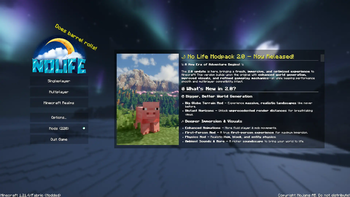
This modpack enhances Minecraft's core experience while preserving its original essence. It introduces a range of quality-of-life (QoL) improvements, immersive features, and visual enhancements—without drastically altering the way you play.
Most of the included mods are client-side, ensuring a seamless experience in both singleplayer and multiplayer. However, terrain generation and certain world-changing features will vary depending on the server you play on.
🛠️ Key Features & Mods
This modpack brings a refined and immersive experience to your Minecraft world. Some standout features include:
🌍 Enhanced World Generation
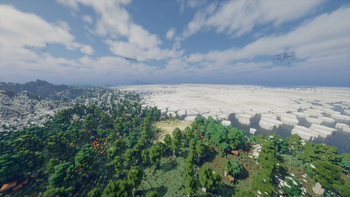
- Big Globe – A complete overhaul of terrain generation, making the world feel more natural and diverse.
- Distant Horizons – Expands your render distance beyond normal limits, allowing you to see landscapes far into the distance.
🎶 Immersion & Visual Enhancements
- AmbientSounds & More – Deepens the atmosphere with immersive environmental audio.
- Better Animations for Players & Mobs – More fluid and lifelike movement for characters and creatures.
- First-Person Perspective Mod – See the game from a true first-person viewpoint, increasing immersion.
- Physics Mod – Adds realistic item, block, and entity physics to make the game feel more dynamic.
- Optimized for Shaders – Built to work smoothly with shaders, giving you stunning visuals without sacrificing performance.
🎮 QoL & Performance Improvements
- GUI & Item Animation Mods – Enhances UI elements and adds smooth item interactions.
- Minimap & Useful Tools – Navigate the world more easily with helpful mapping tools.
- General QoL Mods – Various improvements to gameplay, inventory management, and user experience.
🌐 Multiplayer Compatibility
This modpack is primarily client-side, meaning it is safe to use on most multiplayer servers. However, always check your server's rules before using any mods—I am not responsible for any bans or restrictions you may encounter.
All client-side mods included in this pack are fully supported on the 🌙 No Life Server, ensuring an optimized and lag-free experience.
🔥 Ready to Elevate Your Minecraft Adventure?
Download the modpack and experience a better, more immersive world today!
Available Versions
How to Set Up a No Life Modpack Server
Order Server
Choose at least 6 GB RAM (8 GB recommended for No Life Modpack). Based on player count: per 5 players.
Install Modpack in Dashboard
Open the modpack browser in the dashboard, search for "No Life Modpack" and click "Install". The fabric loader and Minecraft 1.21.4 are configured automatically.
Start Server & Play
Start the server – all mods are loaded automatically. Share the server IP with friends and play together!
Frequently Asked Questions
No Life Modpack server crashes or won't start – what to do?
Most common causes: insufficient RAM or wrong fabric loader. Check latest.log for "OutOfMemoryError" → increase RAM to at least 8 GB. For "Mixin" or "ClassNotFoundException" errors: modpack version and loader don't match. With Mado Hosting, loader and Minecraft version are auto-configured on modpack install – preventing most startup issues.
How much RAM does a No Life Modpack server really need?
Minimum 6 GB, recommended 8 GB for stable performance. per 5 players. Important: Minecraft modpacks need more RAM than vanilla – plan extra per additional player. With Mado Hosting, you can scale RAM up live at any time without data loss (from €12/month).
Can I add custom mods to No Life Modpack without conflicts?
Yes, but check compatibility: only use mods for the same loader (fabric) and same Minecraft version (1.21.4). Common issues: ID conflicts with recipe mods and incompatible coremod versions. The Mado dashboard mod browser only shows compatible mods and warns about known conflicts.
No Life Modpack server lagging – performance tips
1) Increase RAM to 8 GB+. 2) Reduce server view-distance to 8 (server.properties). 3) Pre-generate chunks with the "Chunky" plugin. 4) Use /spark profiler to check which mods consume the most tick time. With Mado Hosting, all servers run on NVMe SSDs with dedicated CPU cores – eliminating hardware as a bottleneck.
Similar Modpacks
![Cobblemon Official Modpack [Fabric]](https://cdn.modrinth.com/data/5FFgwNNP/e7f9ee2e9d361623847853fe2ddce42f519ee64f.png)
![COBBLEVERSE - Pokemon Adventure [Cobblemon]](https://cdn.modrinth.com/data/Jkb29YJU/581ecf54530972afb18a04660afd820f2f24f6c7.png)
![Better MC [FABRIC] - BMC2](https://cdn.modrinth.com/data/shFhR8Vx/a19c2bcb51d38f32f138d3607e91cb2b7b8e387f_96.webp)


![Better MC [FORGE] - BMC4](https://cdn.modrinth.com/data/4BV47HRn/7f5ef7cc61b2593609aabef3ed07a866a4f11b73_96.webp)
Rent No Life Modpack Server
Start your own server with automatic modpack installation.
Supported Versions
Start your No Life Modpack Server now
From €12.00/month with 8 GB RAM for the best performance.
Configure Server →