
NSCOP
Novarian Survival Circuit Optimization Package,简称NSCOP,是由FY_Wanye主导,为德蒙特服务器制作的生电优化整合包
Screenshots
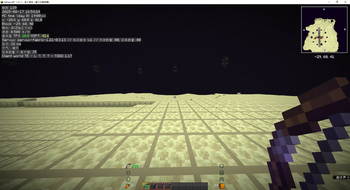
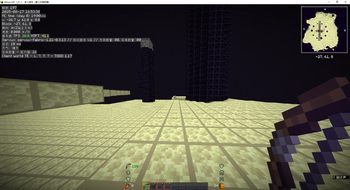
About this Modpack
🚀 德蒙特生电专属优化整合包:极速帧率 × 生电神器 × 视觉革命
为生电玩家量身打造的性能怪兽! 专为德蒙特服务器定制,融合 40+优化模组,彻底释放你的硬件潜力:
🔥 帧率狂飙:低配机→30FPS → 100+ FPS|高配机→300FPS → 600+ FPS
✨ 光影救星:高配机开光影 30FPS → 80FPS(低配机建议关闭光影)
🌟 核心特性
⚡ 性能优化
- 深度集成 Sodium、锂、氚等 顶级优化模组
- 内存/渲染/实体全面加速,告别卡顿撕裂
- 支持 光影流畅运行(高配推荐 ComplementaryShaders)
🧪 生电神器套装
- 自动化助手:
Tweakeroo+Tweakermore+Carpet - 投影大师:
Litematica+Litematica Printer - 红石增强:
Xker红石高亮+弹道预测(支持自身/他人弹道) - 效率工具:
Item Scroller+OhMyMinecraftClient+DreamMasaAddition
👁 护眼美学
- 护眼大补丸:全局柔光抗疲劳
- 现代化UI:丝滑动画 + 高清字体抗锯齿
- 动态角色:角色眨眼/挥剑动作优化
- Wildfire美化模组:特殊部位物理效果(按
F5进入设置)
🛸 生存PvP黑科技
Xaero's 世界/小地图+REI物品管理器- 滚筒飞行:战斗机式机动(按
I键开启空战模式!) - 快速传送/区块加载/实体追踪等生电必备功能
🔥 为什么选择我们?
✅ 通用整合包 vs 精准优化
| 普通整合包 | 德蒙特生电定制包 |
|---|---|
| ❌ 堆砌无关模组拖慢性能 | ✅ 40+核心优化模组,专为生电场景深度调优 |
| ❌ 光影卡顿无法实战 | ✅ 高配光影80FPS稳定运行红石机器 |
| ❌ 兼容性差/频繁崩溃 | ✅ 德蒙特服务器实测千小时 0冲突 |
⚡ 生电效率革命性提升
- 🚫 手动计算弹道 → ✅ 双弹道预测系统(自身/他人实时追踪)
- 🚫 反复拆装结构 → ✅ Litematica投影+打印机一键建造
- 🚫 翻箱倒柜找物品 → ✅ Item Scroller 跨容器秒级转移
👁 健康守护无可替代
- 🌙 护眼大补丸:消除99%蓝光刺痛,挂机12小时眼睛不酸
- 📊 Xker红石高亮:混乱线路秒变彩虹信号流,告别眼瞎级排查
🛡️ 零门槛安心使用
💡 德蒙特违规模组不会安装 → 避免被封禁风险
💡 即装即玩 → 无需自己调试200+参数
💡 7x24小时QQ支持 → Q群秒回生电难题(节假日10:00-21:00基本10分钟回复)
⚠️ 重要提醒
📛 部分模组在其他纯生存服务器禁用(如Litematica Printer/弹道预测)
请遵守德蒙特服务器规则,使用前确认功能许可!
📥 获取支持
遇到问题?立即联系:
- 作者QQ:952115875
- 玩家交流群:点击加入德蒙特生电审核群
- 进服审核/模组咨询/性能调优一站式解决!
💎 为极致生电体验而生——德蒙特认证,性能与功能的完美平衡!
Available Versions
How to Set Up a NSCOP Server
Order Server
Choose at least 4 GB RAM (6 GB recommended for NSCOP). Based on player count: per 8 players.
Install Modpack in Dashboard
Open the modpack browser in the dashboard, search for "NSCOP" and click "Install". The fabric loader and Minecraft 1.21.11 are configured automatically.
Start Server & Play
Start the server – all mods are loaded automatically. Share the server IP with friends and play together!
Frequently Asked Questions
NSCOP server crashes or won't start – what to do?
Most common causes: insufficient RAM or wrong fabric loader. Check latest.log for "OutOfMemoryError" → increase RAM to at least 6 GB. For "Mixin" or "ClassNotFoundException" errors: modpack version and loader don't match. With Mado Hosting, loader and Minecraft version are auto-configured on modpack install – preventing most startup issues.
How much RAM does a NSCOP server really need?
Minimum 4 GB, recommended 6 GB for stable performance. per 8 players. Important: Minecraft modpacks need more RAM than vanilla – plan extra per additional player. With Mado Hosting, you can scale RAM up live at any time without data loss (from €8/month).
Can I add custom mods to NSCOP without conflicts?
Yes, but check compatibility: only use mods for the same loader (fabric) and same Minecraft version (1.21.11). Common issues: ID conflicts with recipe mods and incompatible coremod versions. The Mado dashboard mod browser only shows compatible mods and warns about known conflicts.
NSCOP server lagging – performance tips
1) Increase RAM to 6 GB+. 2) Reduce server view-distance to 8 (server.properties). 3) Pre-generate chunks with the "Chunky" plugin. 4) Use /spark profiler to check which mods consume the most tick time. With Mado Hosting, all servers run on NVMe SSDs with dedicated CPU cores – eliminating hardware as a bottleneck.
Similar Modpacks


![Cobblemon Official Modpack [Fabric]](https://cdn.modrinth.com/data/5FFgwNNP/e7f9ee2e9d361623847853fe2ddce42f519ee64f.png)
![COBBLEVERSE - Pokemon Adventure [Cobblemon]](https://cdn.modrinth.com/data/Jkb29YJU/581ecf54530972afb18a04660afd820f2f24f6c7.png)
![Better MC [FABRIC] - BMC2](https://cdn.modrinth.com/data/shFhR8Vx/a19c2bcb51d38f32f138d3607e91cb2b7b8e387f_96.webp)

Rent NSCOP Server
Start your own server with automatic modpack installation.
Details
- License
- GNU Lesser General Public License v3.0 or later
- Server-side
- Unsupported
- Client-side
- Required
Supported Versions
Start your NSCOP Server now
From €8.00/month with 6 GB RAM for the best performance.
Configure Server →