
OdysseyCraft
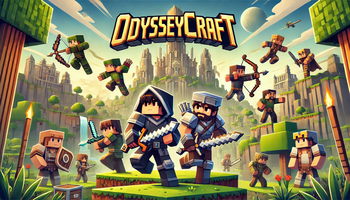
A simple but unique RPG modpack with good performance, perfect for your new singleplayer world or server with friends!
Screenshots
About this Modpack
 A simple but unique RPG modpack with good performance, perfect for your new singleplayer world or server with friends!
Description
Install
Client
- Download and install the modrinth app
- Search for the modpack on the modrinth app
- Go to the versions tab
- Install the version you need
Server
- Go to the modrinth website on your browser
- Search for the modpack in the modrinth website
- Go to the versions tab
- Copy the URL of the download button of the version you need
- Go to this website: https://fabulously-optimized.github.io/mrpack-to-zip/
- Scroll down to "download from URL"
- Paste the URL and click download
- Find and open the zip file in your file manager
- Open the mods folder and copy-paste all of the mods into your servers mods folder
- Remove all of the client-side mods (NOT the "client and server" or "client or server" mods)
Use
Keybinds
It is recommended to set all of the controls to different keys (you do not have to change the JEI controls).
Distant Horizons
It is recommended to watch a tutorial on how to use Distant horizons and Chunky.
Resource packs
Your resource pack screen should look like this for every resourcepack to work: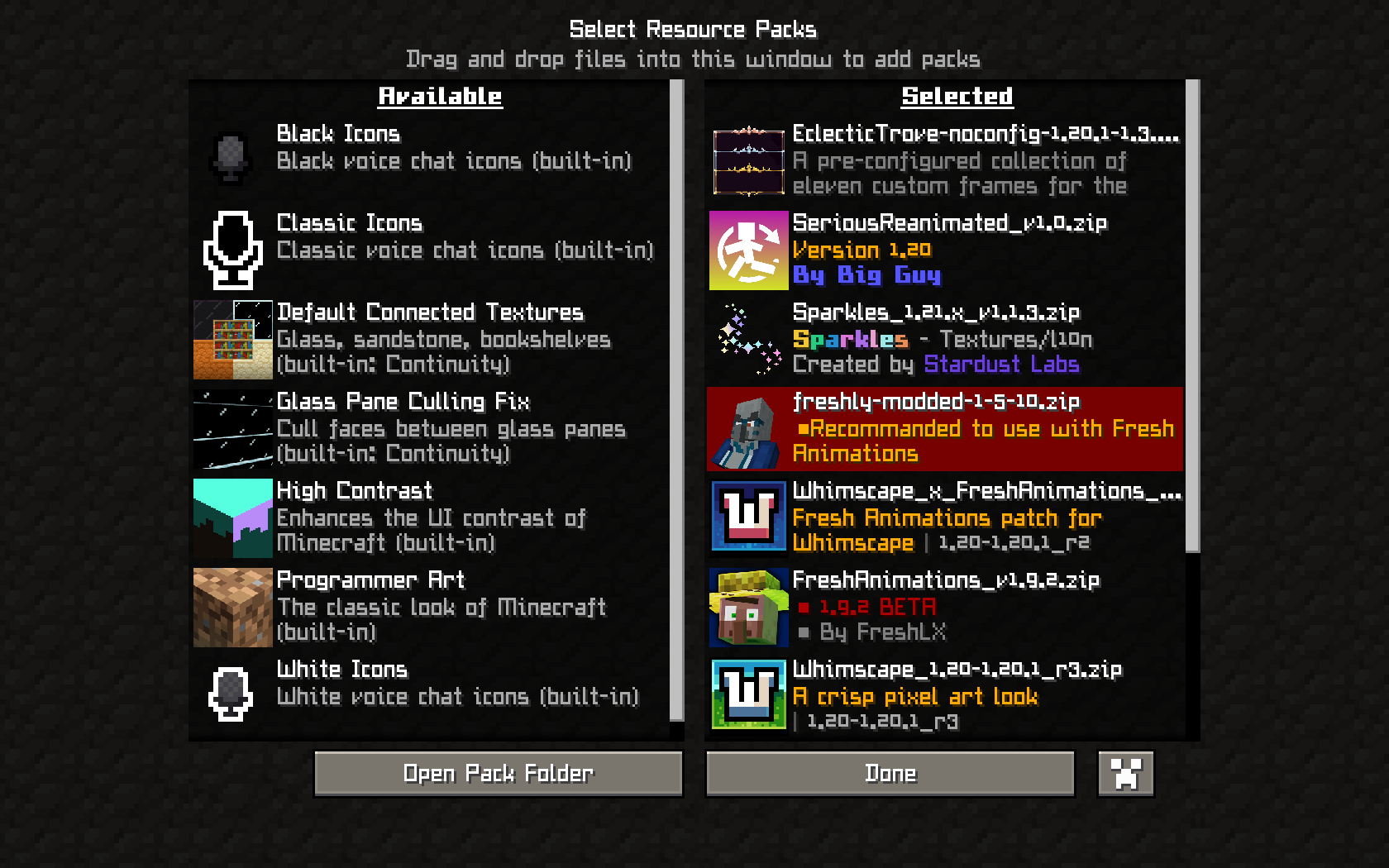
Features
Powerful Progression
Defeat harder getting bosses, upgrade your skills in the skill book and acquire powerful armor and weapons!
Intense & Immersive Combat
Swing your swords around like a madman, or hammer your enemies into the ground! Now you can finaly hit some more monsters at the same time when surrounded! With cool first-person animations!
Epic Exploration
Travel trough the world in a very unique way! Build your own ship, add a shiphelm, and your journey across the ocean can start! While searching for dungeons, with many monsters and strong bosses to fight, you can add cannons to prepare for battle! And when the ocean stops and you dont want to leave your new ship alone? Just remove your sails, and replace them with a big balloon! Land or ocean, you wont stop exploring! Sail or fly trough breathtaking biomes and cinematic mountain ranges! Also enjoy amazing interdimensional exploration, with the nether and the end also being updated!
Stunning Visuals
This modpack has beautiful graphics, using amazing shaders with distant horizons and the whimscape resource pack! You also have amazing animations, first-person included!
Known bugs (I will try to fix if I can)
- When on a ship, third person glitches (Not fixable because of incompatibilaties)
Future plans
- Add in-game gallery images
- Create a discord server for issues, suggestions, feedback and extra files like a lite version
- (Maybe) Add the modpack to Curseforge
Available Versions
How to Set Up a OdysseyCraft Server
Order Server
Choose at least 6 GB RAM (8 GB recommended for OdysseyCraft). Based on player count: per 5 players.
Install Modpack in Dashboard
Open the modpack browser in the dashboard, search for "OdysseyCraft" and click "Install". The forge loader and Minecraft 1.20.1 are configured automatically.
Start Server & Play
Start the server – all mods are loaded automatically. Share the server IP with friends and play together!
Frequently Asked Questions
OdysseyCraft server crashes or won't start – what to do?
Most common causes: insufficient RAM or wrong forge loader. Check latest.log for "OutOfMemoryError" → increase RAM to at least 8 GB. For "Mixin" or "ClassNotFoundException" errors: modpack version and loader don't match. With Mado Hosting, loader and Minecraft version are auto-configured on modpack install – preventing most startup issues.
How much RAM does a OdysseyCraft server really need?
Minimum 6 GB, recommended 8 GB for stable performance. per 5 players. Important: Minecraft modpacks need more RAM than vanilla – plan extra per additional player. With Mado Hosting, you can scale RAM up live at any time without data loss (from €12/month).
Can I add custom mods to OdysseyCraft without conflicts?
Yes, but check compatibility: only use mods for the same loader (forge) and same Minecraft version (1.20.1). Common issues: ID conflicts with recipe mods and incompatible coremod versions. The Mado dashboard mod browser only shows compatible mods and warns about known conflicts.
OdysseyCraft server lagging – performance tips
1) Increase RAM to 8 GB+. 2) Reduce server view-distance to 8 (server.properties). 3) Pre-generate chunks with the "Chunky" plugin. 4) Use /spark profiler to check which mods consume the most tick time. With Mado Hosting, all servers run on NVMe SSDs with dedicated CPU cores – eliminating hardware as a bottleneck.
Rent OdysseyCraft Server
Start your own server with automatic modpack installation.
Supported Versions
Start your OdysseyCraft Server now
From €12.00/month with 8 GB RAM for the best performance.
Configure Server →