
Optimizium
Optimizium. One of the best Minecraft modpacks for Fps Boost on low-end systems
Screenshots
About this Modpack
English
A lightweight and carefully optimized Minecraft modpack designed to maximize FPS, reduce lag, and improve overall game performance, especially on low-end and older computers.
Why Optimizium?
Performance
Optimizium is built for players who want the highest possible performance without sacrificing the vanilla Minecraft experience.
Unlike many optimization modpacks, Optimizium focuses on selecting only the most effective performance mods and configurations, reducing unnecessary overhead while delivering smooth gameplay and stable frame rates.
Whether you're playing on an old laptop, a budget PC, or simply want more FPS, Optimizium helps Minecraft run faster and feel more responsive.
Spoiler
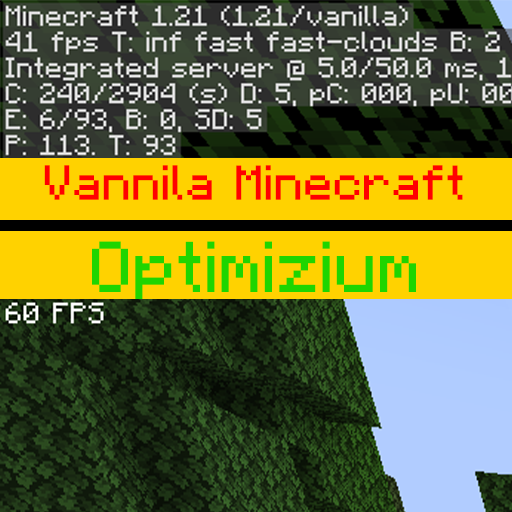
Test System
- CPU: Intel(R) Core(TM) i7-4770 @ 3.40GHz
- Memory: 8 GB DDR3
- Storage: TOSHIBA HDD
- GPU: AMD Radeon HD 5450 1GB
- Display: 60Hz TV
Test Settings
- Render Distance: 5 Chunks
- Simulation Distance: 5 Chunks
- FOV: 84
- GUI Scale: 2
- Resolution: 1776×1000
- Graphics: Fast
- Minimap Level: 0
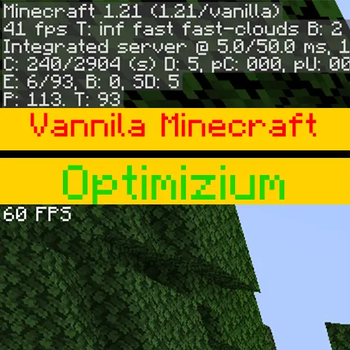
You might think you're getting relatively low FPS compared to vanilla in the test, but keep in mind that this test was conducted on an extremely weak system and you can't expect anything more.
Features
- 🚀 Significant FPS improvements
- ⚡ Reduced stuttering and lag spikes
- 🧠 Lower memory usage
- 🎮 Smooth vanilla-like gameplay
- 🔧 Supports many popular OptiFine features
- 📺 Lightweight and optimized for low-end hardware
- 📦 Built on Fabric for speed and compatibility
Need Help?
Found a bug or have a suggestion?
Report it on Discord or GitHub.
Thank you for using Optimizium!
فارسی
یک مادپک سبک و بهینهشده برای ماینکرفت که برای حداکثر اف پی اس، کاهش لگ و بهبود عملکرد بازی طراحی شده است، مخصوصاً روی سیستمهای قدیمی و ضعیف.
چرا Optimizium؟
عملکرد
آپتیمایزیوم برای بازیکنانی ساخته شده که میخواهند بالاترین عملکرد ممکن را داشته باشند، بدون اینکه تجربهی اصلی و وانیلای ماینکرفت را از دست بدهند.
برخلاف بسیاری از مادپکهای بهینهسازی، آپتیمازیوم تنها مؤثرترین مودها و تنظیمات عملکردی را انتخاب میکند تا بار اضافی کاهش یابد و بازی روانتر و پایدارتر اجرا شود.
چه روی یک لپتاپ قدیمی بازی کنید، چه روی یک سیستم ضعیف، یا فقط به اف پی اس بیشتری نیاز داشته باشید، آپتیمازیوم به شما کمک میکند ماینکرفت را سریعتر و روانتر اجرا کنید.
Spoiler
سیستم تست
- CPU: Intel(R) Core(TM) i7-4770 @ 3.40GHz
- Memory: 8 GB DDR3
- Storage: TOSHIBA HDD
- GPU: AMD Radeon HD 5450 1GB
- Display: TV 60Hz
تنظیمات تست
- Render Distance: 5 Chunks
- Simulation Distance: 5 Chunks
- FOV: 84
- GUI Scale: 2
- Resolution: 1776×1000
- Graphics: Fast
- Minimap Level: 0
شاید توی تست فکر کنید اف پی اس نسبتا کمی میگیرید نسبت به وانیلا، ولی توجه کنید که این تست روی یک سیستم به شدت ضعیف گرفته شده و انتظار دیگه ای هم نمیشه داشت
ویژگیها
- 🚀 افزایش قابل توجه اف پی اس
- ⚡ کاهش لگ و افت فریم
- 🧠 کاهش مصرف رم
- 🎮 تجربهای روان و نزدیک به وانیلا
- 🔧 پشتیبانی از بسیاری از قابلیتهای محبوب OptiFine
- 📺 سبک و بهینه برای سیستمهای ضعیف
- 📦 ساخته شده بر پایه Fabric برای سرعت و سازگاری بیشتر
نیاز به کمک؟
اگر باگی پیدا کردید یا پیشنهادی دارید، میتوانید آن را از طریق لینکهای زیر گزارش کنید:
از اینکه Optimizium را انتخاب کردهاید متشکریم!
Available Versions
How to Set Up a Optimizium Server
Order Server
Choose at least 4 GB RAM (6 GB recommended for Optimizium). Based on player count: per 8 players.
Install Modpack in Dashboard
Open the modpack browser in the dashboard, search for "Optimizium" and click "Install". The fabric loader and Minecraft 1.21.4 are configured automatically.
Start Server & Play
Start the server – all mods are loaded automatically. Share the server IP with friends and play together!
Frequently Asked Questions
Optimizium server crashes or won't start – what to do?
Most common causes: insufficient RAM or wrong fabric loader. Check latest.log for "OutOfMemoryError" → increase RAM to at least 6 GB. For "Mixin" or "ClassNotFoundException" errors: modpack version and loader don't match. With Mado Hosting, loader and Minecraft version are auto-configured on modpack install – preventing most startup issues.
How much RAM does a Optimizium server really need?
Minimum 4 GB, recommended 6 GB for stable performance. per 8 players. Important: Minecraft modpacks need more RAM than vanilla – plan extra per additional player. With Mado Hosting, you can scale RAM up live at any time without data loss (from €8/month).
Can I add custom mods to Optimizium without conflicts?
Yes, but check compatibility: only use mods for the same loader (fabric) and same Minecraft version (1.21.4). Common issues: ID conflicts with recipe mods and incompatible coremod versions. The Mado dashboard mod browser only shows compatible mods and warns about known conflicts.
Optimizium server lagging – performance tips
1) Increase RAM to 6 GB+. 2) Reduce server view-distance to 8 (server.properties). 3) Pre-generate chunks with the "Chunky" plugin. 4) Use /spark profiler to check which mods consume the most tick time. With Mado Hosting, all servers run on NVMe SSDs with dedicated CPU cores – eliminating hardware as a bottleneck.
Similar Modpacks

![Cobblemon Official Modpack [Fabric]](https://cdn.modrinth.com/data/5FFgwNNP/e7f9ee2e9d361623847853fe2ddce42f519ee64f.png)
![COBBLEVERSE - Pokemon Adventure [Cobblemon]](https://cdn.modrinth.com/data/Jkb29YJU/581ecf54530972afb18a04660afd820f2f24f6c7.png)
![Better MC [FABRIC] - BMC2](https://cdn.modrinth.com/data/shFhR8Vx/a19c2bcb51d38f32f138d3607e91cb2b7b8e387f_96.webp)


Rent Optimizium Server
Start your own server with automatic modpack installation.
Details
- License
- LicenseRef-All-Rights-Reserved
- Server-side
- Unsupported
- Client-side
- Required
Supported Versions
Start your Optimizium Server now
From €8.00/month with 6 GB RAM for the best performance.
Configure Server →