
Optimus
Improve your graphics and performance with this simple modpack. OptiFine functions. 26.1.2!
Screenshots
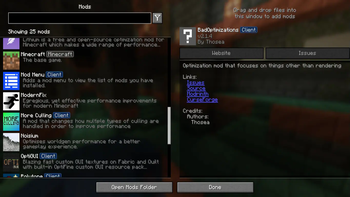
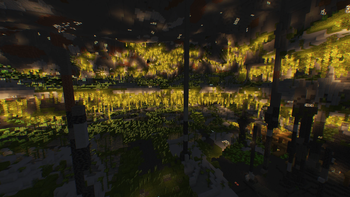
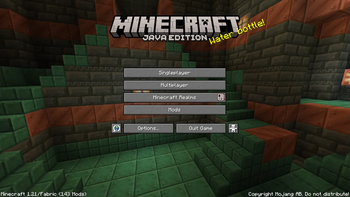
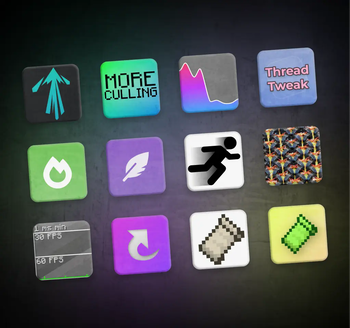
About this Modpack
A simple Minecraft modpack focused on improving performance and graphics.
Try the server optimization modpack too! Link
🎯Goals
🔥 Performance improvement
Optimus runs faster than competing game clients thanks to modern performance modifications such as Sodium, Lithium and more. The included mods have been carefully selected to keep your worlds safe and provide noticeable speed boosts on any device.
🔍 OptiFine parity
Optimus supports most OptiFine features, including shaders, connected textures, and zoom. If your resource pack states "OptiFine required," it will probably function here as well.
List of functions
Video Options
- Shaders
- Anti-Aliasing (Available via shaders, such as the TAA Project)
- Dynamic lighting
- Zoom
- Custom sky
Custom Resource Pack features
- Capes
- Custom Item
- Animated Textures
- Custom Entity Models
- Custom Colors
- Random Entities
- HD Fonts
- Connected Textures
🔮 Up to date
Optimus receives fast updates and stands as one of the first modpacks to upgrade to newer Minecraft versions. Updating the modpack is easy and will preserve your mod settings, where possible.
🪧 Built on Fabric
Optimus uses the Fabric mod loader, which is lightweight, fast, and supports a lot of mods. You can use the modpack as a base to add your favorite mods to.
💡 Other features
Optimus also includes some additional features not associated with OptiFine. Mods are suitable for the "other features" section if they are light and unobtrusive.
⭕ Why OptiFine?
OptiFine used to be the ideal solution for improving productivity in Minecraft and offered many additional features that users loved. However, recent events have changed the situation. OptiFine functions as an all-in-one mod, making it impossible to disable certain features that are incompatible with other mods. Additionally, its closed source code poses a challenge for modders who are unable to resolve compatibility issues. OptiFine is not natively compatible with Fabric or Quilt and requires a separate OptiFabric mod, which is difficult to keep up to date. This has led to the creation of alternative mods that work just as well, if not better, and are easier to update. Optimus usually updates much faster than OptiFine. While the transition may take some getting used to, the overall experience is a significant improvement over OptiFine.
✅ Hardware compatibility
Optimus supports the use of video cards with drivers compatible with OpenGL 4.6. Most graphics cards released in 2010 or later are compatible. This includes the following equipment:
- Intel HD Graphics 500 series (Skylake) or later
- Nvidia GeForce 400 series (Fermi) or later
- AMD Radeon HD 7000 series (GCN 1) or later
In some cases, older video cards may also work (provided they have drivers that support OpenGL 3.3), but they are not officially supported and may not be compatible in the future.
If you are running into problems, you should make sure that your graphics drivers are up-to-date. I also recommend taking a look at this page on the Sodium wiki.
Most of the information was taken from Sodium's hardware compatibility section. I'll update this accordingly if anything.
Available Versions
How to Set Up a Optimus Server
Order Server
Choose at least 4 GB RAM (6 GB recommended for Optimus). Based on player count: per 8 players.
Install Modpack in Dashboard
Open the modpack browser in the dashboard, search for "Optimus" and click "Install". The fabric loader and Minecraft 26.1.2 are configured automatically.
Start Server & Play
Start the server – all mods are loaded automatically. Share the server IP with friends and play together!
Frequently Asked Questions
Optimus server crashes or won't start – what to do?
Most common causes: insufficient RAM or wrong fabric loader. Check latest.log for "OutOfMemoryError" → increase RAM to at least 6 GB. For "Mixin" or "ClassNotFoundException" errors: modpack version and loader don't match. With Mado Hosting, loader and Minecraft version are auto-configured on modpack install – preventing most startup issues.
How much RAM does a Optimus server really need?
Minimum 4 GB, recommended 6 GB for stable performance. per 8 players. Important: Minecraft modpacks need more RAM than vanilla – plan extra per additional player. With Mado Hosting, you can scale RAM up live at any time without data loss (from €8/month).
Can I add custom mods to Optimus without conflicts?
Yes, but check compatibility: only use mods for the same loader (fabric) and same Minecraft version (26.1.2). Common issues: ID conflicts with recipe mods and incompatible coremod versions. The Mado dashboard mod browser only shows compatible mods and warns about known conflicts.
Optimus server lagging – performance tips
1) Increase RAM to 6 GB+. 2) Reduce server view-distance to 8 (server.properties). 3) Pre-generate chunks with the "Chunky" plugin. 4) Use /spark profiler to check which mods consume the most tick time. With Mado Hosting, all servers run on NVMe SSDs with dedicated CPU cores – eliminating hardware as a bottleneck.
Similar Modpacks

![Cobblemon Official Modpack [Fabric]](https://cdn.modrinth.com/data/5FFgwNNP/e7f9ee2e9d361623847853fe2ddce42f519ee64f.png)
![COBBLEVERSE - Pokemon Adventure [Cobblemon]](https://cdn.modrinth.com/data/Jkb29YJU/581ecf54530972afb18a04660afd820f2f24f6c7.png)
![Better MC [FABRIC] - BMC2](https://cdn.modrinth.com/data/shFhR8Vx/a19c2bcb51d38f32f138d3607e91cb2b7b8e387f_96.webp)


Rent Optimus Server
Start your own server with automatic modpack installation.
Details
- License
- GNU General Public License v2.0 or later
- Server-side
- Unsupported
- Client-side
- Required
Supported Versions
Start your Optimus Server now
From €8.00/month with 6 GB RAM for the best performance.
Configure Server →