
perfomance
a perfomance modpack For Minecraft
Screenshots
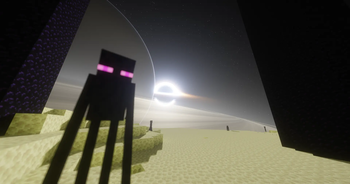
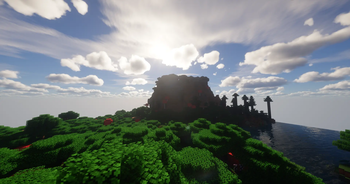

About this Modpack
🚀 Performance – The Ultimate FPS & Optimization ModpackTired of low FPS, annoying micro-stutters, and your PC sounding like a jet engine whenever you play Minecraft? Performance is here to fix that.This modpack was built with one single goal in mind: to squeeze every single frame out of your hardware without altering the vanilla core gameplay. Forget OptiFine—welcome to the future of Minecraft optimization!⚡ Why Choose "Performance"?Massive FPS Boost: Powered by the latest, cutting-edge optimization mods (like Sodium, Lithium, and modern alternatives), giving you a massive frame rate increase.Buttery Smooth Gameplay: Say goodbye to lag spikes and micro-stutters. Perfect for multiplayer servers, massive bases, or heavy shader usage.Faster Load Times: Your game launches faster, and worlds generate in the blink of an eye.100% Vanilla Friendly: No clunky content mods or game-breaking changes. Your Minecraft stays exactly as you love it—just running at peak performance.🛠️ Key FeaturesCategoryFeatures & BenefitsGraphics EngineComplete overhaul of the rendering pipeline for triple-digit FPS.Logic & AIOptimized internal code to significantly reduce CPU load on both client and server.Memory ManagementReduced RAM consumption and optimized memory usage.Quality of LifeBuilt-in zoom feature, dynamic lights, and native shader support out of the box!📋 How to Install & UseClick Install here on the platform.For the best experience, allocate around 4 to 6 GB of RAM in your launcher settings.Launch the game, crank up your render distance, and enjoy Minecraft like never before!💡 Tip for Shader Lovers: Want beautiful graphics without sacrificing performance? Just drop your favorite shader pack into the shaderpacks folder. Thanks to the highly optimized base engine, even heavy shaders run smoother than ever!If this modpack helped boost your frames, feel free to leave a drop a like or comment! Enjoy your buttery-smooth Minecraft experience!
Available Versions
How to Set Up a perfomance Server
Order Server
Choose at least 4 GB RAM (6 GB recommended for perfomance). Based on player count: per 8 players.
Install Modpack in Dashboard
Open the modpack browser in the dashboard, search for "perfomance" and click "Install". The fabric loader and Minecraft 26.1.2 are configured automatically.
Start Server & Play
Start the server – all mods are loaded automatically. Share the server IP with friends and play together!
Frequently Asked Questions
perfomance server crashes or won't start – what to do?
Most common causes: insufficient RAM or wrong fabric loader. Check latest.log for "OutOfMemoryError" → increase RAM to at least 6 GB. For "Mixin" or "ClassNotFoundException" errors: modpack version and loader don't match. With Mado Hosting, loader and Minecraft version are auto-configured on modpack install – preventing most startup issues.
How much RAM does a perfomance server really need?
Minimum 4 GB, recommended 6 GB for stable performance. per 8 players. Important: Minecraft modpacks need more RAM than vanilla – plan extra per additional player. With Mado Hosting, you can scale RAM up live at any time without data loss (from €8/month).
Can I add custom mods to perfomance without conflicts?
Yes, but check compatibility: only use mods for the same loader (fabric) and same Minecraft version (26.1.2). Common issues: ID conflicts with recipe mods and incompatible coremod versions. The Mado dashboard mod browser only shows compatible mods and warns about known conflicts.
perfomance server lagging – performance tips
1) Increase RAM to 6 GB+. 2) Reduce server view-distance to 8 (server.properties). 3) Pre-generate chunks with the "Chunky" plugin. 4) Use /spark profiler to check which mods consume the most tick time. With Mado Hosting, all servers run on NVMe SSDs with dedicated CPU cores – eliminating hardware as a bottleneck.
Similar Modpacks

![Better MC [FABRIC] - BMC2](https://cdn.modrinth.com/data/shFhR8Vx/a19c2bcb51d38f32f138d3607e91cb2b7b8e387f_96.webp)
![Better MC [FORGE] - BMC4](https://cdn.modrinth.com/data/4BV47HRn/7f5ef7cc61b2593609aabef3ed07a866a4f11b73_96.webp)


Rent perfomance Server
Start your own server with automatic modpack installation.
Supported Versions
Start your perfomance Server now
From €8.00/month with 6 GB RAM for the best performance.
Configure Server →