
Pharaoh's Modpack | Modpack van de Farao
Apparently, a Pharaoh can play Minecraft and even mod it. EN Blijkbaar kan een farao Minecraft spelen en het ook nog eens modden. NL
Screenshots
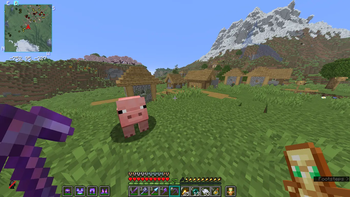
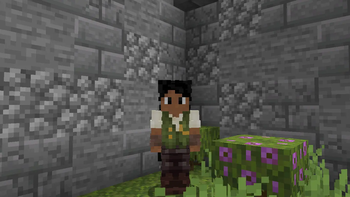

About this Modpack
Pharaoh’s Modpack
Experience an adventure inspired by Ancient Egypt, with a strong focus on performance and stability. This modpack is optimized to run smoothly on both modern and older systems by carefully selecting efficient and lightweight mods.
What does this modpack do?
Pharaoh’s Modpack combines optimization mods with thematic content to provide a lightweight yet immersive gameplay experience. The pack includes performance-enhancing mods such as Sodium and Lithium, which help improve FPS and overall performance.
The mod selection is also configured with multiplayer stability and compatibility in mind.
Why download this modpack?
Optimized performance: Designed for stable framerates and fast startup times.
Multiplayer-friendly: Mods have been selected with server compatibility in mind.
Accessible: Suitable for players with lower-end hardware.
Important information
This modpack does not include cheats, hacks, or unfair client-side advantages in multiplayer environments.
For multiplayer use, the server must run the same version of the modpack.
Please review all dependencies and requirements before installing.
Performance may vary depending on your hardware and settings.
_
Modpack van de Farao
Beleef een avontuurlijke Minecraft-ervaring geïnspireerd op het oude Egypte, met een sterke focus op prestaties en stabiliteit. Deze modpack is geoptimaliseerd om soepel te draaien op zowel moderne als oudere systemen, door zorgvuldig geselecteerde en efficiënte mods te gebruiken.
Wat doet deze modpack?
Modpack van de Farao combineert optimalisatie-mods met thematische content om een lichte maar sfeervolle gameplay-ervaring te bieden. De pack bevat prestatieverbeterende mods zoals Sodium en Lithium, die helpen bij het verbeteren van FPS en algemene prestaties.
Daarnaast is de selectie van mods afgestemd op stabiliteit en compatibiliteit binnen multiplayeromgevingen.
Waarom zou je deze modpack downloaden?
Geoptimaliseerde prestaties: Gericht op stabiele framerates en snelle opstarttijden.
Multiplayer-vriendelijk: De mods zijn getest op compatibiliteit voor gebruik op servers.
Toegankelijk: Geschikt voor spelers met minder krachtige hardware.
Belangrijke informatie
Deze modpack bevat geen cheats, hacks of client-side voordelen die oneerlijk zijn in multiplayeromgevingen.
Voor multiplayergebruik moet de server dezelfde modpackversie draaien.
Controleer de afhankelijkheden en vereisten voordat je de pack installeert.
Prestaties kunnen variëren afhankelijk van je hardware en instellingen.
Available Versions
How to Set Up a Pharaoh's Modpack | Modpack van de Farao Server
Order Server
Choose at least 4 GB RAM (6 GB recommended for Pharaoh's Modpack | Modpack van de Farao). Based on player count: per 8 players.
Install Modpack in Dashboard
Open the modpack browser in the dashboard, search for "Pharaoh's Modpack | Modpack van de Farao" and click "Install". The fabric loader and Minecraft 26.1.2 are configured automatically.
Start Server & Play
Start the server – all mods are loaded automatically. Share the server IP with friends and play together!
Frequently Asked Questions
Pharaoh's Modpack | Modpack van de Farao server crashes or won't start – what to do?
Most common causes: insufficient RAM or wrong fabric loader. Check latest.log for "OutOfMemoryError" → increase RAM to at least 6 GB. For "Mixin" or "ClassNotFoundException" errors: modpack version and loader don't match. With Mado Hosting, loader and Minecraft version are auto-configured on modpack install – preventing most startup issues.
How much RAM does a Pharaoh's Modpack | Modpack van de Farao server really need?
Minimum 4 GB, recommended 6 GB for stable performance. per 8 players. Important: Minecraft modpacks need more RAM than vanilla – plan extra per additional player. With Mado Hosting, you can scale RAM up live at any time without data loss (from €8/month).
Can I add custom mods to Pharaoh's Modpack | Modpack van de Farao without conflicts?
Yes, but check compatibility: only use mods for the same loader (fabric) and same Minecraft version (26.1.2). Common issues: ID conflicts with recipe mods and incompatible coremod versions. The Mado dashboard mod browser only shows compatible mods and warns about known conflicts.
Pharaoh's Modpack | Modpack van de Farao server lagging – performance tips
1) Increase RAM to 6 GB+. 2) Reduce server view-distance to 8 (server.properties). 3) Pre-generate chunks with the "Chunky" plugin. 4) Use /spark profiler to check which mods consume the most tick time. With Mado Hosting, all servers run on NVMe SSDs with dedicated CPU cores – eliminating hardware as a bottleneck.
Similar Modpacks

![Cobblemon Official Modpack [Fabric]](https://cdn.modrinth.com/data/5FFgwNNP/e7f9ee2e9d361623847853fe2ddce42f519ee64f.png)
![COBBLEVERSE - Pokemon Adventure [Cobblemon]](https://cdn.modrinth.com/data/Jkb29YJU/581ecf54530972afb18a04660afd820f2f24f6c7.png)
![Better MC [FABRIC] - BMC2](https://cdn.modrinth.com/data/shFhR8Vx/a19c2bcb51d38f32f138d3607e91cb2b7b8e387f_96.webp)


Rent Pharaoh's Modpack | Modpack van de Farao Server
Start your own server with automatic modpack installation.
Supported Versions
Start your Pharaoh's Modpack | Modpack van de Farao Server now
From €8.00/month with 6 GB RAM for the best performance.
Configure Server →