
PixelFire
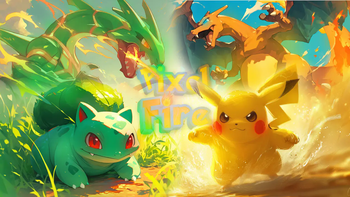
PixelFire is an ultra-complete Cobblemon modpack, specially made for those who want to fully embrace the world of Pokémon within the best pixelated or blocky experience that Minecraft has to offer.
Screenshots
About this Modpack

DISCORD: https://discord.gg/A7haEnQxHf
Description
About | The creation of PixelFire is an ultra-complete Cobblemon modpack, specially made for those who want to fully embrace the world of Pokémon within the best pixelated or blocky experience that Minecraft has to offer. A complete world where you can choose your own journey—whether it’s solo, multiplayer, on a server, or even participating in tournaments... The possibilities are vast! Our focus is to reach the pinnacle of Minecraft x Pokémon with everything that makes it complete: soundtracks, textures, interfaces... make your own true journey on FIRE!
The modpack initially features the Cobblemon mods and extensions, alongside several optimization mods to ensure smoother gameplay, and aesthetic mods for improved visuals. Textures are included to change interfaces and game soundtracks. Additionally, some shaders are available.

Torneios (Championships)
The modpack has already been the setting for private tournaments held by a few communities. Furthermore, we take great pride in being recognized for hosting tournaments. We are highly enthusiastic about competitions and tournaments.
SHADERS:
Spoiler
Solas Shaders
Complementary Unbound
TEXTURAS:
Spoiler
Fresh Moves
Cobble Battle Music
jor's Cobblemon Music Pack
Original Pokemon Battle Music
Comforts Modernized
Cobblemon Interface Modded
BoniMons
TheJewelPokemon
MissingMons
LackingMons
Cobblemon Interface
Pokeinsano
HiddenMons
Cobblemon 3D Poke Rods
Monkeymons
TDmon
E19 - Cobblemon Minimap Icons
GlitchDex
LucarioOverhaul
Puff Radio
Cobblemon Box Wallpapers
MysticMons
Cobblemon Classic Grass Pack
Cobblemon Emissive Ores
CobbleMotion
Icons
Fully Hisuian Starters (Cobblemon)
Cobblemon Interface: Modded
Poké Discs
Fresh Animations
PigeonsPack
MundialMons
Soundtrack PixelFire
Pokemans
Icon Xaero's X FreshAnimations
Josh's Poké Flute Pack
Low Fire
MODS:
Spoiler
Lenient Death
Debugify
Xaero's Minimap
Reactive Music
Language Reload
Not Enough Animations
Better Recipe Book
Advancement Plaques
Resourceful Lib
Forgiving Void
Sophisticated Core (Unofficial Fabric port)
TMCraft
DracoMon [Cobblemon]
Cobblemon Pasture Loot
Sophisticated Backpacks (Unoffical Fabric port)
Iceberg
Sodium Extra
Waystones
CobbleFurnies
Pokeblocks
PokeCenter PCs (Cobblemon Addon)
Controlling
Just Enough Items
Custom Splash Screen
MoreCobblemonTweaks
HiddenMons [Cobblemon]
Respackopts
ImmediatelyFast
Monkeymons
Comforts
Konkrete
MobsBeGone
Interactic
Roughly Enough Items (REI)
COBBLEVERSE: Badges & Trophies
YetAnotherConfigLib (YACL)
TDmon
Entity Culling
Global Packs
Distant Horizons
FancyMenu
Carved Wood
Load Support
Hydro Reanimodel Pack [Cobblemon]
Fabric Language Kotlin
oωo (owo-lib)
CloudMons 【Cobblemon】
GlitchDex - Cobblemon
Sophisticated Storage (Unofficial Fabric port)
Noisium
Pigeon's Poke Pack [1.7.0] - Fang and Claw
Cobblemon: Mega Showdown
VillagerConfig
Cobblemon: SafePastures
cobblemon pokeinsano
M.R.U
Forge Config API Port
SuperMartijn642's Config Lib
Architectury API
MidnightLib
CobbleCats [cobblemon]
MundialMons ReaniPack [CobbleMon]
Fabric API
ToolTipFix
Cobblemon Pokenav
Better Third Person
Z-A Megas Early
Packet Fixer
Terralith
More Culling
Iris Shaders
Lucario Overhaul [Cobblemon 1.6 Compatible]
StackDeobfuscator
Sodium
Music Delay Remover (Infinite Music)
Not Enough Crashes
MissingMons [cobblemon]
Athena
Cobblemon Capture XP
Cobblemon
Balm
Disable Custom Worlds Advice
FerriteCore
DropConfirm
MysticMons
[ETF] Entity Texture Features
LumyMon
Planeta Cobblemon's Pokémon Pack
Music Notification
Euphoria Patches
Nadymons3
Better Nether Map
AdvancementDisable
Default Options
Cobblemon: Ride On!
Highlight
AshiMons [cobblemon]
Cobblemon Fight or Flight Reborn
CoroUtil
Better Beds
What Are They Up To (Watut)
Radical Cobblemon Trainers API
Chat Animation [Smooth Chat]
Particle Rain
Cobblemon UI Tweaks
Searchables
LibJF
NetherPortalFix
Paginated Advancements & Custom Frames
Melody
Repurposed Structures - Quilt/Fabric
LackingMons (Discountiniued)
CavsCobbleMons
Huge Structure Blocks
Chunky
Moar Concrete
Zoomify
MelloMons
Krypton
Cobbreeding
Cobblemon Box Link
Sodium Dynamic Lights
Lithium
Biome Replacer
Geckolib
Sounds Be Gone!
Liberty Garden [Cobblemon]
GenoMons [Cobblemon]
Cobblemon: PlayerXP
Handcrafted
BoniMons
WaviMons (Cobblemon)
ModernFix
Cobblemon additions
Ping Wheel
Essential Mod
Continuity
Lucky's Cozy Home: Refurnished
Kale's Collection [Cobblemon]
[EMF] Entity Model Features
【Cobblemon】BadgeBox
Mouse Tweaks
The Jewel Pokémon [Cobblemon]
CobbleCuisine
Particular ✨
Sound Physics Remastered
Xaero's World Map
Blur+
Beautify: Refabricated
Pokemans Pack [Cobblemon]
Swirlix and Slurpuff for Cobblemon!
Only Bottle Caps
FastQuit
Resource Pack Overrides
Trinkets
CobbleDollars [Cobblemon Addon]
Cloth Config API
Sodium Options API
Cobblemon Tim Core
BetterF3
Mod Menu
Reese's Sodium Options
Radical Cobblemon Trainers
Cobblemon Intros
Datapacks are credited to Cobbleverse (modpack).
Available Versions
How to Set Up a PixelFire Server
Order Server
Choose at least 6 GB RAM (8 GB recommended for PixelFire). Based on player count: per 5 players.
Install Modpack in Dashboard
Open the modpack browser in the dashboard, search for "PixelFire" and click "Install". The fabric loader and Minecraft 1.21.1 are configured automatically.
Start Server & Play
Start the server – all mods are loaded automatically. Share the server IP with friends and play together!
Frequently Asked Questions
PixelFire server crashes or won't start – what to do?
Most common causes: insufficient RAM or wrong fabric loader. Check latest.log for "OutOfMemoryError" → increase RAM to at least 8 GB. For "Mixin" or "ClassNotFoundException" errors: modpack version and loader don't match. With Mado Hosting, loader and Minecraft version are auto-configured on modpack install – preventing most startup issues.
How much RAM does a PixelFire server really need?
Minimum 6 GB, recommended 8 GB for stable performance. per 5 players. Important: Minecraft modpacks need more RAM than vanilla – plan extra per additional player. With Mado Hosting, you can scale RAM up live at any time without data loss (from €12/month).
Can I add custom mods to PixelFire without conflicts?
Yes, but check compatibility: only use mods for the same loader (fabric) and same Minecraft version (1.21.1). Common issues: ID conflicts with recipe mods and incompatible coremod versions. The Mado dashboard mod browser only shows compatible mods and warns about known conflicts.
PixelFire server lagging – performance tips
1) Increase RAM to 8 GB+. 2) Reduce server view-distance to 8 (server.properties). 3) Pre-generate chunks with the "Chunky" plugin. 4) Use /spark profiler to check which mods consume the most tick time. With Mado Hosting, all servers run on NVMe SSDs with dedicated CPU cores – eliminating hardware as a bottleneck.
Similar Modpacks
![Cobblemon Official Modpack [Fabric]](https://cdn.modrinth.com/data/5FFgwNNP/e7f9ee2e9d361623847853fe2ddce42f519ee64f.png)
![COBBLEVERSE - Pokemon Adventure [Cobblemon]](https://cdn.modrinth.com/data/Jkb29YJU/581ecf54530972afb18a04660afd820f2f24f6c7.png)
![Better MC [FABRIC] - BMC2](https://cdn.modrinth.com/data/shFhR8Vx/a19c2bcb51d38f32f138d3607e91cb2b7b8e387f_96.webp)


![Better MC [FORGE] - BMC4](https://cdn.modrinth.com/data/4BV47HRn/7f5ef7cc61b2593609aabef3ed07a866a4f11b73_96.webp)
Rent PixelFire Server
Start your own server with automatic modpack installation.
Supported Versions
Start your PixelFire Server now
From €12.00/month with 8 GB RAM for the best performance.
Configure Server →