
PlumpisCraft
A kitchen sink modpack that explores RPG elements without sacrificing access to technology and automation.
Screenshots
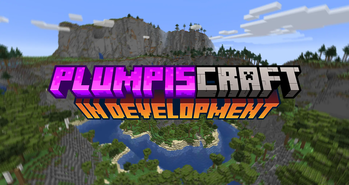
About this Modpack
PlumpisCraft
Welcome to PlumpisCraft, a kitchen sink mod aiming to support adventurers and tinkerers alike! This modpack was developed for players to just have fun, explore, catch cobblemon, make cool machines with create, and fight bosses! It has an expansive skill tree for you to become incredibly overpowered, various configuration changes to make progression a bit more fun, and plenty of intermod integration. If you want to play a modpack that uses some of the best and brightest mods from a modern version of minecraft, then PlumpisCraft is for you!
Requirements:
We recommend 6gb of RAM and a modern CPU/GPU.
Key Features
Quests / Ponders
This will come in a future update, and will server as a way to help players learn new mods!
Exploration
Aether
It's back! If you don't know the Aether mod, maybe this pack isn't for you... Just kidding! Make yourself a glowstone portal and take to the skies in this fun and rewarding mod!
Alex's Caves
New cave types with plenty of enemies to fight and utilities to get!
Aquamirae
Overhauled snow biomes with new bosses to fight and rewards to get!
Terralith
Completely overhauled world gen! Integrates with Cobblemon!
Lootr
Player based loot! Don't worry about taking it all, your friends will have some too!
Nature's and Explorer's Compass
Quickly locate biomes and structures!
Waystones
Find waystones spread across your world to allow for quick travelling!
When Dungeons Arise
Find massive dungeons with difficulty enemies to fight and loot to be had!
Xaero's Mods
Use the minimap and world map provided to explore your world! An integrated resource pack will allow you to see new Cobblemon from your map as you travel!
Technology
Create
Make awesome looking machines! There are tons of integration and improvement mods added to make the create experience amazing!
Mekanism
A staple in the modded world, energize everything!
Flux Networks
Allows you to handle all your energy network needs!
Thermal Mods
To fill in all the holes!
Refined Storage
Allows you to handle all your item network needs!
Magic
Iron Spells n' Spellbooks
Have fun casting spells!
Mystical Agriculture
Some say its a tech mod, but it feels pretty magical! Automate all your resources!
Plenty more!
We have a plethora of performance enhancing mods and inventory tweaks to make your experience so much better!
Curseforge Mod Attributions
- Apotheosis
- Apotheotic Additions
- Apothic Attributes
- Apothic Curios
- Aquamirae
- BlockUI
- Building Gadgets
- Cosmetic Armor Reworked
- Domum Ornamentum
- Faster Ladder Climbing
- Flux Networks
- Hostile Neural Networks
- Item Production Lib
- Musical Instrument Minecraft Interface
- Mine Colonies
- Mob Grinding Utils
- Multi Piston
- Obscure API
- Ore Excavation
- Passive Skill Tree
- Placebo
- Sophisticated Backpacks
- Sophisticated Core
- Sophisticated Storage
- Structory
- Structurize
- Table Top Craft
- Tetranomicon
Available Versions
How to Set Up a PlumpisCraft Server
Order Server
Choose at least 6 GB RAM (8 GB recommended for PlumpisCraft). Based on player count: per 5 players.
Install Modpack in Dashboard
Open the modpack browser in the dashboard, search for "PlumpisCraft" and click "Install". The forge loader and Minecraft 1.20.1 are configured automatically.
Start Server & Play
Start the server – all mods are loaded automatically. Share the server IP with friends and play together!
Frequently Asked Questions
PlumpisCraft server crashes or won't start – what to do?
Most common causes: insufficient RAM or wrong forge loader. Check latest.log for "OutOfMemoryError" → increase RAM to at least 8 GB. For "Mixin" or "ClassNotFoundException" errors: modpack version and loader don't match. With Mado Hosting, loader and Minecraft version are auto-configured on modpack install – preventing most startup issues.
How much RAM does a PlumpisCraft server really need?
Minimum 6 GB, recommended 8 GB for stable performance. per 5 players. Important: Minecraft modpacks need more RAM than vanilla – plan extra per additional player. With Mado Hosting, you can scale RAM up live at any time without data loss (from €12/month).
Can I add custom mods to PlumpisCraft without conflicts?
Yes, but check compatibility: only use mods for the same loader (forge) and same Minecraft version (1.20.1). Common issues: ID conflicts with recipe mods and incompatible coremod versions. The Mado dashboard mod browser only shows compatible mods and warns about known conflicts.
PlumpisCraft server lagging – performance tips
1) Increase RAM to 8 GB+. 2) Reduce server view-distance to 8 (server.properties). 3) Pre-generate chunks with the "Chunky" plugin. 4) Use /spark profiler to check which mods consume the most tick time. With Mado Hosting, all servers run on NVMe SSDs with dedicated CPU cores – eliminating hardware as a bottleneck.
Similar Modpacks
![Cobblemon Official Modpack [Fabric]](https://cdn.modrinth.com/data/5FFgwNNP/e7f9ee2e9d361623847853fe2ddce42f519ee64f.png)
![COBBLEVERSE - Pokemon Adventure [Cobblemon]](https://cdn.modrinth.com/data/Jkb29YJU/581ecf54530972afb18a04660afd820f2f24f6c7.png)
![Better MC [FABRIC] - BMC2](https://cdn.modrinth.com/data/shFhR8Vx/a19c2bcb51d38f32f138d3607e91cb2b7b8e387f_96.webp)


![Better MC [FORGE] - BMC4](https://cdn.modrinth.com/data/4BV47HRn/7f5ef7cc61b2593609aabef3ed07a866a4f11b73_96.webp)
Rent PlumpisCraft Server
Start your own server with automatic modpack installation.
Supported Versions
Start your PlumpisCraft Server now
From €12.00/month with 8 GB RAM for the best performance.
Configure Server →