![Plushia Pack [Cobblemon]](https://cdn.modrinth.com/data/D18pT33Q/b8d7c81a78ef3bf213da915cb02b41e55ebf09ab_96.webp)
Plushia Pack [Cobblemon]
Official Modpack for the Plushia Cobblemon Server.
Screenshots
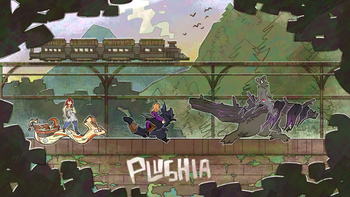
About this Modpack
This modpack is the official modpack for the Plushia Cobblemon Server
At Plushia, we strive to create an inclusive and welcoming safe space for LGBTQIA+ people, and give them a place where they can play games without the fear of discrimination.
This modpack is for our Cobblemon Server, it is a cobblemon-focussed modpack with plenty of decoration, optimization, and all types of other different mods.
We even have custom menus and loading screens made with FancyMenu!
Full List of Mods
- Ambient Sounds by creativemd
- Appleskin by squeek502
- Architectury API by shedaniel
- Athena by CodexAdrian
- Automobility by FoundationGames
- Blåhaj by hibi
- Capes by caelthecolher
- Chat Heads by dzwdz
- Chipped by Terrarium
- Cluttered by beelake
- Cobblemon by Cobblemon
- Continuity by peppercode1
- Controlling by jaredlll08
- CraterLib by hypherionsa
- Create Fabric by tropheusj
- Create Slice & Dice by possible_triangle
- Create: Steam 'n' Rails by IThundxr
- CreativeCore by creativemd
- Drippy Loading Screen by keksuccino
- Dynamic FPS by juliand665
- Entity Culling by tr7zw
- Falling Leaves by randommcsomethin
- FancyMenu by keksuccino
- Farmer's Delight [Fabric] by Zifiv
- Geckolib by Gecko
- Handcrafted by Kekie6
- Immersive Paintings by Luke100000
- Indium by comp500
- Iris Shaders by coderbot
- Just Enough Items by mezz
- Konkrete by keksuccino
- Lithium by jellysquid3
- Load My Resources by keksuccino
- Logical Zoom by LogicalGeekBoy
- Lootr by Noobanidus
- MidnightControls by Motschen
- Mod Menu by Prospector
- Moonlight Lib by MehVahdJukaar
- No Chat Reports by Aizistral
- Plushie-Mod by link4real
- Presence Footsteps by Sollace
- Quilt Kotlin Libraries (QKL) by Quilt-Holdings
- Quilted Fabric API (QFAPI) / Quilt Standard Libraries (QSL) by Quilt-Holdings
- Reese's Sodium Options by FlashyReese
- Resourceful Lib by ThatGravyBoat
- Searchables by jaredlll08
- Simple Discord RPC by hypherionsa
- Simple Voice Chat by henkelmax
- Sodium by jellysquid3
- Sodium Extra by FlashyReese
- Supplementaries by MehVahJukaar
- Wakes by Goby56
- Wildfire's Female Gender Mod by WildfireRomeo
- Xaero's Minimap by thexaero
- Xaero's World Map by thexaero
Some things you can do with this modpack and on our server:
- Capture and train your very own Pokémon, including our custom Pokémon we have created, with Cobblemon
- Create your dream farm and make special foods with Farmer's Delight
- Automate everything and get around the map in trains with Create
- Gain access to hundreds of new block to use in your builds with Chipped
- Decorate your interiors with a whole new level of detail with Handcrafted and Cluttered
- Explore the massive Plushia region with beautiful ambience added by Ambient Sounds, Falling Leaves, Iris Shaders, and Wakes
- So much more that you will have to discover for yourself!
Join Plushia today by joining our Discord!
Available Versions
How to Set Up a Plushia Pack [Cobblemon] Server
Order Server
Choose at least 6 GB RAM (8 GB recommended for Plushia Pack [Cobblemon]). Based on player count: per 5 players.
Install Modpack in Dashboard
Open the modpack browser in the dashboard, search for "Plushia Pack [Cobblemon]" and click "Install". The fabric loader and Minecraft 1.20.1 are configured automatically.
Start Server & Play
Start the server – all mods are loaded automatically. Share the server IP with friends and play together!
Frequently Asked Questions
Plushia Pack [Cobblemon] server crashes or won't start – what to do?
Most common causes: insufficient RAM or wrong fabric loader. Check latest.log for "OutOfMemoryError" → increase RAM to at least 8 GB. For "Mixin" or "ClassNotFoundException" errors: modpack version and loader don't match. With Mado Hosting, loader and Minecraft version are auto-configured on modpack install – preventing most startup issues.
How much RAM does a Plushia Pack [Cobblemon] server really need?
Minimum 6 GB, recommended 8 GB for stable performance. per 5 players. Important: Minecraft modpacks need more RAM than vanilla – plan extra per additional player. With Mado Hosting, you can scale RAM up live at any time without data loss (from €12/month).
Can I add custom mods to Plushia Pack [Cobblemon] without conflicts?
Yes, but check compatibility: only use mods for the same loader (fabric) and same Minecraft version (1.20.1). Common issues: ID conflicts with recipe mods and incompatible coremod versions. The Mado dashboard mod browser only shows compatible mods and warns about known conflicts.
Plushia Pack [Cobblemon] server lagging – performance tips
1) Increase RAM to 8 GB+. 2) Reduce server view-distance to 8 (server.properties). 3) Pre-generate chunks with the "Chunky" plugin. 4) Use /spark profiler to check which mods consume the most tick time. With Mado Hosting, all servers run on NVMe SSDs with dedicated CPU cores – eliminating hardware as a bottleneck.
Similar Modpacks

![Cobblemon Official Modpack [Fabric]](https://cdn.modrinth.com/data/5FFgwNNP/e7f9ee2e9d361623847853fe2ddce42f519ee64f.png)
![COBBLEVERSE - Pokemon Adventure [Cobblemon]](https://cdn.modrinth.com/data/Jkb29YJU/581ecf54530972afb18a04660afd820f2f24f6c7.png)
![Better MC [FABRIC] - BMC2](https://cdn.modrinth.com/data/shFhR8Vx/a19c2bcb51d38f32f138d3607e91cb2b7b8e387f_96.webp)


Rent Plushia Pack [Cobblemon] Server
Start your own server with automatic modpack installation.
Supported Versions
Start your Plushia Pack [Cobblemon] Server now
From €12.00/month with 8 GB RAM for the best performance.
Configure Server →