
PenguinMod SMP Modpack
The OFFICIAL modpack for the UNOFFICIAL PenguinMod SMP!
Screenshots
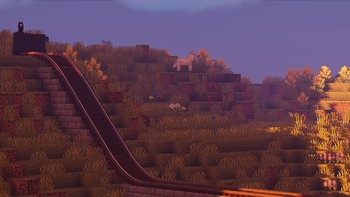

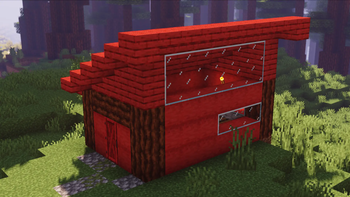
About this Modpack
The PMSMP has since been disbanded / shutdown from inactivity and lack of a server for hosting. This pack is no longer updated unless it's developers decide to continue the SMP.
The PenguinMod (unofficial) SMP
This is an UNOFFICIAL Survival Multiplayer server ran by moderators of the website penguinmod.com!
We're not official, but we do have alot of people from PM in our server.
In this modpack, you will find all the mods needed to join the PMSMP.
It is updated frequently and is the recommended way to get the mods for our server.
We hope you enjoy!
-The PMSMP Team
Full Mod List
- Combat Roll
- Forge Config Screens
- Controlling Version
- Blahaj Expanded
- Cloth Config API
- YUNG's Better Strongholds
- Euphoria Patches
- Clockwork
- Sinytra Connector
- WI Zoom
- Fzzy Config
- Radium
- Create: CC Better Recipes
- YetAnotherConfigLib (YACL)
- Hold My Items
- YUNG's Better End Island
- Trackwork
- Curios API
- YUNG's Extras
- 3D Skin Layers
- Botarium
- Macaw's Doors
- Memory Leak
- Xaero's Minimap
- TerraBlender
- Cubes Without Borders
- YUNG's Better Mineshafts
- YUNG's Better Jungle Temples
- Embeddium
- playerAnimator
- Dynamic FPS
- Particle Core
- Farmer's Delight Compat
- VMinus
- Inventorio
- Biomes O' Plenty and Create Rose Quartz Compat
- YUNG's Better Ocean Monuments
- Valkyrien Skies
- ImmediatelyFast
- Farmer's Delight
- Searchables
- ModernFix
- ViveCraft Compat
- Create: Steam 'n' Rails
- YUNG's Better Witch Huts
- Create
- YUNG's Bridges
- Create: Testosterone
- Entity Culling
- First-person Model
- [EMF] Entity Model Features
- Mouse Tweaks
- Step Up!
- Biomes O' Plenty
- Sounds
- Create: Escalated Version
- Simple Voice Chat
- Jade 🔍
- Forgified Fabric API
- Create Deco
- Particle Rain Version
- Iron Golems Built Diffrent
- BetterF3
- Oculus
- Complementary Shaders - Unbound
- Galaxy's Mailboxes
- Create Crafts & Additions
- FerriteCore
- Architectury API
- BetterGrassify
- GlitchCore
- M.R.U
- BadOptimizations
- Puzzles Lib
- YUNG's Better Dungeons
- Resourceful Lib
- Vivecraft
- AstraLex Shaders
- CC: Tweaked
- Dynamic Lights
- CreativeCore
- Chat Heads Version
- Create: Estrogen
- Do A Flip
- Xaero's World Map
- Macaw's Trapdoors
- Create: Copycats+
- Continuity
- Roughly Enough Items (REI)
- Customizable Player Models
- Wavey Capes
- Macaw's Bridges
- Create Big Cannons
- Kotlin for Forge
- Remove Reloading Screen
- Proximity Text Chat
- Storage Drawers
- Sound Physics Remastered
- FastQuit-Forge
- [ETF] Entity Texture Features
- Not Enough Animations
- AppleSkin
- MixinTrace Reforged
- Create: Interiors
- Distant Horizons
- YUNG's Better Nether Fortresses
- Do a Barrel Roll
- YUNG's API
- Not Enough Crashes
-Model Gap Fix - YUNG's Better Desert Temples
- Fast IP Ping
- AmbientSounds
- Noisium
- Shoulder Surfing
- Cut Through
Available Versions
How to Set Up a PenguinMod SMP Modpack Server
Order Server
Choose at least 6 GB RAM (8 GB recommended for PenguinMod SMP Modpack). Based on player count: per 5 players.
Install Modpack in Dashboard
Open the modpack browser in the dashboard, search for "PenguinMod SMP Modpack" and click "Install". The forge loader and Minecraft 1.20.1 are configured automatically.
Start Server & Play
Start the server – all mods are loaded automatically. Share the server IP with friends and play together!
Frequently Asked Questions
PenguinMod SMP Modpack server crashes or won't start – what to do?
Most common causes: insufficient RAM or wrong forge loader. Check latest.log for "OutOfMemoryError" → increase RAM to at least 8 GB. For "Mixin" or "ClassNotFoundException" errors: modpack version and loader don't match. With Mado Hosting, loader and Minecraft version are auto-configured on modpack install – preventing most startup issues.
How much RAM does a PenguinMod SMP Modpack server really need?
Minimum 6 GB, recommended 8 GB for stable performance. per 5 players. Important: Minecraft modpacks need more RAM than vanilla – plan extra per additional player. With Mado Hosting, you can scale RAM up live at any time without data loss (from €12/month).
Can I add custom mods to PenguinMod SMP Modpack without conflicts?
Yes, but check compatibility: only use mods for the same loader (forge) and same Minecraft version (1.20.1). Common issues: ID conflicts with recipe mods and incompatible coremod versions. The Mado dashboard mod browser only shows compatible mods and warns about known conflicts.
PenguinMod SMP Modpack server lagging – performance tips
1) Increase RAM to 8 GB+. 2) Reduce server view-distance to 8 (server.properties). 3) Pre-generate chunks with the "Chunky" plugin. 4) Use /spark profiler to check which mods consume the most tick time. With Mado Hosting, all servers run on NVMe SSDs with dedicated CPU cores – eliminating hardware as a bottleneck.
Similar Modpacks
![Cobblemon Official Modpack [Fabric]](https://cdn.modrinth.com/data/5FFgwNNP/e7f9ee2e9d361623847853fe2ddce42f519ee64f.png)
![COBBLEVERSE - Pokemon Adventure [Cobblemon]](https://cdn.modrinth.com/data/Jkb29YJU/581ecf54530972afb18a04660afd820f2f24f6c7.png)
![Better MC [FABRIC] - BMC2](https://cdn.modrinth.com/data/shFhR8Vx/a19c2bcb51d38f32f138d3607e91cb2b7b8e387f_96.webp)


![Better MC [FORGE] - BMC4](https://cdn.modrinth.com/data/4BV47HRn/7f5ef7cc61b2593609aabef3ed07a866a4f11b73_96.webp)
Rent PenguinMod SMP Modpack Server
Start your own server with automatic modpack installation.
Details
- License
- Creative Commons Zero v1.0 Universal
- Server-side
- Required
- Client-side
- Required
Supported Versions
Start your PenguinMod SMP Modpack Server now
From €12.00/month with 8 GB RAM for the best performance.
Configure Server →