
Project Vulkan
Project_Vulkan is an industrial-colonial modpack with quests based on Create, Immersive Engineering and MineColonies. It is used on the private server Artefact Of Travels.
Screenshots
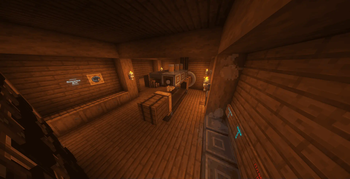
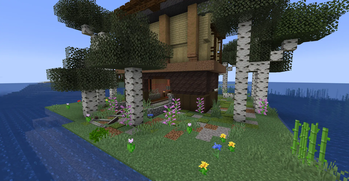

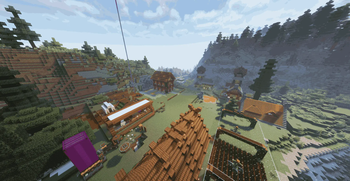
About this Modpack
EN:
Project_Vulkan
Project_Vulkan is an industrial-colonial Minecraft build based on the Create, Immersive Engineering and MineColonies mods. The build offers deep technical and strategic gameplay, and includes a quest system to gradually master the mechanics.
⚠️ Important: the build does not contain a separate server package. Many mods are client-side, so you must manually disable non-server components before installing them on the server. Public serverpack is not planned.
Also for quests it requires ftb but it is already yourself look for it
RU:
Project_Vulkan (Проект Вулкан)
Project_Vulkan — это индустриально-колониальная сборка Minecraft, основанная на модах Create, Immersive Engineering и MineColonies. Сборка предлагает глубокий технический и стратегический геймплей, а также включает систему квестов для постепенного освоения механик.
⚠️ Важно: сборка не содержит отдельного серверного пакета. Многие моды являются клиентскими, поэтому перед установкой на сервер необходимо вручную отключить несерверные компоненты. Публичного серверпака не планируется.
Так же для квестов она требует фтб но это уже сам ищи
Available Versions
How to Set Up a Project Vulkan Server
Order Server
Choose at least 6 GB RAM (8 GB recommended for Project Vulkan). Based on player count: per 5 players.
Install Modpack in Dashboard
Open the modpack browser in the dashboard, search for "Project Vulkan" and click "Install". The neoforge loader and Minecraft 1.21.1 are configured automatically.
Start Server & Play
Start the server – all mods are loaded automatically. Share the server IP with friends and play together!
Frequently Asked Questions
Project Vulkan server crashes or won't start – what to do?
Most common causes: insufficient RAM or wrong neoforge loader. Check latest.log for "OutOfMemoryError" → increase RAM to at least 8 GB. For "Mixin" or "ClassNotFoundException" errors: modpack version and loader don't match. With Mado Hosting, loader and Minecraft version are auto-configured on modpack install – preventing most startup issues.
How much RAM does a Project Vulkan server really need?
Minimum 6 GB, recommended 8 GB for stable performance. per 5 players. Important: Minecraft modpacks need more RAM than vanilla – plan extra per additional player. With Mado Hosting, you can scale RAM up live at any time without data loss (from €12/month).
Can I add custom mods to Project Vulkan without conflicts?
Yes, but check compatibility: only use mods for the same loader (neoforge) and same Minecraft version (1.21.1). Common issues: ID conflicts with recipe mods and incompatible coremod versions. The Mado dashboard mod browser only shows compatible mods and warns about known conflicts.
Project Vulkan server lagging – performance tips
1) Increase RAM to 8 GB+. 2) Reduce server view-distance to 8 (server.properties). 3) Pre-generate chunks with the "Chunky" plugin. 4) Use /spark profiler to check which mods consume the most tick time. With Mado Hosting, all servers run on NVMe SSDs with dedicated CPU cores – eliminating hardware as a bottleneck.
Similar Modpacks
![Cobblemon Official Modpack [Fabric]](https://cdn.modrinth.com/data/5FFgwNNP/e7f9ee2e9d361623847853fe2ddce42f519ee64f.png)
![COBBLEVERSE - Pokemon Adventure [Cobblemon]](https://cdn.modrinth.com/data/Jkb29YJU/581ecf54530972afb18a04660afd820f2f24f6c7.png)
![Better MC [FABRIC] - BMC2](https://cdn.modrinth.com/data/shFhR8Vx/a19c2bcb51d38f32f138d3607e91cb2b7b8e387f_96.webp)


![Better MC [FORGE] - BMC4](https://cdn.modrinth.com/data/4BV47HRn/7f5ef7cc61b2593609aabef3ed07a866a4f11b73_96.webp)
Rent Project Vulkan Server
Start your own server with automatic modpack installation.
Supported Versions
Start your Project Vulkan Server now
From €12.00/month with 8 GB RAM for the best performance.
Configure Server →