
PVP Vitals
A modpack with all mods and resource packs for PVP
Screenshots


About this Modpack
PVP Vitals
Currently in alpha
A minimalistic PVP Modpack containing everything for new players!
Tested with ATLauncher, Modrinth Launcher, Prism Launcher and GDLauncher
Tested on Windows and Linux with NVIDIA drivers
Supported versions: 1.21.1, 1.21.4, 1.21.5, 1.21.7, 1.21.8
1.21.8 news!
1.21.8 has been released with some caveats. There are a few mods that haven't been added due to this being a smaller update for the game, but if they do drop I will do my best to add them. Also some mods were replaced such as Freelook with Camera Tweaks.
IMPORTANT
Currently on some setups 1.21.1 and 1.21.8 might not work and I'm trying to fix that, disable some mods and troubleshoot yourself until I fix it! Send me a DM on discord if having issues!
Mods and Texture packs:
- 3D skin layers
- Appleskin
- Concurrent chunk management Engine
- Dynamic FPS
- BactroMod
- Effect Timer Plus
- Freelook
- Marlow's crystal optimizer
- ImmediatelyFast
- Lithium
- Sodium
- Low on fire
- Low Shield
- Model gap fix
- Mod menu
- Packet fixer
- Sodium extra
- Reese's Sodium options
- Resourcify
- Shulker Box Tooltips
- uku's Armor HUD
- Zoomify
- Very many players
Using Resourcify you can browse texture packs.
FOV: Recommended 80-110,
Recommended to change keybinds!
For Crystal PVP Players, turn off Explosions in the video settings!
If you want to support me:
https://ko-fi.com/luxymillian
If you need help in any way with the modpack or want to send feedback send me a dm on discord - luxymillian.
Added info about the modpack
This modpack doesnt't have all the solutions for mainstream pvp. The user has the opportunity to add any mods necessary. This modpack is meant for people who like to play regular Minecraft and don't want a bunch of fixes. If you play "chill" PVP, maybe with some friends and not really into PVP this is the modpack for you. (or if you preffer simplicity) If that's not the case I recommend either adding extra mods and resource packs or using a different PVP modpack or custom client.
I, Luxymillian am not responsible for any issues you encounter playing on servers with this modpack. My advice is to double check the mods and see if they give an unfair advantage on servers you play.
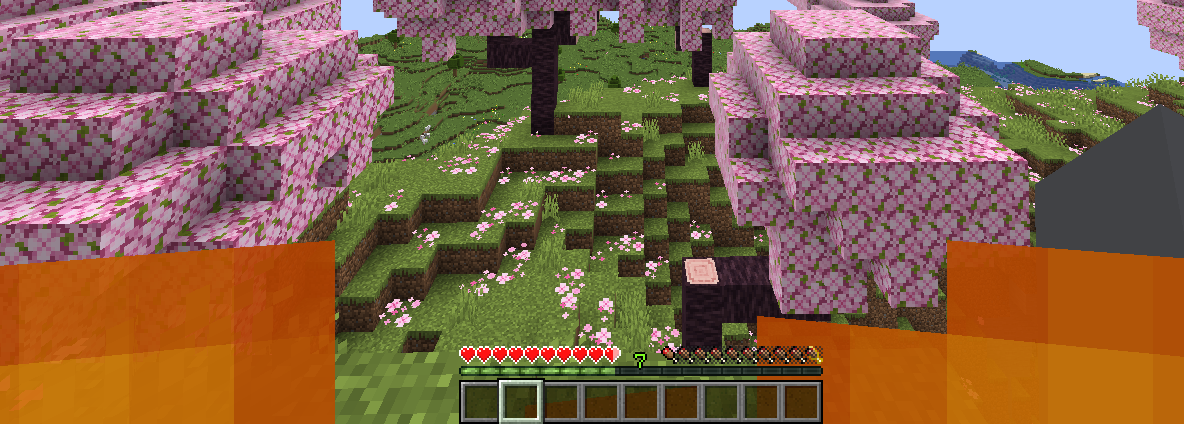
Images of Resource packs, Armor HUD & Appleskin.

Available Versions
How to Set Up a PVP Vitals Server
Order Server
Choose at least 4 GB RAM (6 GB recommended for PVP Vitals). Based on player count: per 8 players.
Install Modpack in Dashboard
Open the modpack browser in the dashboard, search for "PVP Vitals" and click "Install". The fabric loader and Minecraft 1.21.8 are configured automatically.
Start Server & Play
Start the server – all mods are loaded automatically. Share the server IP with friends and play together!
Frequently Asked Questions
PVP Vitals server crashes or won't start – what to do?
Most common causes: insufficient RAM or wrong fabric loader. Check latest.log for "OutOfMemoryError" → increase RAM to at least 6 GB. For "Mixin" or "ClassNotFoundException" errors: modpack version and loader don't match. With Mado Hosting, loader and Minecraft version are auto-configured on modpack install – preventing most startup issues.
How much RAM does a PVP Vitals server really need?
Minimum 4 GB, recommended 6 GB for stable performance. per 8 players. Important: Minecraft modpacks need more RAM than vanilla – plan extra per additional player. With Mado Hosting, you can scale RAM up live at any time without data loss (from €8/month).
Can I add custom mods to PVP Vitals without conflicts?
Yes, but check compatibility: only use mods for the same loader (fabric) and same Minecraft version (1.21.8). Common issues: ID conflicts with recipe mods and incompatible coremod versions. The Mado dashboard mod browser only shows compatible mods and warns about known conflicts.
PVP Vitals server lagging – performance tips
1) Increase RAM to 6 GB+. 2) Reduce server view-distance to 8 (server.properties). 3) Pre-generate chunks with the "Chunky" plugin. 4) Use /spark profiler to check which mods consume the most tick time. With Mado Hosting, all servers run on NVMe SSDs with dedicated CPU cores – eliminating hardware as a bottleneck.
Similar Modpacks

![Better MC [FABRIC] - BMC2](https://cdn.modrinth.com/data/shFhR8Vx/a19c2bcb51d38f32f138d3607e91cb2b7b8e387f_96.webp)
![Better MC [FORGE] - BMC4](https://cdn.modrinth.com/data/4BV47HRn/7f5ef7cc61b2593609aabef3ed07a866a4f11b73_96.webp)


Rent PVP Vitals Server
Start your own server with automatic modpack installation.
Supported Versions
Start your PVP Vitals Server now
From €8.00/month with 6 GB RAM for the best performance.
Configure Server →