
vanilla PvP
mods that make your game feel 10x smoother with 1k+ fps & optimize it for pvp!
Screenshots
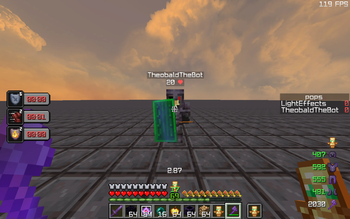
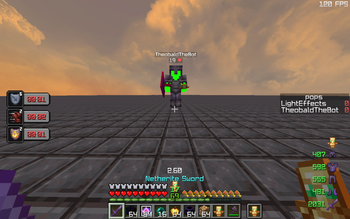

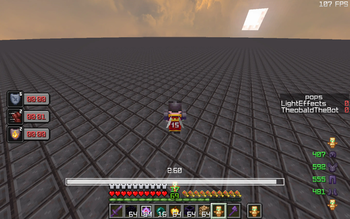


About this Modpack
NOTE: for full functionality you would need to download marlow's cpvp optimizer with this pack, it could not be attached due to copyright reasons!
tired for being stuck with your game looking like a slideshow? this mod fixes that and gives you a frick ton of pvp mods to provide you THE ULTIMATE pvp experience!
MAKE SURE to configure sodium settings e.g. fog and fast render & inventory hud for full experience!
FEATURES
- get more FPS!
- multiple mods that make your game look SICK such as 3D skins
- apple skin makes you actually see your saturation bar, insanely useful for almost any pvp gamemodes or just survival vanilla gameplay!
- ever tired for your sprint getting reset upon death, worry no more
- better mount hud to stay locked in even when on a horse!
- better ping display to give your friends the excuse of high ping :)
- carpet pvp doesn't affect anything in multiplayer but is useful in pvp practice maps, especially theobald's! you can find theobald's practice map from theo's discord server which is linked in the bio of his yt channel
- clumps to byebye the lag caused from xp orbs
- crosshair indicator to lock your aim, this gets 10x easier with a vibrant hit color with the hit color mod
- dynamic fps to keep your pc happy :D
- emoji type, pretty self-explanatory!
- multiple shield optimizations!
- the mod of all mods ESSENTIAL
- fabric skyboxes to achieve the most of my texture pack
- fullbright :O
- remove reloading screen to not get farmed whilst loading the server resource pack!
- better sodium options and s24 ultra zoom
- inventory hud to lock in even more #lockin
- count those totems and flex your lt3 crystal!
- shulker box tooltips to SEE DA SHULKAHS
Available Versions
How to Set Up a vanilla PvP Server
Order Server
Choose at least 4 GB RAM (6 GB recommended for vanilla PvP). Based on player count: per 8 players.
Install Modpack in Dashboard
Open the modpack browser in the dashboard, search for "vanilla PvP" and click "Install". The fabric loader and Minecraft 1.21 are configured automatically.
Start Server & Play
Start the server – all mods are loaded automatically. Share the server IP with friends and play together!
Frequently Asked Questions
vanilla PvP server crashes or won't start – what to do?
Most common causes: insufficient RAM or wrong fabric loader. Check latest.log for "OutOfMemoryError" → increase RAM to at least 6 GB. For "Mixin" or "ClassNotFoundException" errors: modpack version and loader don't match. With Mado Hosting, loader and Minecraft version are auto-configured on modpack install – preventing most startup issues.
How much RAM does a vanilla PvP server really need?
Minimum 4 GB, recommended 6 GB for stable performance. per 8 players. Important: Minecraft modpacks need more RAM than vanilla – plan extra per additional player. With Mado Hosting, you can scale RAM up live at any time without data loss (from €8/month).
Can I add custom mods to vanilla PvP without conflicts?
Yes, but check compatibility: only use mods for the same loader (fabric) and same Minecraft version (1.21). Common issues: ID conflicts with recipe mods and incompatible coremod versions. The Mado dashboard mod browser only shows compatible mods and warns about known conflicts.
vanilla PvP server lagging – performance tips
1) Increase RAM to 6 GB+. 2) Reduce server view-distance to 8 (server.properties). 3) Pre-generate chunks with the "Chunky" plugin. 4) Use /spark profiler to check which mods consume the most tick time. With Mado Hosting, all servers run on NVMe SSDs with dedicated CPU cores – eliminating hardware as a bottleneck.
Similar Modpacks

![Better MC [FABRIC] - BMC2](https://cdn.modrinth.com/data/shFhR8Vx/a19c2bcb51d38f32f138d3607e91cb2b7b8e387f_96.webp)
![Better MC [FORGE] - BMC4](https://cdn.modrinth.com/data/4BV47HRn/7f5ef7cc61b2593609aabef3ed07a866a4f11b73_96.webp)


Rent vanilla PvP Server
Start your own server with automatic modpack installation.
Supported Versions
Start your vanilla PvP Server now
From €8.00/month with 6 GB RAM for the best performance.
Configure Server →