
Quasar
Necessary mods for playing on servers + improved graphics
Screenshots
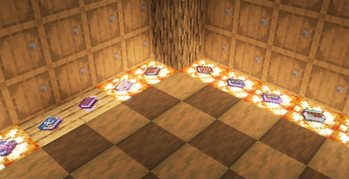
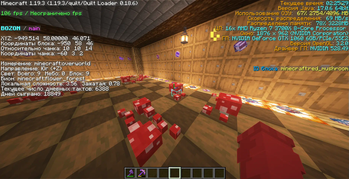
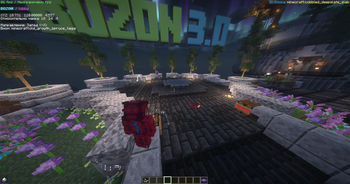
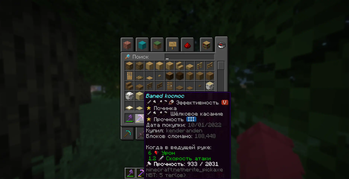
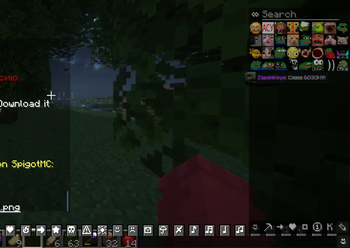
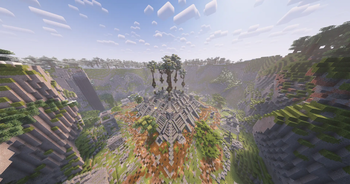
About this Modpack
Красивая картинка и удобство игры на серверах - это всё тут!
Сборка держится на чистом энтузиазме) Пишите в Discord, если что-то не работает или есть идеи!
Что внутри?
- Настроенные шейдеры, которые не убивают FPS
- Куча мелких визуальных улучшений
- Подсказки для еды, зелий и зачарованных книг (спс mr_ch0c0late за разрешение)
- Можно ходить с открытым инвентарём
- Удобный редактор текста в чате, на табличках и книгах
- Оптимизация на максимум
- И ещё много всего...
Как поставить?
Prism Launcher/MultiMC/ATLauncher
Вариант 1:
- Открываешь лаунчер →
Add instance - Выбираешь
Modrinth - Вводишь
Quasarи качаешь нужную версию - Кайф!
Вариант 2:
- Качаешь версию с этой страницы
- Открываешь лаунчер →
Add instance - Жмёшь
Import from zip - Выбираешь скачанный .mrpack файл
- Кайф!
Нет Java или что-то не так с установкой? Смотри гайд от меня на YT: https://youtu.be/3JoanJvQRjg
Другие лаунчеры
- Пока не завезли... И НЕ БУДЕТ! Никаких TL...
Лицензия — MIT
Все авторы дали добро на использование их ресурсов в сборке
| Мод/Ресурспак/Шейдер | Разрешение на использование |
|---|---|
| Icons | от mr_ch0c0late скриншот |
| Complementary Reimagined 2.0 | от EminGT чат Discord / скриншот |
| xali's * | от xalixilax чат Discord / скриншот |
Available Versions
How to Set Up a Quasar Server
Order Server
Choose at least 4 GB RAM (6 GB recommended for Quasar). Based on player count: per 8 players.
Install Modpack in Dashboard
Open the modpack browser in the dashboard, search for "Quasar" and click "Install". The quilt loader and Minecraft 1.21.11 are configured automatically.
Start Server & Play
Start the server – all mods are loaded automatically. Share the server IP with friends and play together!
Frequently Asked Questions
Quasar server crashes or won't start – what to do?
Most common causes: insufficient RAM or wrong quilt loader. Check latest.log for "OutOfMemoryError" → increase RAM to at least 6 GB. For "Mixin" or "ClassNotFoundException" errors: modpack version and loader don't match. With Mado Hosting, loader and Minecraft version are auto-configured on modpack install – preventing most startup issues.
How much RAM does a Quasar server really need?
Minimum 4 GB, recommended 6 GB for stable performance. per 8 players. Important: Minecraft modpacks need more RAM than vanilla – plan extra per additional player. With Mado Hosting, you can scale RAM up live at any time without data loss (from €8/month).
Can I add custom mods to Quasar without conflicts?
Yes, but check compatibility: only use mods for the same loader (quilt) and same Minecraft version (1.21.11). Common issues: ID conflicts with recipe mods and incompatible coremod versions. The Mado dashboard mod browser only shows compatible mods and warns about known conflicts.
Quasar server lagging – performance tips
1) Increase RAM to 6 GB+. 2) Reduce server view-distance to 8 (server.properties). 3) Pre-generate chunks with the "Chunky" plugin. 4) Use /spark profiler to check which mods consume the most tick time. With Mado Hosting, all servers run on NVMe SSDs with dedicated CPU cores – eliminating hardware as a bottleneck.
Similar Modpacks

![Cobblemon Official Modpack [Fabric]](https://cdn.modrinth.com/data/5FFgwNNP/e7f9ee2e9d361623847853fe2ddce42f519ee64f.png)
![COBBLEVERSE - Pokemon Adventure [Cobblemon]](https://cdn.modrinth.com/data/Jkb29YJU/581ecf54530972afb18a04660afd820f2f24f6c7.png)
![Better MC [FABRIC] - BMC2](https://cdn.modrinth.com/data/shFhR8Vx/a19c2bcb51d38f32f138d3607e91cb2b7b8e387f_96.webp)


Rent Quasar Server
Start your own server with automatic modpack installation.
Supported Versions
Start your Quasar Server now
From €8.00/month with 6 GB RAM for the best performance.
Configure Server →