
Radeon Optimized Pro
Tired of the hassle of finding the right mods? We've got you covered! Discover beautifully curated mod selections that reduce your workload and maximize your fun.
Screenshots
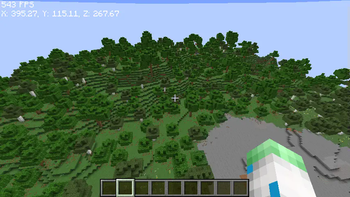

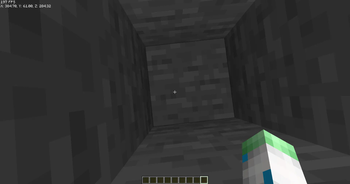
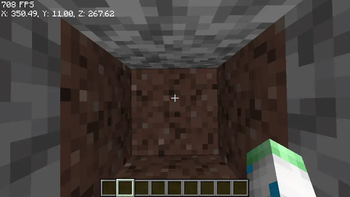
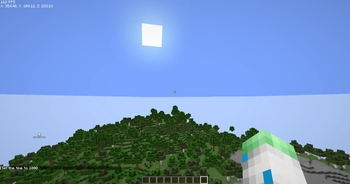
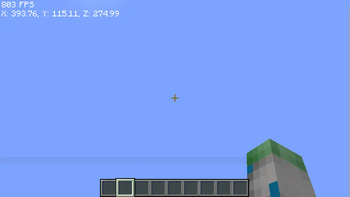
About this Modpack
🎮 Next-Level Minecraft Performance Modpack – Crafted for Integrated Graphics, Loved by All
Unleash the ultimate Minecraft experience with a powerful hybrid modpack that combines the best of NeoForge and Fabric. This unique integration pushes Minecraft performance beyond limits. Specifically engineered for integrated graphics systems, it delivers 140+ FPS on the latest Minecraft even on a modest Ryzen APU – showing that top-tier performance is possible on low-end hardware.
🛠️ What Makes This Modpack Stand Out?
- ✅ Just 24 carefully curated mods (Differentiates between Modpack Version)
- ✅ 370+ FPS tested on Ryzen Vega 8 (Fullscreen)
- ✅ 1290 FPS in Windowed Mode on capable systems
- ✅ Render Distance: 9, Simulation Distance: 8 (Updated for Latest Minecraft 1.21.7)
- ✅ Fully compatible with both NeoForge and Fabric mods (Certain Modpack Versions Only)
- ✅ Powered by NeoForge enhancements, Fabric integrations, Embeddium, and more
- ✅ 50% better performance than OptiFine
💡 Why You’ll Love It
Whether you're running on integrated graphics or have a dedicated GPU, this modpack is built to maximize your performance while preserving mod compatibility and smooth gameplay. It’s lightweight, efficient, and fine-tuned for Minecraft enthusiasts who want more from their machines.
🚀 Perfect For:
- Players with integrated graphics (APUs or low-end PCs)
- Fans of Fabric and NeoForge looking for a unified experience
- Gamers seeking insane FPS boosts and low overhead
- Anyone who wants a no-bloat, high-performance modded Minecraft setup
🔗 Join Our Community & Download the Pack
Available Versions
How to Set Up a Radeon Optimized Pro Server
Order Server
Choose at least 4 GB RAM (6 GB recommended for Radeon Optimized Pro). Based on player count: per 5 players.
Install Modpack in Dashboard
Open the modpack browser in the dashboard, search for "Radeon Optimized Pro" and click "Install". The fabric loader and Minecraft 1.21.7 are configured automatically.
Start Server & Play
Start the server – all mods are loaded automatically. Share the server IP with friends and play together!
Frequently Asked Questions
Radeon Optimized Pro server crashes or won't start – what to do?
Most common causes: insufficient RAM or wrong fabric loader. Check latest.log for "OutOfMemoryError" → increase RAM to at least 6 GB. For "Mixin" or "ClassNotFoundException" errors: modpack version and loader don't match. With Mado Hosting, loader and Minecraft version are auto-configured on modpack install – preventing most startup issues.
How much RAM does a Radeon Optimized Pro server really need?
Minimum 4 GB, recommended 6 GB for stable performance. per 5 players. Important: Minecraft modpacks need more RAM than vanilla – plan extra per additional player. With Mado Hosting, you can scale RAM up live at any time without data loss (from €8/month).
Can I add custom mods to Radeon Optimized Pro without conflicts?
Yes, but check compatibility: only use mods for the same loader (fabric) and same Minecraft version (1.21.7). Common issues: ID conflicts with recipe mods and incompatible coremod versions. The Mado dashboard mod browser only shows compatible mods and warns about known conflicts.
Radeon Optimized Pro server lagging – performance tips
1) Increase RAM to 6 GB+. 2) Reduce server view-distance to 8 (server.properties). 3) Pre-generate chunks with the "Chunky" plugin. 4) Use /spark profiler to check which mods consume the most tick time. With Mado Hosting, all servers run on NVMe SSDs with dedicated CPU cores – eliminating hardware as a bottleneck.
Similar Modpacks

![Cobblemon Official Modpack [Fabric]](https://cdn.modrinth.com/data/5FFgwNNP/e7f9ee2e9d361623847853fe2ddce42f519ee64f.png)
![COBBLEVERSE - Pokemon Adventure [Cobblemon]](https://cdn.modrinth.com/data/Jkb29YJU/581ecf54530972afb18a04660afd820f2f24f6c7.png)
![Better MC [FABRIC] - BMC2](https://cdn.modrinth.com/data/shFhR8Vx/a19c2bcb51d38f32f138d3607e91cb2b7b8e387f_96.webp)


Rent Radeon Optimized Pro Server
Start your own server with automatic modpack installation.
Details
- License
- LicenseRef-All-Rights-Reserved
- Server-side
- Unsupported
- Client-side
- Required
Supported Versions
Start your Radeon Optimized Pro Server now
From €8.00/month with 6 GB RAM for the best performance.
Configure Server →