
RahfiPack
Explore the World of Rahfi!
Screenshots


About this Modpack
Content
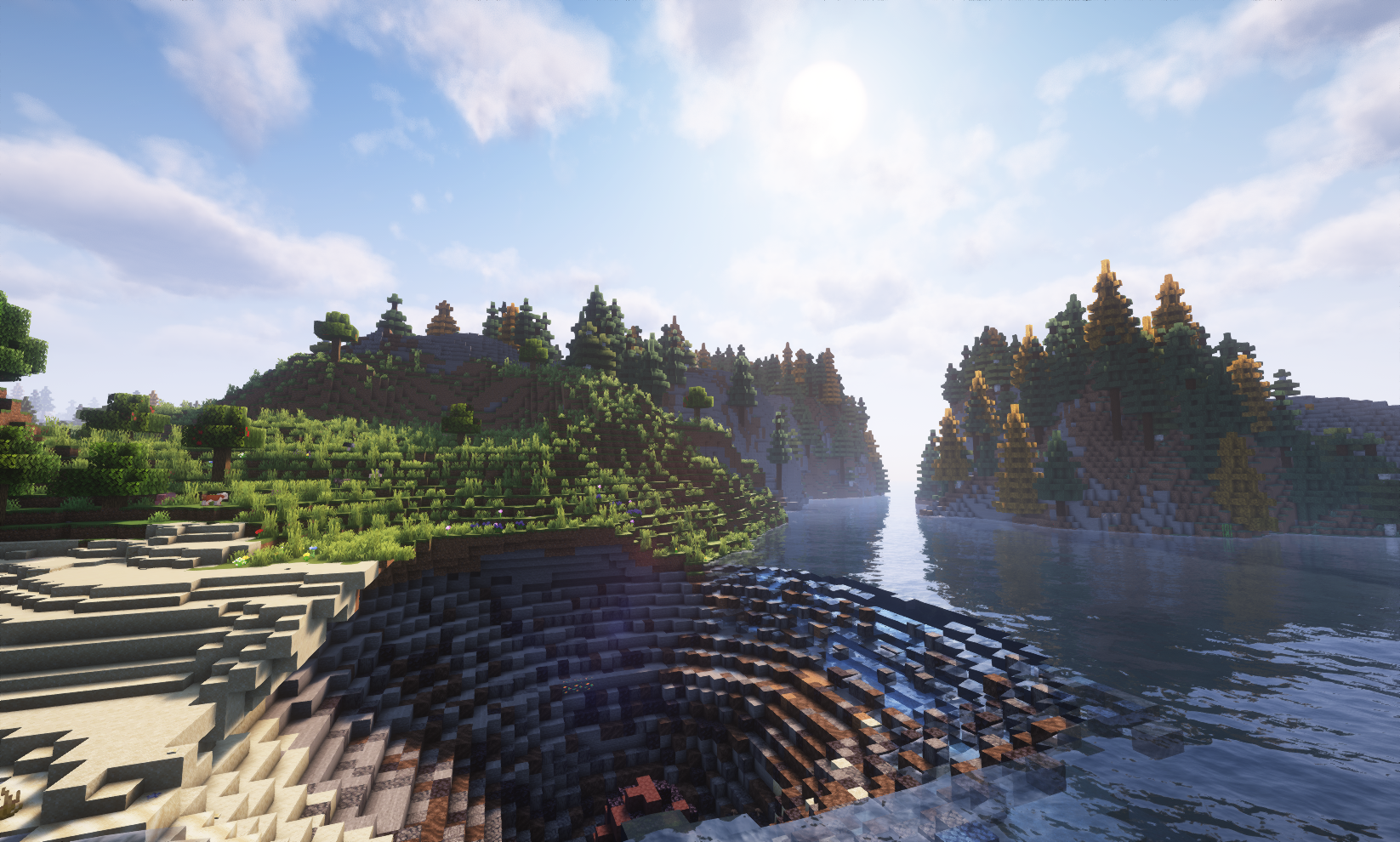
RahfiPack is a modpack bringing you everything from new biomes and dimensions to explore to bosses to fight. It also includes technological mods like Create(and a bunch of addons for it), letting you eventually automate yourself out of playing the game entirely and Ad Astra, which lets you explore other planets.
Performance
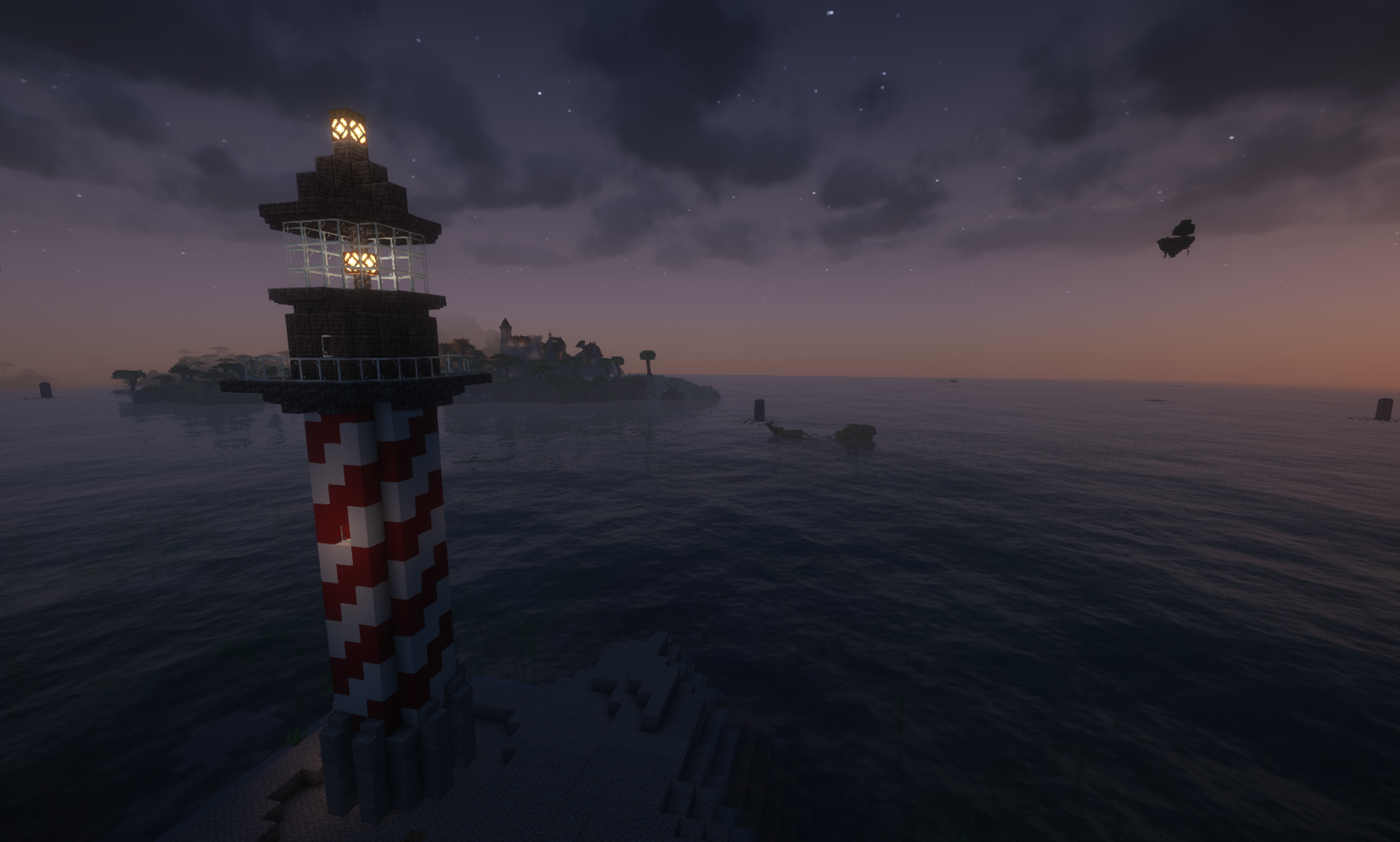
We've included lots of mods making the experience a bit less demanding but we do still recommend at least 6GB of ram if you're planning on playing on a server or closer to 8GB if you're more of a solo player.
If you happen to have a beefy PC we've included two versions of the Complementary Shaders for you to use. Complementary - Reimagined, a shader that tries to improve on Minecraft's looks without differing too much from the original style and Complementary - Unbound, which does the same only without limiting itself to the style of the vanilla game.
This modpack is still in its early stages so expect that mods may be added or removed at some point
Full mod list
- Almost Unified
- AppleSkin
- Better Advancements
- Better Combat
- Block Runner
- Carry On
- Chat Heads
- Controlling
- Double Doors
- EMI
- Enchantment Descriptions
- FallingTree
- Inventory Sorting
- Jade 🔍
- Jade Addons (Fabric)
- JourneyMap
- Keybind Fix
- LuckPerms
- Mouse Tweaks
- Polymorph
- RightClickHarvest
- Smarter Farmers (farmers replant)
- Traveler's Backpack
- Universal Graves
- VanitySlots
- Waystones
- Your Options Shall Be Respected (YOSBR)
- Brewin' And Chewin' [Fabric]
- Chef's Delight
- Crate Delight - Farmer's Delight
- Delightful Creators [Fabric]
- End's Delight
- Expanded Delight
- Farmer's Delight Refabricated
- Farmer's Knives [Fabric]
- Festive Delight
- Fright's Delight
- More Delight - Farmer's Delight
- Nether's Delight
- Ocean's Delight
- Storage Delight - Farmer's Delight
- Chipped
- Comforts
- EnderChests
- Every Compat (Wood Good)
- Extended Drawers
- Handcrafted
- Iron Chests: Restocked
- Macaw's Bridges
- Macaw's Doors
- Macaw's Fences and Walls
- Macaw's Furniture
- Macaw's Holidays
- Macaw's Lights and Lamps
- Macaw's Paintings
- Macaw's Paths and Pavings
- Macaw's Trapdoors
- Macaw's Windows
- MmmMmmMmmMmm
- Rechiseled
- Rechiseled: Create
- Snowy Spirit
- Windchimes
- Winterly
- YUNG's Better Desert Temples
- Additional Structures
- BetterEnd
- BetterNether
- ChoiceTheorem's Overhauled Village
- CTOV - Chef's delight Compat
- Deeper and Darker
- Dungeons and Taverns
- Explorations
- Explorify
- Fabric Seasons
- Fabric Seasons: Delight Compat
- Fabric Seasons: Extras
- Fabric Seasons: Terralith Compat
- Friends&Foes - Beekeeper Hut (Fabric/Quilt)
- Galosphere
- Philips Ruins
- Terralith
- The Bumblezone - Quilt/Fabric
- Towns and Towers
- Villager Names
- VillagersPlus
- YUNG's API
- YUNG's Better Dungeons
- YUNG's Better End Island
- YUNG's Better Jungle Temples
- YUNG's Better Mineshafts
- YUNG's Better Nether Fortresses
- YUNG's Better Ocean Monuments
- YUNG's Better Strongholds
- YUNG's Better Witch Huts
- YUNG's Bridges
- YUNG's Extras
- [EMF] Entity Model Features
- [ETF] Entity Texture Features
- 3D Skin Layers
- AmbientSounds
- Blur+ (Fabric)
- Borderless Mining
- BSL Shaders
- Complementary Shaders - Reimagined
- Complementary Shaders - Unbound
- Continuity
- Falling Leaves
- Indium
- Iris Shaders
- Not Enough Animations
- Presence Footsteps
- Traveler's Titles
- Architectury API
- Athena
- AutoTag
- BCLib
- bendy-lib
- Bookshelf
- Botarium
- Cardinal Components API
- Cloth Config API
- Collective
- Common Network
- Cristel Lib
- Fabric API
- Fabric Language Kotlin
- Forge Config API Port
- Fusion (Connected Textures)
- Geckolib
- Iceberg
- JamLib
- LibZ
- Lithostitched
- MidnightLib
- Mod Menu
- Moonlight Lib
- Patchouli
- playerAnimator
- Puzzles Lib
- Ranged Weapon API
- Resourceful Config
- Resourceful Lib
- Runes
- Searchables
- ShetiPhianCore
- Spell Power Attributes
- Structure Pool API
- SuperMartijn642's Config Lib
- SuperMartijn642's Core Lib
- Text Placeholder API
- Trinkets
- YetAnotherConfigLib
- Bosses of Mass Destruction
- Creeper Overhaul
- Creeper Overhaul
- Ender Dragon Fight Remastered
- Friends&Foes - Flowery Mooblooms (Fabric/Quilt)
- Friends&Foes (Fabric/Quilt)
- More Mob Variants
- Naturalist
- Enhanced Block Entities
- Entity Culling
- FerriteCore
- ImmediatelyFast
- Krypton
- Lithium
- Memory Leak Fix
- ModernFix
- Sodium
- Ad Astra
- Ad-Astra: Giselle Addon
- Create Big Cannons
- Create Crafts & Additions
- Create Fabric
- Create Goggles
- Create Jetpack
- Create Ore Excavation
- Create Slice & Dice
- Create Utilities
- Create: Diesel Generators [Fabric]
- Create: Extended Cogwheels
- Create: Steam 'n' Rails
- Create: Structures
- Small Ships
- Archers (RPG Series)
- Artifacts
- DragonLoot
- Epic Knights: Shields Armor and Weapons
- Icarus
- Jewelry (RPG Series)
- Knaves' Needs
- MC Dungeons Armors
- MC Dungeons Weapons
- Nyf's Quivers
- Paladins & Priests (RPG Series)
- Rogues & Warriors (RPG Series)
- Simply Swords
- Spellblades and Such
- TieredZ
- Wizards (RPG Series)
Available Versions
How to Set Up a RahfiPack Server
Order Server
Choose at least 6 GB RAM (8 GB recommended for RahfiPack). Based on player count: per 5 players.
Install Modpack in Dashboard
Open the modpack browser in the dashboard, search for "RahfiPack" and click "Install". The fabric loader and Minecraft 1.20.1 are configured automatically.
Start Server & Play
Start the server – all mods are loaded automatically. Share the server IP with friends and play together!
Frequently Asked Questions
RahfiPack server crashes or won't start – what to do?
Most common causes: insufficient RAM or wrong fabric loader. Check latest.log for "OutOfMemoryError" → increase RAM to at least 8 GB. For "Mixin" or "ClassNotFoundException" errors: modpack version and loader don't match. With Mado Hosting, loader and Minecraft version are auto-configured on modpack install – preventing most startup issues.
How much RAM does a RahfiPack server really need?
Minimum 6 GB, recommended 8 GB for stable performance. per 5 players. Important: Minecraft modpacks need more RAM than vanilla – plan extra per additional player. With Mado Hosting, you can scale RAM up live at any time without data loss (from €12/month).
Can I add custom mods to RahfiPack without conflicts?
Yes, but check compatibility: only use mods for the same loader (fabric) and same Minecraft version (1.20.1). Common issues: ID conflicts with recipe mods and incompatible coremod versions. The Mado dashboard mod browser only shows compatible mods and warns about known conflicts.
RahfiPack server lagging – performance tips
1) Increase RAM to 8 GB+. 2) Reduce server view-distance to 8 (server.properties). 3) Pre-generate chunks with the "Chunky" plugin. 4) Use /spark profiler to check which mods consume the most tick time. With Mado Hosting, all servers run on NVMe SSDs with dedicated CPU cores – eliminating hardware as a bottleneck.
Similar Modpacks
![Cobblemon Official Modpack [Fabric]](https://cdn.modrinth.com/data/5FFgwNNP/e7f9ee2e9d361623847853fe2ddce42f519ee64f.png)
![COBBLEVERSE - Pokemon Adventure [Cobblemon]](https://cdn.modrinth.com/data/Jkb29YJU/581ecf54530972afb18a04660afd820f2f24f6c7.png)
![Better MC [FABRIC] - BMC2](https://cdn.modrinth.com/data/shFhR8Vx/a19c2bcb51d38f32f138d3607e91cb2b7b8e387f_96.webp)


![Better MC [FORGE] - BMC4](https://cdn.modrinth.com/data/4BV47HRn/7f5ef7cc61b2593609aabef3ed07a866a4f11b73_96.webp)
Rent RahfiPack Server
Start your own server with automatic modpack installation.
Supported Versions
Start your RahfiPack Server now
From €12.00/month with 8 GB RAM for the best performance.
Configure Server →