
RandomCraft
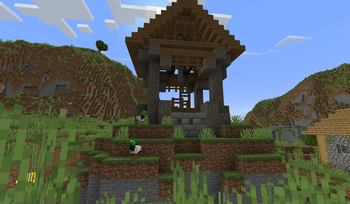
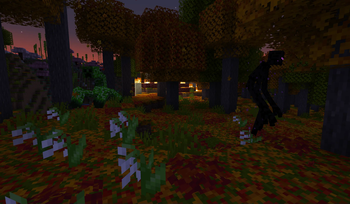
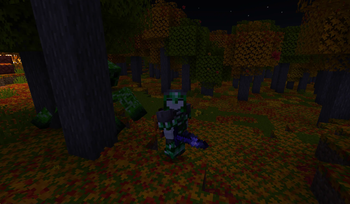
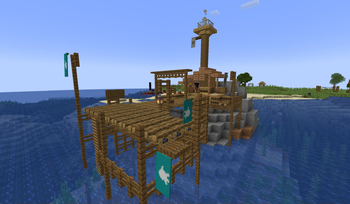
variety of mods, focusing on magic, adventure and better pc performance
Screenshots
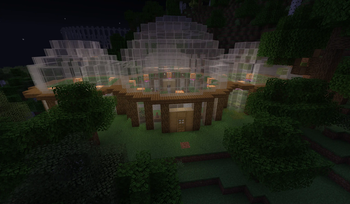
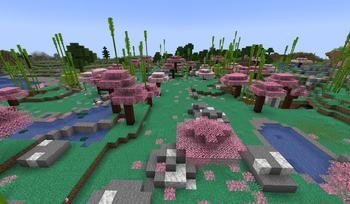
About this Modpack
RandomCraft
Welcome, fellow adventurers!
Get ready to experience a world of magic, exploration, and exciting new features, all designed to enhance your gameplay.
Let's dive in and discover the enchanting mods that await you!
Embrace the Magic
Immerse yourself in the mystical arts with the Bewitchment mod.
Learn powerful spells, wield magical wands, and encounter ancient creatures as you explore the world of witchcraft.
A Feast Awaits
Indulge in a delightful variety of foods, wines, and beverages from mods like Farmer's Delight, Let's do: Candlelight, Let's do: Vinery, and Culinairy.
Savor the tastes of a rich culinary world, adding depth to your Minecraft experience.
Soar the Skies
Take to the skies with immersive aircraft from the mod "Immersive Aircraft."
Experience the thrill of flying and exploring your world from a whole new perspective.
Random Fun
Our modpack includes a selection of random mods that add unexpected twists and surprises to your adventures.
Prepare for the unexpected and let the randomness add excitement to your gameplay.
Music to Your Ears
Enjoy a custom music experience with the "iammusicplayer" mod.
Access music from Y0uT?b3 using cassettes and personalize your Minecraft soundtrack like never before.
Uncover the Past
Dive into the world of archeology with the "Better Archeology" mod.
Discover ancient artifacts, fossils, and lost civilizations buried within the Minecraft world.
Slide 9: Masterful Combat - Better Combat
Engage in thrilling battles with the "Better Combat" mod
Experience a revamped combat system, bringing more depth and strategy to your fights.
Quality of Life Mods
We've included several quality of life mods to enhance your overall Minecraft experience.
These mods streamline gameplay, improve performance, and add convenience to your adventures.
Installation and Compatibility
Installing our modpack is easy, with step-by-step instructions provided.
Rest assured, our modpack is designed for compatibility across various systems.
Conclusion
Our Minecraft Modpack for version 1.20.1 offers an enchanting experience, full of magic, exploration, and culinary delights.
Embark on thrilling adventures, soar the skies, and uncover the secrets of the past.
Download the pack now and immerse yourself in a world of wonder and excitement!
Q&A
Feel free to ask any questions about our modpack and its fascinating features.
Available Versions
How to Set Up a RandomCraft Server
Order Server
Choose at least 6 GB RAM (8 GB recommended for RandomCraft). Based on player count: per 5 players.
Install Modpack in Dashboard
Open the modpack browser in the dashboard, search for "RandomCraft" and click "Install". The fabric loader and Minecraft 1.20.1 are configured automatically.
Start Server & Play
Start the server – all mods are loaded automatically. Share the server IP with friends and play together!
Frequently Asked Questions
RandomCraft server crashes or won't start – what to do?
Most common causes: insufficient RAM or wrong fabric loader. Check latest.log for "OutOfMemoryError" → increase RAM to at least 8 GB. For "Mixin" or "ClassNotFoundException" errors: modpack version and loader don't match. With Mado Hosting, loader and Minecraft version are auto-configured on modpack install – preventing most startup issues.
How much RAM does a RandomCraft server really need?
Minimum 6 GB, recommended 8 GB for stable performance. per 5 players. Important: Minecraft modpacks need more RAM than vanilla – plan extra per additional player. With Mado Hosting, you can scale RAM up live at any time without data loss (from €12/month).
Can I add custom mods to RandomCraft without conflicts?
Yes, but check compatibility: only use mods for the same loader (fabric) and same Minecraft version (1.20.1). Common issues: ID conflicts with recipe mods and incompatible coremod versions. The Mado dashboard mod browser only shows compatible mods and warns about known conflicts.
RandomCraft server lagging – performance tips
1) Increase RAM to 8 GB+. 2) Reduce server view-distance to 8 (server.properties). 3) Pre-generate chunks with the "Chunky" plugin. 4) Use /spark profiler to check which mods consume the most tick time. With Mado Hosting, all servers run on NVMe SSDs with dedicated CPU cores – eliminating hardware as a bottleneck.
Similar Modpacks
![Cobblemon Official Modpack [Fabric]](https://cdn.modrinth.com/data/5FFgwNNP/e7f9ee2e9d361623847853fe2ddce42f519ee64f.png)
![COBBLEVERSE - Pokemon Adventure [Cobblemon]](https://cdn.modrinth.com/data/Jkb29YJU/581ecf54530972afb18a04660afd820f2f24f6c7.png)
![Better MC [FABRIC] - BMC2](https://cdn.modrinth.com/data/shFhR8Vx/a19c2bcb51d38f32f138d3607e91cb2b7b8e387f_96.webp)


![Better MC [FORGE] - BMC4](https://cdn.modrinth.com/data/4BV47HRn/7f5ef7cc61b2593609aabef3ed07a866a4f11b73_96.webp)
Rent RandomCraft Server
Start your own server with automatic modpack installation.
Details
- License
- LicenseRef-All-Rights-Reserved
- Server-side
- Required
- Client-side
- Required
Supported Versions
Start your RandomCraft Server now
From €12.00/month with 8 GB RAM for the best performance.
Configure Server →