
Rats Harvests
Automation and building-focused modpack with machines, food, and more — featuring Rats!
Screenshots
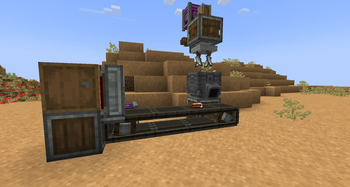


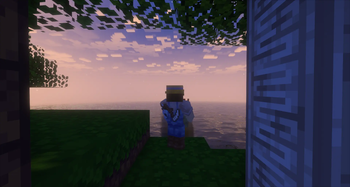

About this Modpack
Ratos e Receitas!

Br
Um modpack cheio de exploração, farms, aldeões, comida e o mais importante... RAT— pera, RATOS??? 🐀💨
Sim! Um modpack onde os verdadeiros heróis são os ratos!
Use suas criaturinhas fofas (e levemente caóticas) para automatizar fazendas, cozinhas e fábricas com Create e outros mods incríveis.
Construa seu império dos queijos, sirva pratos automáticos e prove que os ratos são os melhores trabalhadores do Minecraft! 🧀✨
⚙️ Aviso: esse modpack pode ser meio pesado — recomendo pelo menos 10 GB de RAM pra não fritar o seu PC (deixe isso pros ratos da cozinha).
English
A modpack full of exploration, farming, villagers, food, and most importantly... RAT— wait, RATS??? 🐀💥
That’s right! A modpack where the true heroes are the rats!
Use your tiny (and slightly chaotic) friends to automate farms, kitchens, and factories with Create and tons of other awesome mods.
Build your cheese empire, serve automated dishes, and prove that rats are the real workforce of Minecraft! 🧀✨
⚙️ Note: This modpack can be a bit heavy — I recommend at least 10 GB of RAM (don’t worry, the rats will handle the overheating).

Don’t miss out—check my YouTube channel!
Available Versions
How to Set Up a Rats Harvests Server
Order Server
Choose at least 6 GB RAM (8 GB recommended for Rats Harvests). Based on player count: per 5 players.
Install Modpack in Dashboard
Open the modpack browser in the dashboard, search for "Rats Harvests" and click "Install". The forge loader and Minecraft 1.20.1 are configured automatically.
Start Server & Play
Start the server – all mods are loaded automatically. Share the server IP with friends and play together!
Frequently Asked Questions
Rats Harvests server crashes or won't start – what to do?
Most common causes: insufficient RAM or wrong forge loader. Check latest.log for "OutOfMemoryError" → increase RAM to at least 8 GB. For "Mixin" or "ClassNotFoundException" errors: modpack version and loader don't match. With Mado Hosting, loader and Minecraft version are auto-configured on modpack install – preventing most startup issues.
How much RAM does a Rats Harvests server really need?
Minimum 6 GB, recommended 8 GB for stable performance. per 5 players. Important: Minecraft modpacks need more RAM than vanilla – plan extra per additional player. With Mado Hosting, you can scale RAM up live at any time without data loss (from €12/month).
Can I add custom mods to Rats Harvests without conflicts?
Yes, but check compatibility: only use mods for the same loader (forge) and same Minecraft version (1.20.1). Common issues: ID conflicts with recipe mods and incompatible coremod versions. The Mado dashboard mod browser only shows compatible mods and warns about known conflicts.
Rats Harvests server lagging – performance tips
1) Increase RAM to 8 GB+. 2) Reduce server view-distance to 8 (server.properties). 3) Pre-generate chunks with the "Chunky" plugin. 4) Use /spark profiler to check which mods consume the most tick time. With Mado Hosting, all servers run on NVMe SSDs with dedicated CPU cores – eliminating hardware as a bottleneck.
Rent Rats Harvests Server
Start your own server with automatic modpack installation.
Details
- License
- Creative Commons Attribution Non Commercial No Derivatives 4.0 International
- Server-side
- Required
- Client-side
- Required
Supported Versions
Start your Rats Harvests Server now
From €12.00/month with 8 GB RAM for the best performance.
Configure Server →