
Vanilla Experience
This is a vanilla modpack that improves the experience of the original game! This modpack is made for fans of the classic game
Screenshots

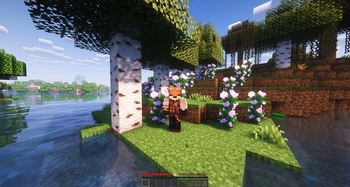
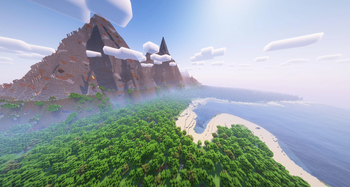
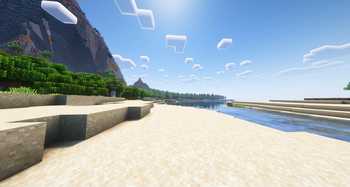
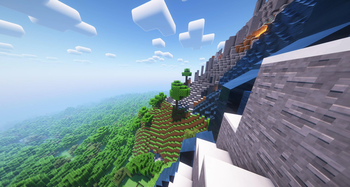
About this Modpack
Vanilla Experience
Русский
Это ванильная сборка, которая улучшает впечатления от оригинальной игры!
Эта сборка создана для любителей классической игры, и в ней нет модов которые слишком сильно меняют оригинальную игру. Если вы хотите поддержать меня, вы можете сделать это задонатив по ссылке ниже
ВАЖНО:
В этом модпаке используется Nvidium, поэтому убедитесь, что у вас есть видеокарта от Nvidia, выпущенная в 2018 году или позже. Если у вас видеокарта от AMD или ваша видеокарта (от Nvidia) выпущена до 2018 года, вы можете отключить мод в настройках графики.
Автор: Benji
English
This is a vanilla modpack that improves the experience of the original game!
This modpack is made for fans of the classic game, and it doesn't have mods that change the game too much. If you want to support me you can donate in the link down below
IMPORTANT:
This modpack uses Nvidium so make sure that you have an graphics card by Nvidia that came out in 2018 or later. If you have an AMD card or your graphics card (by Nvidia) came before 2018 you can disable the mod in the video settings.
Created by: Benji
Links to the original pages:
Mods list
| Mods | ||
|---|---|---|
| 3D Skin Layers | BetterF3 | CIT Resewn |
| AppleSkin | Biome Particle Weather | Chat Animation |
| Architectury (API) | Blur (Fabric) | ClickThrough |
| Armor Trim Item Fix | Bobby | Cloth Config API |
| More Mods | ||
|---|---|---|
| Draggable Lists | Explosive Enhancement | Forge Config API Port |
| Eating Animation | Fabric API | Iris Shaders |
| Emotecraft | Fabric Language Kotlin | MaLiLib |
| Enchanted ToolTips | Falling Leaves | Mod Menu |
| More Mods | ||
|---|---|---|
| Model Gap Fix | Plasmo Voice | ReplayMod |
| Not Enough Animations | Presence Footsteps | Screenshot Viewer |
| Nvidium | Prism | Screenshot to Clipboard |
| Ok Boomer | Puzzles Lib | Shared Resources |
| More Mods | ||
|---|---|---|
| Show Me Your Skin! | Sound Physics Remastered | Vanilla Notebook |
| SkinShuffle | Status Effect Bars | Visuality |
| Smooth Swapping | Symbol Chat | Wakes |
| Sodium | Center-aligned column | ToolTipFix |
| More mods | ||
|---|---|---|
| Why Does My Glass Sound Like That | oωo (owo-lib) | |
| EMF | Chunks fade in | |
| ETF | ||
| libIPN |
Resource packs list
| Resource packs | ||
|---|---|---|
| Frog Totem | Axolotl Bucket Variants | Deafult Dark Mode |
| Fresh Animations | Pixlli | |
| Fresh Animations Extensions | Mossy Totem | |
| Vanilla Tweaks | Totem Of Fox |
Shaders List
| Shaders | ||
|---|---|---|
| BSL | ||
| Complementary Reimagined | ||
| Complementary Shaders | ||
If you want to support me you can donate below
Available Versions
How to Set Up a Vanilla Experience Server
Order Server
Choose at least 6 GB RAM (8 GB recommended for Vanilla Experience). Based on player count: per 5 players.
Install Modpack in Dashboard
Open the modpack browser in the dashboard, search for "Vanilla Experience" and click "Install". The fabric loader and Minecraft 1.20.4 are configured automatically.
Start Server & Play
Start the server – all mods are loaded automatically. Share the server IP with friends and play together!
Frequently Asked Questions
Vanilla Experience server crashes or won't start – what to do?
Most common causes: insufficient RAM or wrong fabric loader. Check latest.log for "OutOfMemoryError" → increase RAM to at least 8 GB. For "Mixin" or "ClassNotFoundException" errors: modpack version and loader don't match. With Mado Hosting, loader and Minecraft version are auto-configured on modpack install – preventing most startup issues.
How much RAM does a Vanilla Experience server really need?
Minimum 6 GB, recommended 8 GB for stable performance. per 5 players. Important: Minecraft modpacks need more RAM than vanilla – plan extra per additional player. With Mado Hosting, you can scale RAM up live at any time without data loss (from €12/month).
Can I add custom mods to Vanilla Experience without conflicts?
Yes, but check compatibility: only use mods for the same loader (fabric) and same Minecraft version (1.20.4). Common issues: ID conflicts with recipe mods and incompatible coremod versions. The Mado dashboard mod browser only shows compatible mods and warns about known conflicts.
Vanilla Experience server lagging – performance tips
1) Increase RAM to 8 GB+. 2) Reduce server view-distance to 8 (server.properties). 3) Pre-generate chunks with the "Chunky" plugin. 4) Use /spark profiler to check which mods consume the most tick time. With Mado Hosting, all servers run on NVMe SSDs with dedicated CPU cores – eliminating hardware as a bottleneck.
Similar Modpacks
![Cobblemon Official Modpack [Fabric]](https://cdn.modrinth.com/data/5FFgwNNP/e7f9ee2e9d361623847853fe2ddce42f519ee64f.png)
![COBBLEVERSE - Pokemon Adventure [Cobblemon]](https://cdn.modrinth.com/data/Jkb29YJU/581ecf54530972afb18a04660afd820f2f24f6c7.png)
![Better MC [FABRIC] - BMC2](https://cdn.modrinth.com/data/shFhR8Vx/a19c2bcb51d38f32f138d3607e91cb2b7b8e387f_96.webp)


![Better MC [FORGE] - BMC4](https://cdn.modrinth.com/data/4BV47HRn/7f5ef7cc61b2593609aabef3ed07a866a4f11b73_96.webp)
Rent Vanilla Experience Server
Start your own server with automatic modpack installation.
Details
- License
- LicenseRef-All-Rights-Reserved
- Server-side
- Unsupported
- Client-side
- Required
Supported Versions
Start your Vanilla Experience Server now
From €12.00/month with 8 GB RAM for the best performance.
Configure Server →