
RealCraft
An improved, realistic Minecraft.
Screenshots
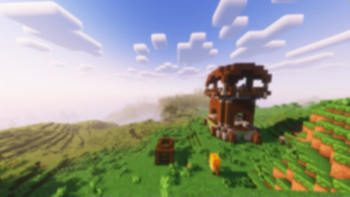
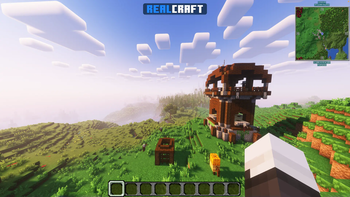
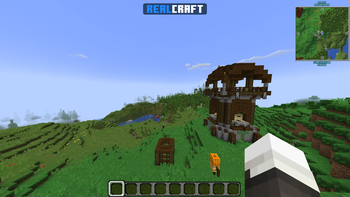
About this Modpack
⛏️ RealCraft
A mod-pack which aims to improve Minecraft by adding several quality-of-life mods and other additions to the game - the Essential mod is also added by default so you can instantly start playing with your friends, without any custom set-up, and with working voice chat.
🖥️ Installation Guide
Note: These are just recommended steps - of course, there are other methods of installing this.
1. Install the Modrinth App
Get the Modrinth App and ensure it's installed.
2. Login to your Microsoft Account
Ensure that you are logged in, add your Microsoft Account from the top-left menu on the application.
3. Install RealCraft
Click the search icon on the sidebar, make sure the Modpacks tab is selected, and search for "RealCraft"; once you find it, press Install.
4. Launch RealCraft
Click on the books icon on the sidebar, and you can see if the mod-pack is available; once it is, you may launch it and start playing.
⌨️ In-Game Key Binds
See All Key Binds
Movement
- Space Jump
- Left Control Sneak
- Left Shift Sprint
- W Walk Forwards
- S Walk Backwards
- A Strafe Left
- D Strafe Right
Gameplay
- Left Mouse Button Attack/Destroy
- Right Mouse Button Use Item/Place Block
- Middle Mouse Button Pick Block
Inventory
- G Drop Selected Item
- 1-9 Switch Hotbar Slot
- E Toggle Inventory
- F Swap Item With Offhand
Multiplayer
- Tab List Players
- T Open Chat
- / Open Command
Miscellaneous
- L Advancements
- F2 Take Screenshot
- V Toggle First/Third Person
JourneyMap
- Z Create Waypoint
- X Waypoint Manager
- M Toggle Fullscreen Map
- B Toggle Mini Map
Voice Chat
- H Voice Chat GUI
- J Mute Microphone
Iris
- N Toggle Shaders
Essential
- C Zoom
- P Open Friends GUI
- Q Open Emote Wheel
- I Screenshot Manager
⚡ Want something lighter?
Try LiteCraft, a vanilla mod-pack primarily focused on improving your performance.
Available Versions
How to Set Up a RealCraft Server
Order Server
Choose at least 6 GB RAM (8 GB recommended for RealCraft). Based on player count: per 5 players.
Install Modpack in Dashboard
Open the modpack browser in the dashboard, search for "RealCraft" and click "Install". The fabric loader and Minecraft 1.21.1 are configured automatically.
Start Server & Play
Start the server – all mods are loaded automatically. Share the server IP with friends and play together!
Frequently Asked Questions
RealCraft server crashes or won't start – what to do?
Most common causes: insufficient RAM or wrong fabric loader. Check latest.log for "OutOfMemoryError" → increase RAM to at least 8 GB. For "Mixin" or "ClassNotFoundException" errors: modpack version and loader don't match. With Mado Hosting, loader and Minecraft version are auto-configured on modpack install – preventing most startup issues.
How much RAM does a RealCraft server really need?
Minimum 6 GB, recommended 8 GB for stable performance. per 5 players. Important: Minecraft modpacks need more RAM than vanilla – plan extra per additional player. With Mado Hosting, you can scale RAM up live at any time without data loss (from €12/month).
Can I add custom mods to RealCraft without conflicts?
Yes, but check compatibility: only use mods for the same loader (fabric) and same Minecraft version (1.21.1). Common issues: ID conflicts with recipe mods and incompatible coremod versions. The Mado dashboard mod browser only shows compatible mods and warns about known conflicts.
RealCraft server lagging – performance tips
1) Increase RAM to 8 GB+. 2) Reduce server view-distance to 8 (server.properties). 3) Pre-generate chunks with the "Chunky" plugin. 4) Use /spark profiler to check which mods consume the most tick time. With Mado Hosting, all servers run on NVMe SSDs with dedicated CPU cores – eliminating hardware as a bottleneck.
Similar Modpacks
![Cobblemon Official Modpack [Fabric]](https://cdn.modrinth.com/data/5FFgwNNP/e7f9ee2e9d361623847853fe2ddce42f519ee64f.png)
![COBBLEVERSE - Pokemon Adventure [Cobblemon]](https://cdn.modrinth.com/data/Jkb29YJU/581ecf54530972afb18a04660afd820f2f24f6c7.png)
![Better MC [FABRIC] - BMC2](https://cdn.modrinth.com/data/shFhR8Vx/a19c2bcb51d38f32f138d3607e91cb2b7b8e387f_96.webp)


![Better MC [FORGE] - BMC4](https://cdn.modrinth.com/data/4BV47HRn/7f5ef7cc61b2593609aabef3ed07a866a4f11b73_96.webp)
Rent RealCraft Server
Start your own server with automatic modpack installation.
Supported Versions
Start your RealCraft Server now
From €12.00/month with 8 GB RAM for the best performance.
Configure Server →