
ReBacked
Fancy Minecraft is back! Transforms your Minecraft by adding more new contents, performance, more elements, more actions.
Screenshots

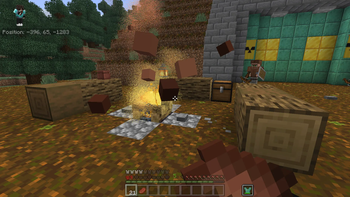
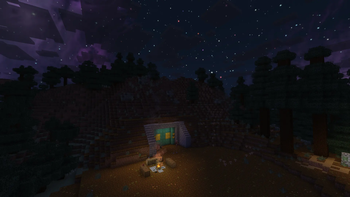
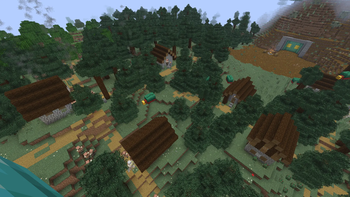
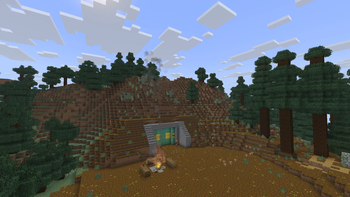
About this Modpack
🥳Welcome🥳
Fancy Minecraft is back! This modpack transforms Minecraft into the most powerful, most beautiful graphic, most useuful elememts, great contents. This modpack also makes the game much easier for beginners, but at least it stills add some hard challenge for people who is interested this modpack.
——————————————————————————————————————————————————————
🌟Why you should try this modpack🌟
Because this modpack is attempting to optimize your game in the most modern way. If you're a beginners of Minecraft, this modpack makes the game much easier, but this modpack also adds a lot of challenges, in both Overworld and The End, so you can explore them without go far away.
——————————————————————————————————————————————————————
🗃️Which mod does this modpack include?🗃️
This modpack includes many of mods, more than 300 mods total! Include optimization mods, QOL (Quality-of-Life mods), PVP mods, world generation mods, adventure mods,...
🗃️Some mods included in this modpack (grouped)
a. ⚡Optimization mods:
- Sodium
- Sodium Extra
- Lithium
- ImmediatelyFast
- Cull Leaves
...
b. 🪟QOF mods:
- Continuity
- Instant Feedback
- AmbientSounds
- AppleSkin
- Accurate Block Placement Reborn
c. ⚔️PVP mods: (just one :))
- Do a Barrel Roll
d. 🏝️World Generation mods:
- Trek
- Revamped Shipwerks
- Nullscape
- Structory
- Towns and Towers
...
e. 📚Library mods:
- JamLib
- Resurceful Lib
- Fabric API
- CreativeCore
- YetAnotherConfigLib (YACL)
...
All mods can be found at the version page, in the Dependencies list.
All mods and resource packs that can be distributed through Modrinth are listed as Dependencies, and they will be downloaded automatically when you install the modpack.
——————————————————————————————————————————————————————
🧐Frequently Asked Questions🧐
Q. Why don't you update this modpack for newer minecraft versions? Why don't you backport this modpack for older Minecraft versions or port for other mod loaders?
A. Because this modpack is one-person made, and it also contains more than 300 mods, and some mods might not be up-to-date probably, example MordernFix, but luckily, there's a mod named ModernFix-mVUS solved this.
——————————————————————————————————————————————————————
Q. Can I fork this modpack for older Minecraft versions/newer Minecraft versions/snapshots/other mod loaders?
A. Yes, you can fork this modpack for older Minecraft versions/newer Minecraft versions/snapshots/other mod loaders, without asking me, but remember to leave a credit.
——————————————————————————————————————————————————————
Q. Which shaders is best for this modpack?
A. If you have a strong PC: Complementary Shaders - Reimagined.
If you have a VERY STRONG PC: Photon Shaders.
If you have a weak PC (low-end PC/Laptop): MakeUp - Ultra Fast. (version for 1.21.9 stills works fine in 1.21.10)
But shaders are optional, because they may cause lag on weak PCs/Laptops (Like me :))
——————————————————————————————————————————————————————
⚠️ATTENTION⚠️
a/ Compatibility
- This modpack just works for Minecraft Fabric 1.21.10 only!
- All devices will work with this modpack, but some devices may be sightly buggy, especially in old devices.
- This modpack is not compatible with operating systems other Microsoft Windows. That's mean MacOS can't work with this modpack.
- Existing worlds may not compatible with this modpack.
b/ ✨For the best experience, you must:✨
1/ 🗄️Download & install some mods/resource packs manually:
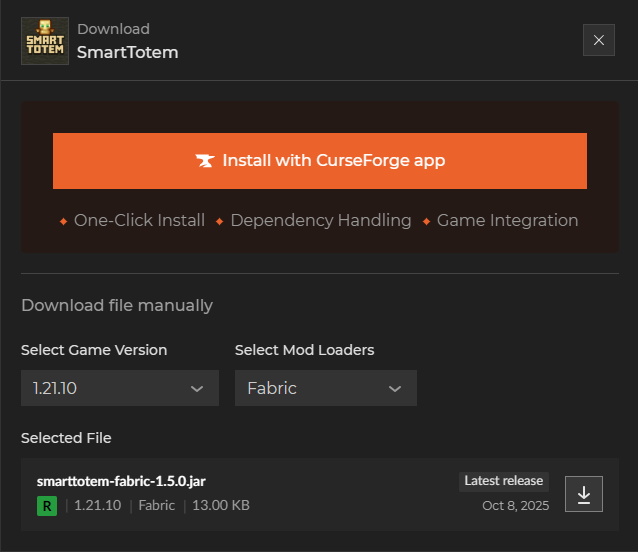
Four mods & one resource pack can't be included in the modpack's dependencies due to licensing restrictions. But you can download them manually.
🗃️Download & install these mods/resource packs manually🗃️ - PLEASE READ!
a. Mods
SmartTotem (CurseForge)
Physics Pro (Patreon)
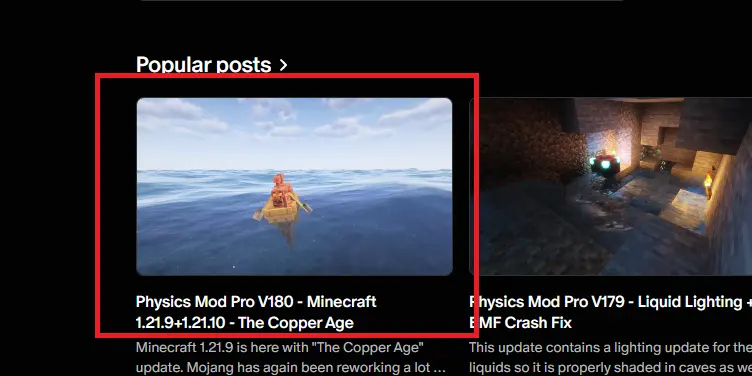
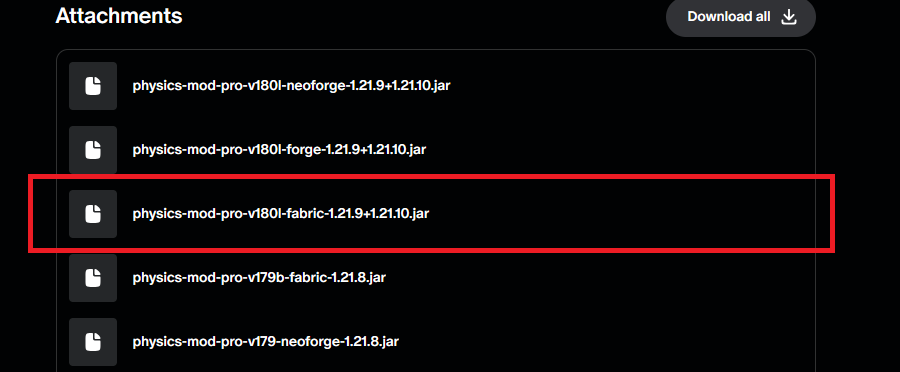
📝Note: to download Physics Pro, you must login to Haubna's Patreon.
b. Resource Packs
- Cleaner Water (Modrinth)
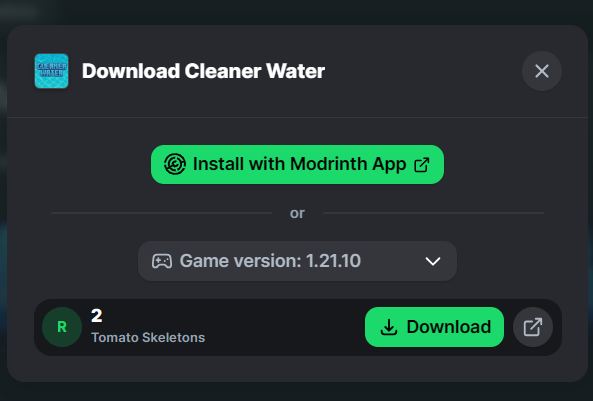
2/ 🗃️Mod configs:
I'm sorry, but I can't include the "config" folder in the modpack file, but you can download the pack by clicking here. Without it, you will lost many features, many FPS!
After downloading, extract the pack, read Instructions.txt to continue installing mod configs.
3/ 📁Resource Packs:
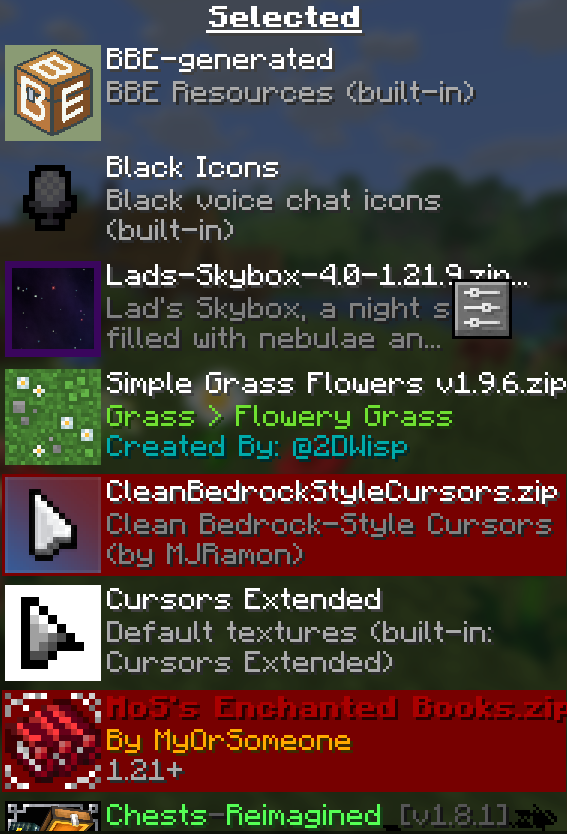
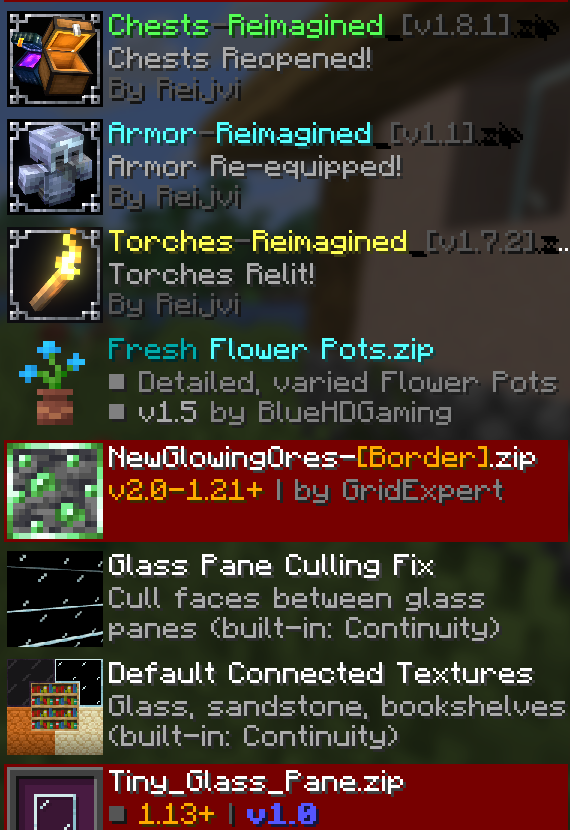
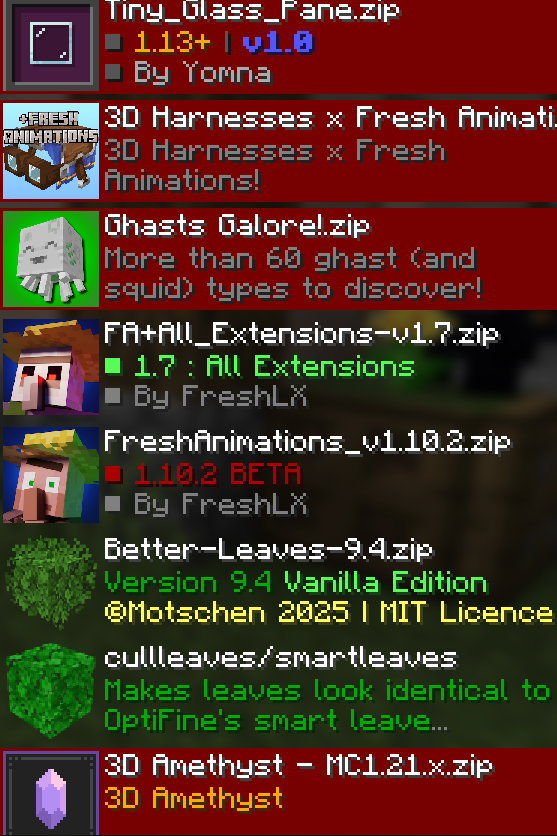
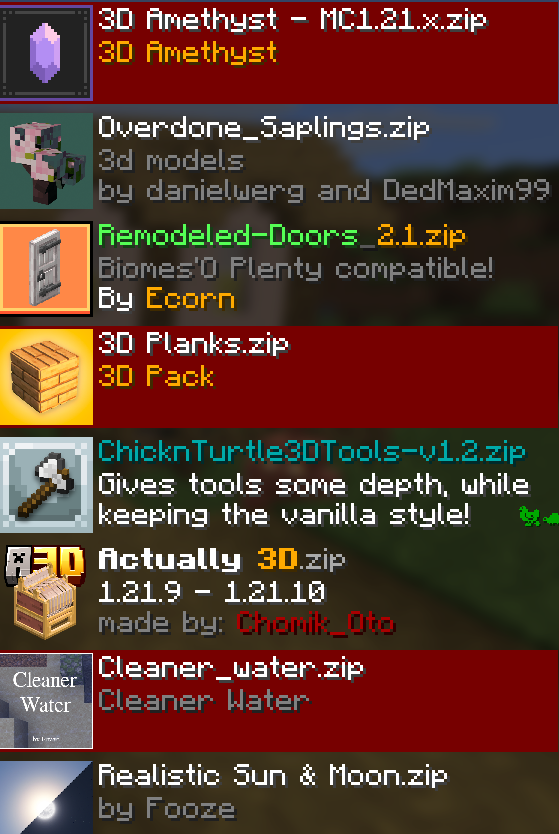
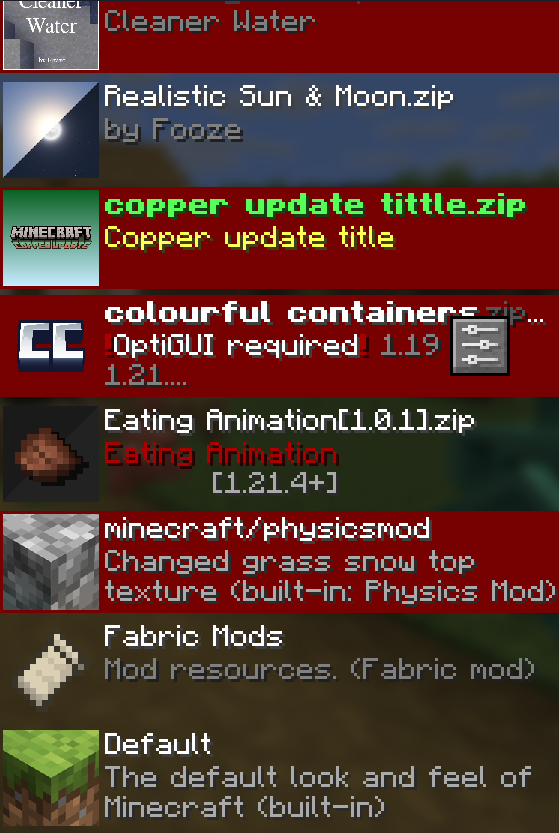
Resource packs are included in the modpack file, but after install, you need to sort them in Resource Pack options.
📂Resource packs load order📂
You need to sort these resource packs exactly like in these screenshots:
——————————————————————————————————————————————————————
🗣️Things I must say:
Special thanks to author of all the mods, all the resource packs included in dependencies in this modpack🤝!!! This is one-person made modpack, no corporation, no project website!
All mods and resource packs are listed as Dependencies, and they will be downloaded automatically when you install the modpack.
——————————————————————————————————————————————————————
😍I've tried so hard to collect every interesting mods from Modrinth, so I can't wait for you to try it!😊
From Tonie_KT
Available Versions
How to Set Up a ReBacked Server
Order Server
Choose at least 6 GB RAM (8 GB recommended for ReBacked). Based on player count: per 5 players.
Install Modpack in Dashboard
Open the modpack browser in the dashboard, search for "ReBacked" and click "Install". The fabric loader and Minecraft 1.21.10 are configured automatically.
Start Server & Play
Start the server – all mods are loaded automatically. Share the server IP with friends and play together!
Frequently Asked Questions
ReBacked server crashes or won't start – what to do?
Most common causes: insufficient RAM or wrong fabric loader. Check latest.log for "OutOfMemoryError" → increase RAM to at least 8 GB. For "Mixin" or "ClassNotFoundException" errors: modpack version and loader don't match. With Mado Hosting, loader and Minecraft version are auto-configured on modpack install – preventing most startup issues.
How much RAM does a ReBacked server really need?
Minimum 6 GB, recommended 8 GB for stable performance. per 5 players. Important: Minecraft modpacks need more RAM than vanilla – plan extra per additional player. With Mado Hosting, you can scale RAM up live at any time without data loss (from €12/month).
Can I add custom mods to ReBacked without conflicts?
Yes, but check compatibility: only use mods for the same loader (fabric) and same Minecraft version (1.21.10). Common issues: ID conflicts with recipe mods and incompatible coremod versions. The Mado dashboard mod browser only shows compatible mods and warns about known conflicts.
ReBacked server lagging – performance tips
1) Increase RAM to 8 GB+. 2) Reduce server view-distance to 8 (server.properties). 3) Pre-generate chunks with the "Chunky" plugin. 4) Use /spark profiler to check which mods consume the most tick time. With Mado Hosting, all servers run on NVMe SSDs with dedicated CPU cores – eliminating hardware as a bottleneck.
Similar Modpacks

![Better MC [FABRIC] - BMC2](https://cdn.modrinth.com/data/shFhR8Vx/a19c2bcb51d38f32f138d3607e91cb2b7b8e387f_96.webp)
![Better MC [FORGE] - BMC4](https://cdn.modrinth.com/data/4BV47HRn/7f5ef7cc61b2593609aabef3ed07a866a4f11b73_96.webp)


Rent ReBacked Server
Start your own server with automatic modpack installation.
Supported Versions
Start your ReBacked Server now
From €12.00/month with 8 GB RAM for the best performance.
Configure Server →