
Reinvented Craft
Improved all vanilla MINECRAFT aspects for better visual, sound and some gameplay experience.
Screenshots


About this Modpack


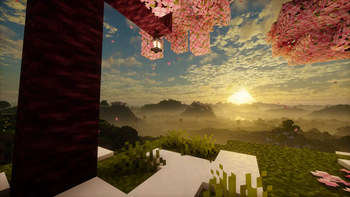
👋Hey everyone, my goal it will to create a perfect vanilla modpack, which make minecraft java look more beautiful, more pleasant, more optimized and more immersive, but at the same time not change the all main gameplay aspects of the game.
The biggest accent i was make in optimization, visual and sound improve of the game.
Modpack contain ≈100 mods, ≈20 resource packs and different shaders.
✨Some features:
- New 3d items:

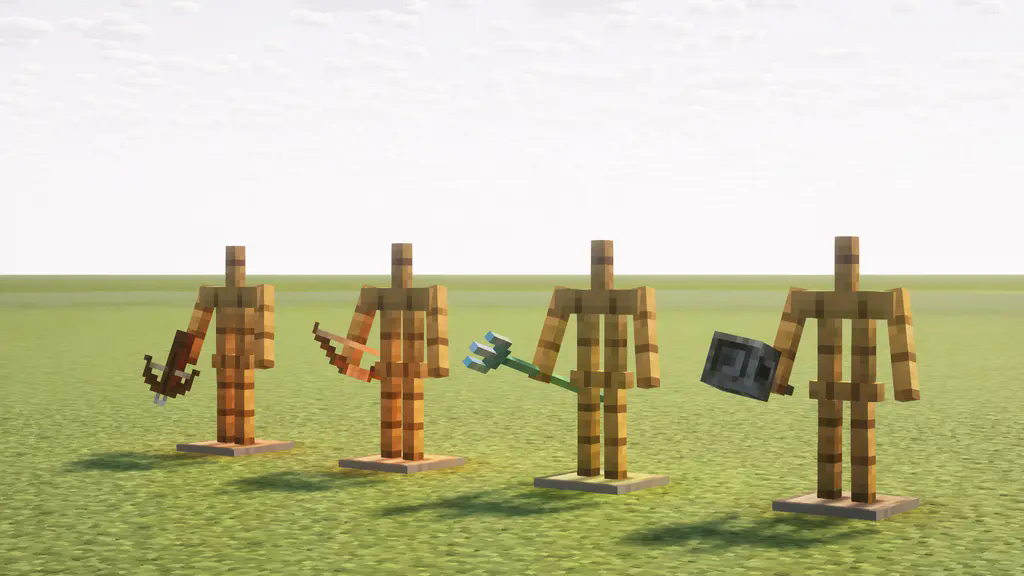

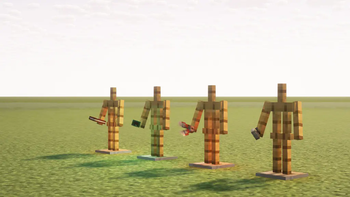
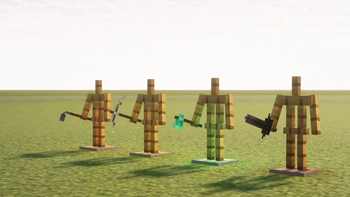
RP: 3D Tools and Utils.
- New 3st person camera and new immersive HUD:


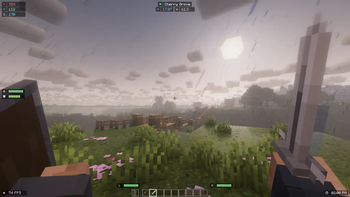
Mods: Shoulder Surfing Reloaded and StarHUD.
- New 1st person hand animations:


Mod: Hold My Items.
- New particle effects:


Mods: Fancy Block Particles - Renewed and Effectual.
- New 1st person camera animatins:


Mod: Camera Overhaul.
❗❗❗And many many more😁
📝Modpack include:
- MOD LIST:
🖼️Visual mods
- Distant Horizons
- Camera Overhaul
- Visuality
- YDM's Weapon Master
- Wavey Capes
- Vectorientation
- StarHUD
- Shoulder Surfing Reloaded
- Realistic Bees
- Particulate💦
- Not Enough Animations
- I See My Armored Hand
- Hold My Items
- Fancy Block Particles - Renewed
- Explosive Enhancement
- Effectual
- Clean F3
- Chat Animation [Smooth Chat]
- Chat Heads
- Better F1 Reborn
- AppleSkin
Better Statistics Screen - Blur+
- Dark Loading Screen
- ItemPhysic Lite
- Minecraft Cursor
- Smooth Scrolling
- Smooth Gui
- Tiny Item Animations
- World Play Time
- Continuity
- Particle Rain
- Visual Workbench
- Status Effect Timer
- Spawn Animations
- More Chat History
🎵Sound mods
⚙️Optimization mods
- Sodium
- Sodium Extra
- Reese's Sodium Options
- Sodium Extras
- Sodium Options API
- Sodium Shadowy Path Blocks
- Sodium Dynamic Lights
- Iris
- Nvidium
- Lithium
- Krypton
- BadOptimizations
- Chunky
- Concurrent Chunk Management Engine
- Cull Leaves
- Dynamic FPS
- Entity Culling
- FerriteCore
- GpuTape
- ImmediatelyFast
- Model Gap Fix
- More Culling
- Noisium
- Not Enough Crashes
- Particle Core
- ThreadTweak
- ThreatenGL
- Client Tweaks
⚒️Functional mods (change some gameplay aspects)
📚Additional, library and API mods
⚠️Incompatible or bad working with:
- Physics Mod (сauses the game crashes when paired with Rethinking Voxels)
- Wilder Wild (badly affects work Distant Horizons mod)
- RESOURCE AND SHADER PACK LIST:
Resource packs
- Betta Click Sound
- dronko's alternative Bushy Leaves
- Better Lanterns
- Detailed Animations Reworked
- Fresh Animations
- Enchant Icons Colorless
- Fancy Crops
- Fire Rekindled
- Rekindled CTM
- Low On Fire
- Remodeled Cactus
- SPBR
- SPBR-GrassParallax
- SPBR-Mirror
- SPBR-BlockEmission
- 3D Tools and Utils (Hold My Items version)
- Better Boats
- Remodeled Doors 3D
- Connected Paths
- Dynamic Surroundings Sounds Pack
- Cubic Sun & Moon
- Translations for Sodium
+ two more resource packs which will adding with Continuity mod and one more with Hold My Items mod
Shader packs
⚠️Incompatible or bad working with:
Resource packs:
- Vanilla Mashup (PBR)
- Nature X (causes the game crashes when paired with Particle Core)
Shader packs:
🔴All custom shaderpack's settings and presets installed together with modpack and locate in folder "shaderpacks settings" in game folder.
Available Versions
How to Set Up a Reinvented Craft Server
Order Server
Choose at least 4 GB RAM (6 GB recommended for Reinvented Craft). Based on player count: per 8 players.
Install Modpack in Dashboard
Open the modpack browser in the dashboard, search for "Reinvented Craft" and click "Install". The fabric loader and Minecraft 1.21.11 are configured automatically.
Start Server & Play
Start the server – all mods are loaded automatically. Share the server IP with friends and play together!
Frequently Asked Questions
Reinvented Craft server crashes or won't start – what to do?
Most common causes: insufficient RAM or wrong fabric loader. Check latest.log for "OutOfMemoryError" → increase RAM to at least 6 GB. For "Mixin" or "ClassNotFoundException" errors: modpack version and loader don't match. With Mado Hosting, loader and Minecraft version are auto-configured on modpack install – preventing most startup issues.
How much RAM does a Reinvented Craft server really need?
Minimum 4 GB, recommended 6 GB for stable performance. per 8 players. Important: Minecraft modpacks need more RAM than vanilla – plan extra per additional player. With Mado Hosting, you can scale RAM up live at any time without data loss (from €8/month).
Can I add custom mods to Reinvented Craft without conflicts?
Yes, but check compatibility: only use mods for the same loader (fabric) and same Minecraft version (1.21.11). Common issues: ID conflicts with recipe mods and incompatible coremod versions. The Mado dashboard mod browser only shows compatible mods and warns about known conflicts.
Reinvented Craft server lagging – performance tips
1) Increase RAM to 6 GB+. 2) Reduce server view-distance to 8 (server.properties). 3) Pre-generate chunks with the "Chunky" plugin. 4) Use /spark profiler to check which mods consume the most tick time. With Mado Hosting, all servers run on NVMe SSDs with dedicated CPU cores – eliminating hardware as a bottleneck.
Rent Reinvented Craft Server
Start your own server with automatic modpack installation.
Supported Versions
Start your Reinvented Craft Server now
From €8.00/month with 6 GB RAM for the best performance.
Configure Server →