
ROG Ally Modpack
A simple modpack that improves overall performance and enables controller support for the Asus ROG Ally. Also adds now extra content.
Screenshots
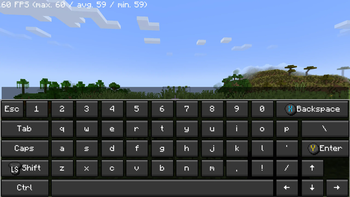
About this Modpack
🎮 Asus ROG Ally Modpack
Optimized for Maximum Performance on Handheld Devices
New!
Now i release versions that can run on the silent mode to ensure to get most out of the Battery. This kind of versions are marked with Low:
ROG-Ally 1.21.8 Fabric Low
Version is something like Low-1.0.1
This modpack was specifically designed for use on the Asus ROG Ally and thoroughly tested on the device.
It combines enhanced performance with optimized controls for a smooth, controller-friendly gaming experience — no mouse or keyboard needed.
If you are a mod developer and do not want your mod to be included in my modpack, please contact me and I will remove it as soon as possible. You can find my contact details in my Profile
FPS should be around 150-350 depence on what Powermode is used and if there are any other apps running.
Setup:
- Activate Gamepad Mode
- Choose atleast the 15w Powermode (Recommended)
- Start the Game
- Let the game configure and download the controls
Restart your GameSometimes needed
If the controls won't work go to options, then controls and after that choose controller settings and click use
✨ Highlights
🚀 Optimized Performance
All included mods are carefully selected and configured to make the most of the ROG Ally’s hardware, ensuring smooth gameplay.
🎮 Controller Support
Full gamepad support makes this modpack perfect for gaming on the go or from the couch.
⚡ Faster World Loading
Use the /chunky start command to preload up to 500 chunks, reducing in-game lag and improving load times.
Comes with Shader Support
You can install and use any shader. I tested the BSL Shader on High while using the 10w Power mode and you get about 30-50 FPS!!!
📝 Notes
- Before you start switch to Gamepad Mode on your ROG Ally.
- All mods and settings were tested on the Asus ROG Ally Z1E to ensure stable and high-performance gameplay.
- I used the CPU Boost consider it as an go to if you still have low framerate (keep in mind this is using more of the battery charge).
- If you want to play on the go without charging, I would recommend disabling the Async mod.
Not affiliated with ASUS
Available Versions
How to Set Up a ROG Ally Modpack Server
Order Server
Choose at least 4 GB RAM (6 GB recommended for ROG Ally Modpack). Based on player count: per 5 players.
Install Modpack in Dashboard
Open the modpack browser in the dashboard, search for "ROG Ally Modpack" and click "Install". The fabric loader and Minecraft 26.1.2 are configured automatically.
Start Server & Play
Start the server – all mods are loaded automatically. Share the server IP with friends and play together!
Frequently Asked Questions
ROG Ally Modpack server crashes or won't start – what to do?
Most common causes: insufficient RAM or wrong fabric loader. Check latest.log for "OutOfMemoryError" → increase RAM to at least 6 GB. For "Mixin" or "ClassNotFoundException" errors: modpack version and loader don't match. With Mado Hosting, loader and Minecraft version are auto-configured on modpack install – preventing most startup issues.
How much RAM does a ROG Ally Modpack server really need?
Minimum 4 GB, recommended 6 GB for stable performance. per 5 players. Important: Minecraft modpacks need more RAM than vanilla – plan extra per additional player. With Mado Hosting, you can scale RAM up live at any time without data loss (from €8/month).
Can I add custom mods to ROG Ally Modpack without conflicts?
Yes, but check compatibility: only use mods for the same loader (fabric) and same Minecraft version (26.1.2). Common issues: ID conflicts with recipe mods and incompatible coremod versions. The Mado dashboard mod browser only shows compatible mods and warns about known conflicts.
ROG Ally Modpack server lagging – performance tips
1) Increase RAM to 6 GB+. 2) Reduce server view-distance to 8 (server.properties). 3) Pre-generate chunks with the "Chunky" plugin. 4) Use /spark profiler to check which mods consume the most tick time. With Mado Hosting, all servers run on NVMe SSDs with dedicated CPU cores – eliminating hardware as a bottleneck.
Similar Modpacks
![Better MC [FABRIC] - BMC2](https://cdn.modrinth.com/data/shFhR8Vx/a19c2bcb51d38f32f138d3607e91cb2b7b8e387f_96.webp)
![Better MC [FORGE] - BMC4](https://cdn.modrinth.com/data/4BV47HRn/7f5ef7cc61b2593609aabef3ed07a866a4f11b73_96.webp)


![Better MC [FABRIC] - BMC3](https://cdn.modrinth.com/data/NHUidpfR/327e0749bb6d160c41799fd77bf6d3d631569dc8_96.webp)

Rent ROG Ally Modpack Server
Start your own server with automatic modpack installation.
Supported Versions
Start your ROG Ally Modpack Server now
From €8.00/month with 6 GB RAM for the best performance.
Configure Server →