
Scuftclient
scuftclient is my personal modpack for Minecraft 1.21.5, built for performance, clean visuals, and better PvP. It includes everything I use to make the game smoother, faster, and more fun.
Screenshots
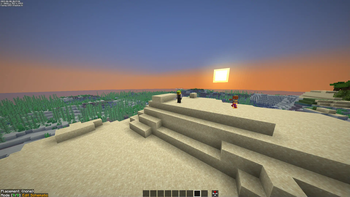
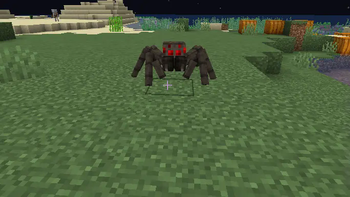
About this Modpack
🎮 ScuftClient – The Ultimate Minecraft Setup 🧱🔥
Welcome to ScuftClient, a custom-crafted modpack built entirely around how I play Minecraft! 🧑💻 Whether you're grinding survival, dominating PvP, building like a creative god, or just hanging with friends — this pack has everything you need to elevate your 1.21.5 experience. 🚀
🌟 What's in the Pack?
🔧 Performance Boosters – Supercharge your FPS with mods like:
🧊 Sodium + Lithium + FerriteCore for silky smooth gameplay
⚡️ Sodium Extra & ImmediatelyFast for that extra performance edge
🌙 Dynamic FPS to chill your system when you're tabbed out
🎨 Visual Enhancements – Minecraft, but way prettier:
✨ Complementary Shaders, Prismarine, BSL, Ebin & more for incredible lighting
🌈 Faithful 32x, Fresh Animations, Better Grassify, and Glowing Ores for clean textures
🌫️ Clear Water, Lower Grass, and resource pack tweaks for immersive realism
📦 PvP & UI Tweaks – Perfect for combat-focused players:
🛡️ Low Fire, Low Shield, BetterThirdPerson, Sharpless PvP
💬 BetterPingDisplay, NoChatReports, and Reeses Sodium Options for a cleaner UI
🗡️ Enchant Icons, Totem Tweaks, Totem Counter, and Armorchroma to stay sharp mid-fight
🎮 Quality of Life Mods – Makes the game just feel better:
📜 FullBright, MiniHud, Appleskin, Clumps, InvMove
📦 Shulker Tooltip, Camera Tweaks, Controlify, Mouse Tweaks
🗺️ Xaero's Minimap + World Map – never get lost again!
🎭 Customization & Aesthetics – Make Minecraft your own:
🎭 FancyMenu, Main Menu Credits, Drippy Loading Screen
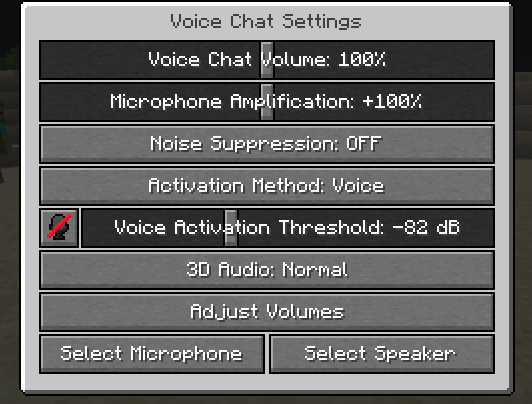
🎧 Voice Chat (Simple Voice Chat) – talk with friends in-game!
🎒 ResourcefulConfig, Mod Menu Helper, Resourcify – manage it all effortlessly
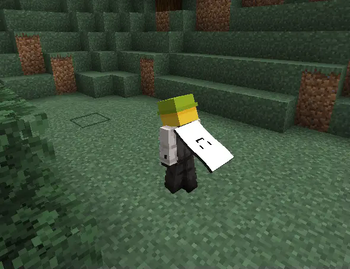
👕 Capes, Wavey Capes, UniqueDark GUI, Clean Wool, Small Items+
🛠️ Building Tools & Creator Essentials – For creative mode and redstone experts:
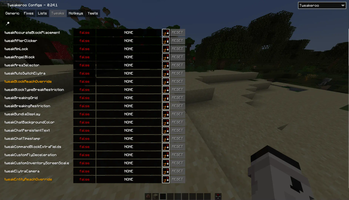
📐 Litematica, WorldEdit, BetterF3, Malilib, Tweakeroo
🧱 Chams Redstone Optimized, BigShot, Better Advancements
🔊 Sound & Ambience – Enhanced audio and music:
🎵 Melody, Polytone, Gamma Utils, Flashback, Lighty
🌦️ Clear Weather tweaks and ambient shaders to set the vibe
💬 Why This Pack?
This isn't just a modpack — it's my personal toolkit 🧰. Every mod here is handpicked based on performance, visuals, PvP practicality, and overall quality-of-life. I’ve crafted it to feel modern, smooth, and fully featured without going overboard. Think of it as vanilla-plus with style — optimized for players who love a clean, responsive experience. 🎯
Whether you're speedrunning, building, or just chilling with shaders on max — ScuftClient has you covered. 🕹️
🔧 Tech Specs & Requirements
🟢 Built for Minecraft 1.21.5
📁 Works best with Fabric Loader
🧠 Includes mod menus, config libraries, and is resource pack–friendly
💻 Plug & Play. No bloat. Just pure gameplay.
Start up, load in, and enjoy Minecraft the way I do. 🧡
attribution requirements from:
https://modrinth.com/modpack/fabulously-optimized and https://skinmc.net/totem
Available Versions
How to Set Up a Scuftclient Server
Order Server
Choose at least 6 GB RAM (8 GB recommended for Scuftclient). Based on player count: per 5 players.
Install Modpack in Dashboard
Open the modpack browser in the dashboard, search for "Scuftclient" and click "Install". The fabric loader and Minecraft 1.21.5 are configured automatically.
Start Server & Play
Start the server – all mods are loaded automatically. Share the server IP with friends and play together!
Frequently Asked Questions
Scuftclient server crashes or won't start – what to do?
Most common causes: insufficient RAM or wrong fabric loader. Check latest.log for "OutOfMemoryError" → increase RAM to at least 8 GB. For "Mixin" or "ClassNotFoundException" errors: modpack version and loader don't match. With Mado Hosting, loader and Minecraft version are auto-configured on modpack install – preventing most startup issues.
How much RAM does a Scuftclient server really need?
Minimum 6 GB, recommended 8 GB for stable performance. per 5 players. Important: Minecraft modpacks need more RAM than vanilla – plan extra per additional player. With Mado Hosting, you can scale RAM up live at any time without data loss (from €12/month).
Can I add custom mods to Scuftclient without conflicts?
Yes, but check compatibility: only use mods for the same loader (fabric) and same Minecraft version (1.21.5). Common issues: ID conflicts with recipe mods and incompatible coremod versions. The Mado dashboard mod browser only shows compatible mods and warns about known conflicts.
Scuftclient server lagging – performance tips
1) Increase RAM to 8 GB+. 2) Reduce server view-distance to 8 (server.properties). 3) Pre-generate chunks with the "Chunky" plugin. 4) Use /spark profiler to check which mods consume the most tick time. With Mado Hosting, all servers run on NVMe SSDs with dedicated CPU cores – eliminating hardware as a bottleneck.
Rent Scuftclient Server
Start your own server with automatic modpack installation.
Supported Versions
Start your Scuftclient Server now
From €12.00/month with 8 GB RAM for the best performance.
Configure Server →