
Sentari Teocara
The Temples' Architect Building and Adventure Modpack with alot of QoL and minimal tech!
Screenshots
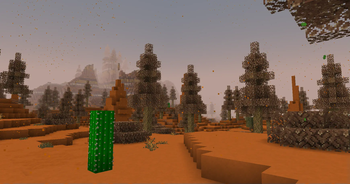
About this Modpack


invites you to a world where creativity meets exploration. This modpack centers around
building as its core focus, giving players access to an expansive selection of building mods to design grand temples, detailed structures, and breathtaking landscapes. Whether you're crafting massive architectural masterpieces or intricate interiors, the tools provided will allow endless customization and detail.
However, building is only one part of the adventure. To fuel your creativity, you'll need to venture into the wild to gather resources through exploration and discovery. The modpack introduces a blend of light adventuring elements, encouraging you to explore vast biomes, locate rare materials, and uncover hidden secrets to expand your building arsenal.

While the modpack minimizes tech mods, it includes OriTech, a simple yet effective mod to streamline resource management without overwhelming the player with complex machinery. Additionally, Quality of Life mods enhance the experience by providing useful features like easier inventory management, better organization, and other improvements that make building and adventuring more efficient and enjoyable.
Whether you're a seasoned architect or a casual builder, Sentari Teocara offers a harmonious balance between creativity, exploration, and resource gathering.

A perfect combination for those seeking both an immersive building experience and light adventuring without the clutter of heavy technology.
DISCLAIMER
Allocate atleast 8GB of RAM to this Modpack.
Support the work
If you enjoy what I create, supporting the page helps me spend more time on updates, polishing features, fixing issues, and creating new content for future releases.
Every bit of support helps keep development going — thank you for making the next update possible.

Available Versions
How to Set Up a Sentari Teocara Server
Order Server
Choose at least 6 GB RAM (8 GB recommended for Sentari Teocara). Based on player count: per 5 players.
Install Modpack in Dashboard
Open the modpack browser in the dashboard, search for "Sentari Teocara" and click "Install". The fabric loader and Minecraft 1.21.1 are configured automatically.
Start Server & Play
Start the server – all mods are loaded automatically. Share the server IP with friends and play together!
Frequently Asked Questions
Sentari Teocara server crashes or won't start – what to do?
Most common causes: insufficient RAM or wrong fabric loader. Check latest.log for "OutOfMemoryError" → increase RAM to at least 8 GB. For "Mixin" or "ClassNotFoundException" errors: modpack version and loader don't match. With Mado Hosting, loader and Minecraft version are auto-configured on modpack install – preventing most startup issues.
How much RAM does a Sentari Teocara server really need?
Minimum 6 GB, recommended 8 GB for stable performance. per 5 players. Important: Minecraft modpacks need more RAM than vanilla – plan extra per additional player. With Mado Hosting, you can scale RAM up live at any time without data loss (from €12/month).
Can I add custom mods to Sentari Teocara without conflicts?
Yes, but check compatibility: only use mods for the same loader (fabric) and same Minecraft version (1.21.1). Common issues: ID conflicts with recipe mods and incompatible coremod versions. The Mado dashboard mod browser only shows compatible mods and warns about known conflicts.
Sentari Teocara server lagging – performance tips
1) Increase RAM to 8 GB+. 2) Reduce server view-distance to 8 (server.properties). 3) Pre-generate chunks with the "Chunky" plugin. 4) Use /spark profiler to check which mods consume the most tick time. With Mado Hosting, all servers run on NVMe SSDs with dedicated CPU cores – eliminating hardware as a bottleneck.
Similar Modpacks
![Cobblemon Official Modpack [Fabric]](https://cdn.modrinth.com/data/5FFgwNNP/e7f9ee2e9d361623847853fe2ddce42f519ee64f.png)
![COBBLEVERSE - Pokemon Adventure [Cobblemon]](https://cdn.modrinth.com/data/Jkb29YJU/581ecf54530972afb18a04660afd820f2f24f6c7.png)
![Better MC [FABRIC] - BMC2](https://cdn.modrinth.com/data/shFhR8Vx/a19c2bcb51d38f32f138d3607e91cb2b7b8e387f_96.webp)


![Better MC [FORGE] - BMC4](https://cdn.modrinth.com/data/4BV47HRn/7f5ef7cc61b2593609aabef3ed07a866a4f11b73_96.webp)
Rent Sentari Teocara Server
Start your own server with automatic modpack installation.
Supported Versions
Start your Sentari Teocara Server now
From €12.00/month with 8 GB RAM for the best performance.
Configure Server →