
Serentiy Project
The Serenity Project has a calm, polished ring to it that fits perfectly with your goal of smoother performance and stress‑free gameplay. It suggests balance: Minecraft as it’s meant to feel, without the clutter or chaos.
Screenshots
About this Modpack
🌿 The Serenity Project
The Serenity Project is a lightweight, vanilla‑friendly modpack designed to make Minecraft smoother, faster, and more enjoyable—without changing the core experience. It blends powerful performance optimizations with subtle quality‑of‑life improvements, keeping the game familiar while removing small frustrations.
⚡ Performance & Optimization
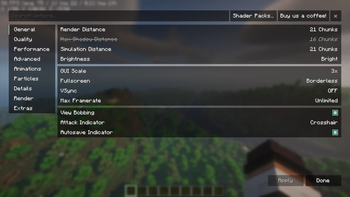
- Sodium, Lithium, Sodium Extra, Reese’s Sodium Options, ImmediatelyFast, BadOptimizations – cutting‑edge performance mods for higher FPS and smoother gameplay
- Entity Culling, Clumps, Model Gap Fix – reduce rendering lag and visual stutter
- Fabric API, Fabric Language Kotlin, Cloth Config API, YetAnotherConfigLib, MaLiLib, Text Placeholder API – stable foundations for mod compatibility and customization
- More Culling - Culling is when you don't render things that the player can't see, to improve performance
- Ferrite Core - This mod reduces the memory usage of Minecraft in a few different ways.
🛠️ Quality of Life Enhancements
- AppleSkin – clear hunger and saturation info
- Client Sort, Mouse Tweaks – faster, smarter inventory management
- Controlling, Searchables – easy keybind and menu
- cubes without borders – seamless window switching
- More Chat History – never lose track of conversations
- Status Effect Timer - To display how long your potions/effects will last
- Show Durability - Shows Durability above the tool in numbers
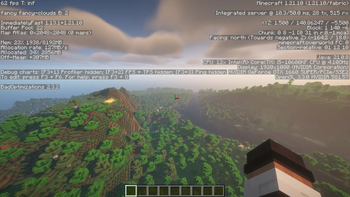
- Better f3 - Well, it makes the f3 menu better
🎨 Visual & Cosmetic Touches
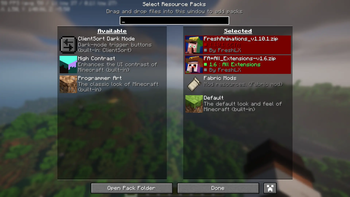
- [EMF] Entity Model Features & [ETF] Entity Texture Features – enhanced entity visuals without breaking vanilla style
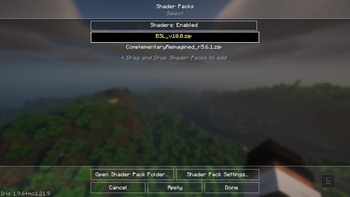
- Iris Shaders – shader support for stunning visuals
- Capes – simple cosmetic flair
🌍 Extra Tools
-Chunky- pre renders chunks for faster loading
- Lightly - shows light levels and has 3 settings
- Essential Mod – multiplayer tools and social features also having a zoom mod built in
- Mod Menu – simple interface for managing mods
- Tweakeroo – advanced client tweaks for fine‑tuned control
- Xaero’s Minimap – lightweight, customizable map for Navigation
- Server Pinger Fixer - improves how servers in the multiplayer list are pinged, making for a much nicer experience in the menu
- Simple Discord RPC - Simple Discord RPC is a simple and easy to use mod that allows you to display what you are doing in Minecraft on your Discord Status.
- Replay Mod - The ReplayMod allows you to record, replay and share your gaming experience.(but go into the config to turn off auto on if you don't want it recording every time you open a world/server)
✨ Why Serenity?
Because Minecraft should feel calm, polished, and frustration‑free. This pack keeps the vanilla spirit intact while giving you the performance, clarity, and ease‑of‑play you’ve always wanted.
Available Versions
How to Set Up a Serentiy Project Server
Order Server
Choose at least 4 GB RAM (6 GB recommended for Serentiy Project). Based on player count: per 8 players.
Install Modpack in Dashboard
Open the modpack browser in the dashboard, search for "Serentiy Project" and click "Install". The fabric loader and Minecraft 1.21.10 are configured automatically.
Start Server & Play
Start the server – all mods are loaded automatically. Share the server IP with friends and play together!
Frequently Asked Questions
Serentiy Project server crashes or won't start – what to do?
Most common causes: insufficient RAM or wrong fabric loader. Check latest.log for "OutOfMemoryError" → increase RAM to at least 6 GB. For "Mixin" or "ClassNotFoundException" errors: modpack version and loader don't match. With Mado Hosting, loader and Minecraft version are auto-configured on modpack install – preventing most startup issues.
How much RAM does a Serentiy Project server really need?
Minimum 4 GB, recommended 6 GB for stable performance. per 8 players. Important: Minecraft modpacks need more RAM than vanilla – plan extra per additional player. With Mado Hosting, you can scale RAM up live at any time without data loss (from €8/month).
Can I add custom mods to Serentiy Project without conflicts?
Yes, but check compatibility: only use mods for the same loader (fabric) and same Minecraft version (1.21.10). Common issues: ID conflicts with recipe mods and incompatible coremod versions. The Mado dashboard mod browser only shows compatible mods and warns about known conflicts.
Serentiy Project server lagging – performance tips
1) Increase RAM to 6 GB+. 2) Reduce server view-distance to 8 (server.properties). 3) Pre-generate chunks with the "Chunky" plugin. 4) Use /spark profiler to check which mods consume the most tick time. With Mado Hosting, all servers run on NVMe SSDs with dedicated CPU cores – eliminating hardware as a bottleneck.
Similar Modpacks

![Cobblemon Official Modpack [Fabric]](https://cdn.modrinth.com/data/5FFgwNNP/e7f9ee2e9d361623847853fe2ddce42f519ee64f.png)
![COBBLEVERSE - Pokemon Adventure [Cobblemon]](https://cdn.modrinth.com/data/Jkb29YJU/581ecf54530972afb18a04660afd820f2f24f6c7.png)
![Better MC [FABRIC] - BMC2](https://cdn.modrinth.com/data/shFhR8Vx/a19c2bcb51d38f32f138d3607e91cb2b7b8e387f_96.webp)


Rent Serentiy Project Server
Start your own server with automatic modpack installation.
Supported Versions
Start your Serentiy Project Server now
From €8.00/month with 6 GB RAM for the best performance.
Configure Server →